


Prepare your records for online sales
To sell through your own website, you need a clear catalog, verified prices and stock levels, an order processing workflow, and arrangements for payment and delivery. After launch, it is important to keep this information up to date and agree on who is responsible for each part of the work.
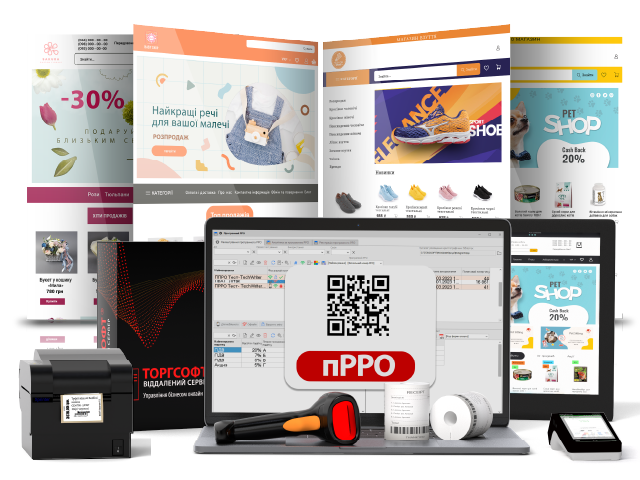
Torgsoft Online Market is an add-on option for creating an online store. Preparation starts with the products in your Torgsoft database: names, prices, photos, and descriptions. Next, agree on the synchronization settings and how orders will be received.
Where to start in your store
If you do not yet have an inventory system, start by preparing your product range: names, prices, photos, descriptions, and specifications. Separately, count your actual stock so that you have verified availability information before launch.
If your products are already entered in Torgsoft, start by checking the database. Look for empty descriptions, outdated prices, unclear photos, and confusing names. For example, clothing customers need to distinguish size and color, while spare-parts customers need to understand compatibility.
The online store setup guide specifies Torgsoft Ultra or Terminal, the Torgsoft Online Market option, hosting, a domain, and completed product records. Before ordering, agree on the solution package for your store.
How to connect your catalog and orders to your records
Torgsoft Online Market provides settings for synchronizing dynamic specifications and HTML descriptions, as well as receiving orders and invoices. During preparation, determine which specifications your product range needs and what each product description should include.
Agree on who will check new orders, verify customer details, and confirm stock availability before confirming an order. After a sale, stock receipt, or return, check that the information shown to customers matches the actual status of the product.
Preparation essentials
Verified catalog + person responsible for orders + agreed payment and delivery arrangements.
What to agree on before launch
Payment and delivery
Make a list of the options you need: online payment, cash on delivery, payment using bank details, pickup, or shipping through a delivery service. Check which are available in the selected package and what is required to enable them.
Domain and design
Prepare your preferred domain, logo, colors, and banners. Plan the categories and pages with information for customers. Agree on how these will be implemented in the store template.
Technical requirements
Find out what the service includes: hosting, SSL, updates, and support. Clarify who is responsible for renewing the domain and how to request help if the website or data exchange needs attention.
Promotion and testing
Decide which SEO settings and analytics you need at launch. Agree on the possibility of testing, then go through the customer journey: product selection, order placement, payment, and delivery.
Start the launch with a verified catalog and a clear workflow. A test order will help you see which details and arrangements still need clarification.
Discuss your store launch
Prepare a brief description of your product range, the state of your records, and the payment and delivery methods you need. With this list, contact the Torgsoft order department on Telegram or by phone at +38 (067) 558 37 84.
 Go back to the previous step