


User Support
-
Torgsoft Technical Support

Get assistance from Torgsoft support: remote connection via TeamViewer, instructions, and contacts to resolve issues quickly and securely
-
Beginner tutorials
Torgsoft beginner video course: installation, store setup, product import, receiving, sales, financial accounting, and inventory.
-
User manual
Torgsoft User Manual: a complete guide to setup, accounting, sales, reporting, integrations, and customer management.
-
System requirements for the computer to operate the accounting software Torgsoft
Computer characteristics for accounting system: Windows, MS SQL Server; Core 2 Duo, i3, i5, i7; 8+ RAM, SSD 120Gb. Accounting on Android, iOS and macOS. Static IP
-
Updates
-
Change Log
Latest updates for Torgsoft, Hybrid, Mobile App, Torgsoft Online Market: review of changes, new features, and improvements for efficient work
-
Getting Started
Step-by-step Torgsoft setup guide: PC system requirements, first launch, and basic configurations. Everything you need to start your business from scratch.
-
Installation and Update of Torgsoft
Torgsoft & SQL installation, backup setup, and PC migration. Step-by-step guides on updates and fixing common installation or update errors.
-
Server, Database, and Performance
Torgsoft support articles on server, database, and performance: setup, common failures, error causes, and troubleshooting steps.
-
Network & Remote Access
Resolving server connection issues. Setting up RDP, Hybrid mode operations without internet, and tips for changing routers or ISPs.
-
Products, Inventory, and Purchasing
Torgsoft support articles on products, inventory, and purchasing: stock levels, item movement, documents, accounting errors, and fixes.
-
Procurement and supplier management
Procurement and supplier management in Torgsoft: goods receiving, orders, payments, debts, returns, pricing, reconciliation and supply control.
-
Sales and Cash Operations
Torgsoft inventory & sales guide: stock-in, sales, returns, and audits. Learn how to manage stock, set prices, and calculate COGS correctly.
-
Inventory and stock control
Inventory and stock control in Torgsoft: stocktaking, warehouse reconciliation, discrepancy detection, write-offs, and stock movement tracking.
-
Customer Management and Marketing
Customer cards, discounts, bonuses, segments, mailings, promotions, accrual errors, and marketing settings.
-
Fiscalization and Tax Reporting
Torgsoft fiscalization guide: setting up software fiscal registers, issuing tax receipts, Z-reports, and troubleshooting data transmission to tax authorities.
-
Production accounting
-
Financial Accounting
Financial accounting in Torgsoft: pricing, exchange-rate recalculation, cash day closing, Z-report, settlements, supplier debts, margin and profit.
-
Reports and analytics
Reports and analytics in Torgsoft: sales, revenue, profit, stock, товар movement, cash, finance, and key business metrics.
-
Payment Terminals
Setting up payment terminals in Torgsoft. Integrating POS devices, troubleshooting card payment issues, and resolving connection errors.
-
Printing: Receipts & Labels
Torgsoft printing setup: FastReport templates, receipt and label customization. Troubleshooting printer connection and layout alignment issues.
-
Equipment
"Equipment" section in Torgsoft: video tutorials on connecting and configuring radio scanners, printers, scales and touch-sensitive monoblocks
-
Access & Security
Managing user roles and access permissions in Torgsoft. Password setup, data protection, activity logs, and business security recommendations.
-
Integrations & Sync
Torgsoft integrations with Prom, Rozetka, marketplaces, and shipping services. Stock synchronization, data exchange, and troubleshooting connection issues.
-
Common issues and solutions
Troubleshooting Torgsoft: Common issues with Software Fiscal Registers, printing, terminals, networks, and fast, verified solutions for your business.
-
Torgsoft video tutorials
Torgsoft video tutorials on inventory, sales, stock control, finances, fiscal receipts, equipment and reports. Current lessons and archived recordings.
-
Frequently Asked Questions
-
Implementation plan
Step-by-step Torgsoft implementation plan: data preparation, demo setup, products, cash desks, access rights, launch, and accounting control.











- Torgsoft Technical Support
- User manual
- System requirements for the computer to operate the accounting software Torgsoft
- Getting Started
- How to download Torgsoft and get a free 30-day demo?
- Torgsoft database cleaning methods
- Starting accounting in a store: preparation and launch from scratch
- Step-by-step instructions: choosing architecture and configuring Torgsoft
- Typical Torgsoft installation diagram: what is installed and where is the data stored?
- Hardware for Torgsoft: what you need and how to choose
- Activation of license and additional options
- Getting started with accounting software
- How to enter the program: password from Torgsoft
- Main elements of the Torgsoft interface: standard buttons, filters, sorting
- Working with lists: quick search in tables (Ctrl+F) and search conditions
- Changing fonts in Torgsoft: tables, printing, customer display, mobile application
- How to create a new product category in Torgsoft?
- How to send a request for technical support
- How to import an incoming invoice from Excel: step-by-step instructions
- Opening balances: how to enter goods into the database without fictitious debts to suppliers
- First test sale at Torgsoft: what to check before launching a store
- Technical guide: database migration from 1C/BAS and Excel to Torgsoft
- Torgsoft Implementation: Step-by-Step Retail Automation
- How to open a new store in Torgsoft: balances, prices, access rights and PECR
- How to transfer the nomenclature, balances and prices to the new Torgsoft database
- Torgsoft Start, Ultra or Terminal: Which License to Choose
- Any additional Torgsoft option for free for 30 days
- Test Torgsoft: online in the browser or a demo on a PC
- Installation and Update of Torgsoft
- Server, Database, and Performance
- How the terminal server works
- Instructions for installing SQL Server 2014
- How to install SQL Server Management Studio
- How to connect to the server?
- How to update the server connection shortcut
- Ending a session on the server: how to end the work correctly?
- How to speed up the accounting software?
- The database slows down after the initial import: errors in the data, Excel file, and import settings
- Network & Remote Access
- Client-server architecture at Torgsoft
- Remote server: principle of operation
- How to set up Torgsoft on a local network
- Vzdialená práca v Torgsoft cez terminálovú licenciu a RDP - ako ju organizovať
- Setting up the structure of the retail network: stores and warehouses
- Price management in the retail network
- A chain of stores on a Terminal License: how to ensure that cash registers work when the Internet disappears
- Torgsoft mobile application: how to customize it yourself?
- Changing the router or IP address: restoring Torgsoft operation
- Torgsoft Hybrid: work without the Internet and data synchronization
- Torgsoft Hybrid: check synchronization and offline work
- External "white" static IP address: when it is needed to work with Torgsoft
- Banking POS Terminal and Torgsoft on a Remote Server: How to Set Up Operations via RDP
- Products, Inventory, and Purchasing
- Counterparties and suppliers: how to keep a directory without errors
- Manufacturer, Brand and Supplier: how to keep directories without duplicates
- Supplier management in Torgsoft: all the possibilities
- Creating a product card
- Own SKUs: how to enable accounting and enter products by SKU
- Product groups: how to automatically group products for promotions and rules without a manual list
- Manufacturer's Barcode: How to Bind Upon Arrival to Avoid Creating Duplicates
- How to Record Inventory in Torgsoft: Goods Receipt
- How to import the entire range of sizes into Torgsoft?
- Barcodeless inventory: how to create your own inventory and print a label
- How to recalculate the cost of goods in Torgsoft?
- How can I see how many items and for how much are in stock?
- Ordering a retail outlet to the warehouse
- Creating and Assembling Product Kits in Torgsoft
- Writing Off Stock
- Warranty accounting by serial numbers: settings and key checks
- Downloading prices to a new accounting center after transferring goods
- Negative product balances: causes and solutions
- FIFO negative balances: zero cost and inflated profit
- Storage space in Torgsoft: how to set up shelves, racks and cells
- Asterisk (*) at the end of the product name - why does it appear and how to remove duplicates
- Zero or empty cost at the beginning of the month: explanation and actions
- How to set up cost for internal goods movements
- Negative balances in the warehouse: how they arise and how to remove them
- Transportation and overhead costs: how to correctly add logistics to the cost price
- Cost recalculation: automatically according to schedule or manually?
- Internal transfer and "Goods in transit": why goods disappear between warehouses and how to receive them correctly
- Where to find surpluses, shortages, and documents after closing an inventory statement
- Restocking, shortages and surpluses: how to correctly read inventory results
- Delayed invoices, future dates and "disappeared" balances: how to properly control movements between warehouses
- Mass update of characteristics via import: how not to lose or erase existing data
- Availability control: how to quickly check stock and prices across the network | Cashier's Guide
- Exchange of warranty goods in the "Repair" mode: nuances of accounting by enterprise
- Backup in production: from raw materials to finished products
- Reserve goods from several warehouses
- Revaluation act and protocol: how to find out who changed the price in the program and when
- Goods write-off document: when to use it and when not to use it
- Distribution of merchandise receipts by retail outlets: how to quickly deliver goods from the central warehouse
- Moving goods with serial numbers: how to avoid errors and loss of warranty records
- Moving kits and sets between warehouses
- Organization of the storekeeper's work with internal transfers: responsibility, multiplicity and control
- Mobile logistics: how to make transfers and receive "Goods in transit" from a smartphone
- Addressed storage during movements: how to avoid losing goods using cells and racks
- Working with write-off acts: how to find, edit or cancel a document
- Marked down goods: how it differs from revaluation and how to manage returns
- Writing off spare parts with serial numbers in the "Repair" mode: how to avoid "hanging" of leftovers in the warehouse
- Seasonal storage box accounting: automatic movement, inventory and historical data storage
- Control of minimum and maximum balances during the distribution of goods between warehouses
- "F1 Warehouse Status" is slow: how to configure a static collection method
- Accounting for F1–F2 during internal transfers: how to check the F1 balance and correct discrepancies
- Format for tracking inventory stocks: opening balances, internal transfers, and document notes
- Inventory breakdown by business entity: how to allocate remaining stock between a sole proprietor and an LLC
- Warehouse status analysis at Torgsoft: we reveal hidden opportunities for your business
- Product Quality Certificates in Torgsoft
- Product Seasons in Torgsoft
- “Age” Attribute for a Product in Torgsoft
- Product Size Range in Torgsoft
- Product Types and Attributes in Torgsoft
- Complete List of Goods and Services in Torgsoft
- Product Supply Directory and Supply Batch
- Procurement and supplier management
- Automatic notification of customers about the sale of their goods
- Чому програма не дає повернути товар постачальнику після інвентаризації
- Balance control and correct formation of orders to the supplier taking into account reserves
- Shortage in product distribution: how to instantly create an order to the supplier for a shortage
- How automatic decommissioning works when posting: document creation, editing restrictions, and frequently asked questions
- Why the product does not enter the "Order formation to the supplier": prohibitions, blocking, reserves and filters
- Exchange rate "1" for foreign currency receipts: why the cost is calculated incorrectly and how to recalculate it
- How to control prices and quantities when posting goods
- Preventing Orders from a Supplier in Torgsoft
- Supplier Orders: Track Deliveries and Receipts
- Supplier Inventory: Importing Products and Placing Orders
- Sales and Cash Operations
- Setting up wholesale pricing policies, manufacturer discounts, and customer price lists
- Automatic wholesale prices: how to set up discounts based on product quantity
- Wholesale policy by groups: how to set pricing rules depending on the quantity in the check
- Automatic markup: how to set default prices for new products
- How to open and edit an existing purchase invoice
- How to reserve a product in Torgsoft?
- Expense invoice: creation, processing and error correction
- Partial Shipment of Goods and Receipt Printing
- Selling and Taking Payment in Torgsoft
- How to sell goods when the power goes out: a complete guide to working with Torgsoft during blackouts
- How to credit change to a client's card
- Returns and Refunds
- How to view yesterday's sales: 5 control methods
- Transfer of goods between accounting centers: on PC and smartphone
- Internal movement: Goods in transit mode
- How to sell sets and kits so that components are written off from the warehouse
- Bulk loading of products: Excel template, column mapping, check before recording
- Error when returning goods "Sales document for this receipt not found..."
- Returning goods in the Torgsoft program
- Additional costs when purchasing: how to add shipping costs and commission to the price of the product
- How to change prices during checkout and check the invoice
- How to print a supplier order with current balances
- How to avoid product shortages: setting up automatic warehouse replenishment
- Order formation: working with unprofitable goods
- Cash day closed or created with a future date: how to fix
- Mass price change: how to reprice an entire product or group without manual edits
- How to enable FIFO accounting and transfer cost
- How to set up costing and batch accounting
- How to change the purchase price for old product balances
- Analysis of overdue goods: search for illiquidity, revaluation and return
- How to find out the total amount of purchases from a specific supplier or manufacturer
- How to add shipping costs and commissions to the cost of goods
- Setting up the operation of several individual entrepreneurs at one cash register
- How to download a supplier's price list and automatically create an order
- Typical mistakes sellers make in sales, scanning, and quantity entry
- Draft sales: how not to lose the receipt in case of failures and postpone the sale
- How to issue a return if a customer has lost a check: search by customer, discount card or product
- Maximum return period of 14 days: how the program monitors legal requirements
- Correct return of goods: scanned receipt, bank terminal and bonus recalculation
- Exchange of goods in the store: the correct algorithm for conducting in Torgsoft
- Erroneous returns: how to find, cancel and correct the goods and money report
- Ban on returns: how to block the receipt of certain categories of goods
- "Stuck" reserve: how temporary storage warehouses work and how to return goods to sale
- Flexible work with orders: changing the quantity of goods and partial refund of the advance payment
- "Awaiting Reservation" status: working logic and how to cancel the wait
- Canceling a prepaid order: correct refund of money and goods
- Revaluation Act and Revaluation Protocol: how to change prices correctly
- Control of internal transfer acceptance: how to record shortages, surpluses and re-sorting without staff fraud
- Pricing for internal transfers: how to set prices and avoid hangs when receiving "Goods in Transit"
- Renting goods without a cash deposit: how to set up a zero deposit and accept an advance for booking
- Rental cancellation: how to properly return the advance payment, deposit, and goods to the warehouse
- Hourly and daily rentals: how to protect rented goods from accidental sale
- Selling goods from another accounting center
- Sales with Invoicing: Orders, Payments, and Shipments
- Sales Price by Accounting Centers
- Limit Product Sales to a Customer
- Inventory and stock control
- Why is the shortage amount in the inventory statement different from the write-off act and reports?
- How to find an item that hasn't been checked in a while: using the last inventory date to control balances
- How to configure printing of inventory results in wholesale prices
- How to find the cause of negative balances and track deleted documents
- Manual inventory: how to print a "blind" inventory list and correctly transfer data to a PC
- Partial recalculation without stopping sales
- Preparation for inventory: checklist of information, documents, reserves and balances
- Level 3 Checkpoints and Warehouses: Why “Warehouse Status” and “Goods Movement” Don’t Match
- Import of products and inventory results: Excel, CSV and data collection terminals
- Inventory of goods with a scanner
- Shortage, surplus and reassortment: how to read inventory results
- Inventory of warranty goods by serial numbers
- Inventory in batch accounting (F1-F2): how the sum of shortage and surplus is formed
- Inventory of goods by measure: weight, length and printing of results
- How to show the parameter for accounting for level 3 warehouses and checking transfers, reserves, and temporary storage
- Financial inventory results: automatic documents, costing and closing optimization
- Inventory by business entity: how to separate stock between Sole Proprietorship and LLC
- How to undo inventory close and correct results
- Stocktaking: statement, counting and closing
- Customer Management and Marketing
- VIP clients: why the debt does not converge and how to find discrepancies
- Setting up an invoice with wholesale and retail prices
- Buyer identification at the checkout: bonuses, VIP clients and verification
- Loyalty at the checkout: how to apply promotions, manual discounts, and sell gift certificates
- Fixed customer discount: why it doesn't work and how to set it up correctly
- Accumulative discount system: the principle of operation and analysis of the most frequently asked questions of entrepreneurs
- How to limit discounts in Torgsoft: maximum discount per product type and prohibitions
- Discount priorities: what is more important - a promotion, a customer discount or a product discount
- Bonus burn: how to set expiration dates and mass alert mailings
- Mass migration of customers to a new discount system: instructions without data loss
- Torgsoft bonus system with an expiration date: automatic write-off and customer notification
- Payment for goods with bonuses: combined checks, prepayments and cancellation of purchases
- Gift certificates and bonuses: how to avoid double counting and losses
- Why the promotion does not apply to the product: non-obvious reasons
- Setting up the “Bring a Friend” promotion: reward conditions, promo codes and rules for calculating bonuses upon returns
- Referral and club programs in retail: partner accounting, status confirmation and customer activity analysis
- Intermediaries and referrals: how to set up referral accounting, commission payments, and attract new clients
- Setting up complex promotions in Torgsoft
- Viber and SMS mass mailings: notification automation and technical settings
- Scenario guide: setting up an accumulation system and individual wholesale discounts for the manufacturer
- Verification of discount card via SMS when writing off bonuses
- Blocking a customer's discount card: loss, fraud, debtors
- Deleting a customer's personal data: what the program allows and what the store is responsible for
- CRM in the Torgsoft client card: how to record contacts, set reminders and use interests
- The family's warehouse in the client's card: the type of relatives, the history of the people and the base without duplicates
- Importing customers from Excel: how to transfer full names, contacts, bonuses and discount cards
- Customer purchase history: how to check the applied promotion, discount type, and accounting center
- Automatic SMS notification of customers about the repair status
- Managing debtors: automated reminders, blocking shipments, and writing off bad debts
- Promotion and discount settings
- How to edit, join and delete customer cards in Torgsoft?
- Fiscalization and Tax Reporting
- Cash Register, Fiscal Registrar, and Software RRO
- Software RRO: where to start
- Does the tax have access to the program?
- How to activate ECR?
- Work of enterprises and sellers with ECR and keys
- The active or inactive button "Fiscal registrar" in the implementation
- Sales are not for that ECR
- The program constantly asks you to choose ECR
- Checklist for setting up the Torgsoft software ECR
- How to check the relevance of the pECR key and replace it in time?
- How to make a product fiscal in Torgsoft?
- How to start working with ECR: opening and closing a cash change
- How to start work with the right company and open a shift under the right ECR?
- Cashier's job description for using Software ECR (pECR) in the Torgsoft system
- Work without the Internet: change discovery and Z-report
- "VALUES" error when generating a Z-report or X-report
- How to modify the check template of the program registrar of settlement transactions?
- How to change the QR code size in the check of the software registrar of settlement transactions?
- Error "Private key file not found": how to restore the path to the KEP
- An outdated version of cryptographic libraries is used: how to update and restore the pECR
- Change of individual entrepreneur: a note for the cashier
- FAQ: DocumentValidationError (error code 9) - how to find the cause and fix it
- There is no connection with the DPS server in ECR: how to determine the reason and what to do
- Change of individual entrepreneur at a point of sale in Torgsoft
- ECR does not go online and “hangs” offline: 502 / 404 / PackageValidationError / InvalidQueryParameter
- Replacing the CEP for software pECR in Torgsoft
- The work of ECR offline in Torgsoft: time limits, number range and synchronization
- Fixing POINTADDR Error: Software ECR Address Mismatch
- ECR: "Error decompression data 'gzip'" error — what it means and what to do
- ECR: DocumentValidationError / Time Stamp - the check is not fiscalized
- "Unrecognized Product" in Torgsoft ECR: Ccauses and solutions
- "Operation not supported" error in Torgsoft ECR
- Error "No available business units" when adding a pECR key
- ShiftAlreadyOpened (error code 4): shift already opened by another key
- Downloading checks from the DPS server to Torgsoft: how to restore and synchronize pECR checks
- "Signer certificate revoked" error
- Cashier's guide: making a sale, choosing a payment method, mixed payments and avoiding mistakes
- Special products at the checkout: how a cashier can work with alcohol, weighted goods and electronics at Torgsoft
- Why the cash register doesn't add up: how to find lost checks and fix errors before the Z-report
- Mixed payment - cash and card: instructions for the cashier
- Trade with an invoice statement: from statement to shipment fiscalization
- PECR error "The amount of the withdrawal is greater than the amount of cash": how to return the funds in the morning
- Return of goods sold through another PECR or closed individual entrepreneur
- Accidental double punching of a fiscal check: a quick cancellation algorithm
- Fiscalization of prepayments: how to avoid PECR errors and discrepancies in checks
- Rounding a Check vs. a Fixed Discount: Where the Pennies Go
- Gift certificates in Torgsoft: types, fiscalization through PECR and checking template settings
- Fiscalization of payments from NovaPay
- VIP client in debt and PECR: when is “Trading with account statement” needed?
- Error loading key certificates. Certificate not found. Check the correctness of the specified CA address
- Daily Cash Register Report Does Not Match the pECR: How to Find the Cause of the Discrepancy
- PECR: ZRepAlreadyRegistered Error — Z Report Registered, but the Shift Did Not Close
- Service Cash Deposit in pECR and Cash Orders: When to Use Each Operation
- Card Payment Recorded as Cash in Torgsoft: How to Correct the Payment Type and Reconcile PECR
- How to set up automatic receipt splitting between a Sole Proprietorship and an LLC?
- Partial payment in "Trade with invoicing": how to select the PECR receipt mode and correct amount discrepancies
- How to generate a final period report for a deregistered PECR
- Accidentally generated a Z-report mid-day: how to continue sales and manage the PECR shift in Torgsoft
- PECR does not load business units: how to restore the connection
- After deleting a product, the amount in the pECR and the financial document differs: how to check the sale and correct the discrepancy
- “Prepayment” for a Few Kopecks in a pECR Receipt: How to Find the Cause of Rounding
- Prepayment for a Foreign-Currency Invoice in TVR: How to Calculate the UAH Equivalent, Exchange Rate Changes, and Partial pECR Receipts
- PECR in Torgsoft Hybrid: Z Report Offline, ORDERNUM and ID Errors, Synchronization, and Receipt Templates
- PECR at the Beginning of the Year: Checklist for Checking QES, Business Units, and Licenses in Torgsoft
- Software Cash Register and an Incorrect Computer Time Zone: How to Fix It
- Production accounting
- Program for production accounting: how it works and how to use it
- How to create an incoming invoice in the Torgsoft accounting program?
- How to import a supplier's invoice into the accounting program?
- Accounting for raw materials in production: reservations, write-off, movement in warehouses
- How to place an order to suppliers. Materials for production
- Orders to suppliers in the accounting program Torgsoft
- Write-off of materials and waste in production
- How to manufacture complex products and keep track of them?
- How to organize production: technological maps, planning and availability of resources
- How to organize accounting for raw materials and semi-finished products in Torgsoft
- Technological map, Production act and Route sheet: a system of production documents
- How to set up cost for kits and in-house production
- Production management through routings: write-off rules, partial release and search for related documents
- Financial Accounting
- Markup and margin: formulas, common mistakes and profit control
- How to change prices for a product group and monitor the result: step-by-step instructions
- Price change control: Revaluation Protocol, Revaluation Act and User Action Log
- How to check the debt to the supplier, make a payment and reconcile the balance
- Revenue Invoice Profitability Analysis: How to Evaluate Procurement Efficiency
- Settlements with counterparties
- Writing off a defect without cash losses: how to properly prepare documents
- What is the difference between revenue, gross profit, and net profit
- Як вести облік в іноземній валюті: від закупівлі до оплати постачальнику
- Closing the cash day: revenue handover and Z-report
- How to keep records of goods for sale and pay bills with the supplier
- Checking mutual settlements with suppliers
- How to return goods to the supplier: write-off from the individual entrepreneur and accounting for debt
- How to accept a product for warranty repair without a refund
- Where to view debts and create a reconciliation report with a counterparty
- How to make an advance payment to a supplier from a current account
- Which product brings in the most money: revenue analysis by supplier
- How to check whether a batch of goods has paid off: invoice profitability analysis
- Partisanship in analysis: how to track movement and profit on a specific supplier invoice
- Revaluation of goods: when to change the selling price and when to change the purchase price
- How to account for logistics and customs: 3 scenarios for distributing additional costs
- Cash in the cash register: official deposits, withdrawals and error corrections for the upcoming cash register day
- Advances and prepayments of VIP clients: how to use an internal deposit for new purchases
- Price recalculation when currency exchange rates change with margin retention
- Mutual settlements with employees: deduction of debts for goods from wages
- How to correctly return an advance and overpayment in the "Trading with account statement" mode
- Returning non-cash payments directly to your current account: how not to lose on acquiring fees
- The goods were returned, but the money is not reflected in the "Daily Cash Report": we are looking for a lost financial document
- Why the client's debt does not converge: balance with partners, settlement card and unpaid sales
- Conversion of movements into expense and revenue invoices: when it is necessary for financial accounting
- Payment of labor for craftsmen in a service center: how to calculate wages for repairs
- Repair work, materials and services: why an invoice is not generated
- How to correct expenses and cash orders for a closed cash day
- How to reconcile cash in the register daily: opening balance and banknote-by-denomination check
- Monobank and Privat24 bank statements in Torgsoft: how to avoid duplicating cashless payments
- IBAN payments and acquiring in Torgsoft: how to correctly account for bank fees and avoid discrepancies
- Revenue is not showing up in the "Daily Cash Report": how to check financial analysis categories
- Bank statements: how to set up Privat24, monobank, and UKRSIBBANK and verify the connection
- Unidentified payments: how to locate a payment, link it to an account, and clear the debt
- Accounts Receivable and Payable Management: End-to-End Balance Sheet Analysis and Foreign Currency Settlements
- Reconciliation of Mutual Settlements and Offsetting: Identifying Balance Discrepancies and Documenting Non-Cash Barter
- Accounting in Foreign Currency in Retail: From Goods Receipt to Settlement with Suppliers
- Editing and Deleting Documents: The Impact of Modifying Invoices on Settlements with Counterparties, and a Step-by-Step Review of Outstanding Balances
- Initial Counterparty Debts: How to Enter, Modify, and Verify Balances After Deleting Statistics for Closed Periods
- Revaluation of goods
- Reports and analytics
- Discrepancies in reports: why do "Period Analysis" and "Product Report" show different profits after returns
- Promotional product returns and discount analytics: where do the numbers go?
- Deep marketing analytics: assessing the use of discounts and bonus movement
- Customer activity analysis: how to segment the base, find "dormant" customers, and set up effective up-selling
- Write-off analytics: why loss amounts in different reports don't match
- Goods Write-off Report: how to Analyze Losses
- Inventory turnover and turnover: quantity, cost and movement of goods
- Exporting reports to Excel: OLE errors, large reports, OpenOffice, and column misalignment
- ABC and XYZ Assortment Analysis in Torgsoft
- Assortment management center for inventory and logistics management
- Payment Terminals
- Sale does not close after payment (sale window freeze)
- Connection of Newland N950 bank POS terminal via JSON (COM/TCP)
- Setting up the PAX A930 bank terminal (JSON / Wi-Fi)
- The bank terminal check slip is not printing
- Error: terminal response timeout exceeded (Timeout)
- Exceeded number of workstations" error when working with a banking POS terminal
- Setting up merchant bank terminal in Torgsoft
- Network requirements for a bank POS terminal: IP, ports, firewall
- Error "Terminal busy" (DeviceBusy): what to do
- Cashless return of goods via bank terminal
- There is no connection with the bank terminal: Socket Error #10060, Connection timed out
- Banking terminal does not connect after resetting or replacing the router
- The bank says "there are no drivers" - how to connect a bank terminal to Torgsoft
- Working with several sole proprietors on one banking terminal: how to avoid choosing the wrong merchant
- Why is the entire check amount debited when using "Payment in installments" and how to avoid this
- The money was written off, but the check at Torgsoft / PECR was not closed: reasons and algorithm of actions
- "Payment by installments" and "Instant installment" services: making a payment and accounting for bank fees
- Deposit return and rental/repair payment via bank terminal
- POS Terminals in Kazakhstan: Torgsoft Integration
- POS Terminal and pECR Totals Do Not Match: How to Find the Daily Discrepancy
- The bank terminal prints "VOIDED" or "DECLINED," and the sale in Torgsoft closes: how to check the payment result
- How to choose a connection protocol for linking a bank terminal to Torgsoft: BPOS, PosApi, SSI, JSON, and OschadPAY
- How to separately track POS terminal and online acquiring payments in Torgsoft
- Card payments via smartphone in the Torgsoft mobile app: Tap to Pay and tapXPhone
- Refunds via Apple Pay and Google Pay: what to do if the POS terminal declines the transaction
- "Payment RRN not received": what the message means and how to check a card payment
- Merchant refunds: why card payments go through but POS refunds don't
- The terminal is not prepared by the bank to work with Torgsoft: how to check this before setting up the cash register
- How to verify the POS terminal integration with Torgsoft after setup: connection, test payment, and refund
- Multiple Sole Proprietorships and One POS Terminal in Torgsoft: How to Check the Business, Bank Account, Merchant, and PECR
- Phone terminal: accept contactless payments with the Torgsoft mobile app
- How to connect the PrivatBank virtual terminal in “Torgsoft 2.0”?
- Printing: Receipts & Labels
- Setting up a label template in Torgsoft
- Printing labels and barcodes: setting up templates, fields, and the printer
- Generating barcodes for weighted goods in Torgsoft
- "Field not found / Expression error" errors when printing a check
- Mobile inventory and data collection terminal: connection, communication, and scanning errors
- Printing from a remote server via LPR/LPD instead of RDP
- Barcode cannot be scanned when display scale is over 100% in RDP
- Selecting and configuring a receipt template for different users in Torgsoft
- The printer does not print after changing or resetting the router: how to restore printing
- The printer does not print or the print queue is stuck: how to clear the Spooler
- To install and install the driver for the receipt and label printer, select a USB port
- Setting up and printing checks in Torgsoft: from sales receipt to fiscal document
- Branding checks and expense invoices: how to add a logo and corporate identity to a document
- Labels for weight and jewelry products: price per unit of measure, weight and fineness
- Regional print settings: automatic selection of template language for invoices and delivery notes
- Price is printed only on the first label: Fix overlay errors in FastReport
- Visual clarity on the price tag: how to round up pennies and hide unnecessary data
- Company details in expense invoices and movement documents: template settings and empty fields
- Extended product information: how to display dynamic characteristics on the label and in documents
- How to cancel printing on a receipt or label printer
- Printing Tags and Labels in Torgsoft
- Label Print Buffer: Preparing Price Tags for A4 and A5
- Calculate a Label Price in Torgsoft
- Packaging Individual Items in Torgsoft
- Reprint a Product Label
- Icon Directory for Labels
- Equipment
- Radio scanners
- Review of the Asianwell AW-E7 wireless radio barcode scanner
- Review of barcode scanners for the store
- Wireless scanner Mobitehnika MT-3368B 1D, 2D
- Wireless scanner Mobitehnika MT-9108 RB
- Radio scanner Netum W6-X
- Netum NT-W3 wired scanner on a stand
- SunLux XL-3610 2D Wired Scanner with Stand
- Zebra LI2208 Wired Barcode Scanner Review
- Barcode scanner: types, software, settings
- Netum NT-2085l PRO 2D barcode scanner review
- Review of the Netum C740 1D Wireless Barcode Scanner
- Label printers
- Xprinter XP-422B USB+Ethernet label printer review
- How to choose a barcode printer for your store
- iDPRT iT4B 203 dpi Label Printer, USB + LAN | Part 1
- Setting up the iDPRT iT4B 203 dpi label printer, USB + LAN | Torgsoft | Part 2
- Connecting the Gprinter GS-2406T USB+Ethernet thermal transfer label printer
- Gprinter GS-2406T thermal transfer label printer review
- Receipt printers
- Syncotek MPT II Receipt Printer. Part 1: Connecting to a Windows Computer
- Thermal printer Xprinter XP-Q801K
- Syncotek MPT II mobile printer — printing fiscal receipts from the Torgsoft application
- Portable receipt printer Gprinter PT280
- Xprinter XP-58IIL receipt printer review
- Xprinter XP-E200L (USB+LAN) review and connection
- Receipt printer Xprinter XP-Q90EC USB+WIFI: review and settings
- How to connect the Xprinter XP-Q801K receipt printer to a computer, USB and Wi-Fi
- How to Choose a Receipt Printer for Use with Torgsoft
- Universal printers
- Scales for packaging goods
- Scales for weighing at sales
- Scales VTNE -150N-6 RS up to 150 kg
- How to connect electronic scales to the Torgsoft accounting program
- Vagar VP-N-15,30 LED scales, sleep mode off and price display settings
- Scales VTA-60. Implementation in Torgsoft
- Connecting electronic scales Vagar VP, VP-N 6/15/30 LED
- Connecting the scales of NPP ''Promprylad'' VTA-60 / 15-5-A, up to 15 kg, with built-in battery
- How to Choose Retail Scales for Use with Torgsoft
- Touch-sensitive monoblocks
- Money boxes
- Common Issues and Solutions for Retail Equipment
- Connecting the Xprinter XP-422B label printer to the terminal version of Torgsoft
- Unstable operation of point-of-sale equipment when using USB hubs without power
- The customer's display is not working — troubleshooting
- How to resume printing receipts and labels if the printer has stopped printing: the USB or IP port has changed
- Cash Drawer Not Working — Troubleshooting
- Barcode Is Not Found or the Leading Zero Disappears
- Scales lose connection. How to check the adapter and COM ports
- The barcode scanner "bleeps", but the product is not added to Torgsoft
- The scanner does not transmit a barcode. Scanner diagnostics and settings for Torgsoft
- Weight barcodes: packaging, ratio and sale of goods with a weight label
- Setup and diagnosis of label printing in Torgsoft
- Configuring data collection terminals on Android to work with Torgsoft
- Printer or scales lose communication: how to fix COM and USB ports
- Setting up the check printer in Torgsoft (USB / LAN)
- The label printer prints blank labels or offsets the print
- Label printer settings in Torgsoft (USB / LAN)
- The printer does not print from Torgsoft until the Windows test page is run
- Weights: incorrect weight ("extra zeros") or program hangs
- The label printer prints blank labels via RDP Redirect
- Scales do not transfer weight to Torgsoft
- Scan without failures: quickly find the product and eliminate hardware failures
- Scale and hardware driver crashes due to Windows updates: what to do?
- How to set up a check and invoice in Torgsoft
- Barcode gaps and blurry printing: how to improve label clarity for scanners
- Banking terminals
- Radio scanners
- Access & Security
- How to add new seller and create a user in Torgsoft accounting program
- How to link an employee to a user?
- How to change the password in a Torgsoft accounting program?
- How to set up restrictions on access rights for sellers in a chain of stores
- Work time tracking: setup, licenses, and photo capture
- The seller does not have the ability to open and close the shift
- Creating a database archive
- Problem with creating archives in Torgsoft
- How to prevent price fraud: markup control and restrictions on seller rights
- Audit of personnel actions and detection of fraud in accounting
- Changing a user's password and resolving login issues
- Missing buttons or access after update: Roles update
- Setting up the "Seller" role: minimum access rights and security controls
- Access rights to warehouses and stores: how to restrict access and protect the cash register
- Refund scams: how to protect your checkout from unscrupulous sellers
- Anti-fraud at the checkout: how to prevent fraud by sellers with discount cards
- Bonus Fraud: How to Restrict Sellers' Rights and Protect Profits
- How to monitor staff actions in Torgsoft and find changes in documents, checks, and cash register
- The "Discount" column disappears in the sale: how to configure seller rights
- Restrictions on seller rights for VIP clients
- Storekeeper rights for internal transfers: warehouse setup, price hiding, and logistics scenario control
- Canceled sales items: how to detect cashier fraud and protect store profits
- Integrations & Sync
- Postpaid and NovaPay: setting up "Payment Control" and fiscalization of split payments
- Technical barriers of marketplaces: API errors, FTP limits, and "Removed" status
- Automatic reserve of online orders: how to avoid selling a product twice
- Online sales: how to earn bonuses for your first purchase from an online store
- Outgoing call from Torgsoft: setting up an extension number and speed dialing a client
- How to transfer current balances to an online store and marketplaces: accounting centers, minimum balance, zero and negative positions
- Printing a Nova Poshta TTN label 100×100 mm with Torgsoft: template, printer and typical offsets
- Torgsoft Integrations: Marketplaces, CRM and Online Stores
- Instructions for setting up integration with Rozetka
- How to set up synchronization of an online store with Torgsoft?
- How to sync Prom with Torgsoft accounting program?
- Electronic product catalog: installation and configuration of the client application
- Accounting in an online store with a large product catalog: a complete guide
- Common issues and solutions
- Installing SQL Server on Windows 11: Common Errors and Solutions
- Password recovery for "Owner" or sa user
- Error Login failed for user sa / SQL Server does not exist or access denied
- Error [DBNETLIB] SQL Server does not exist or access denied
- Error 1072: service marked for deletion — Torgsoft server does not start
- SQL Server Express: 10 GB limit per database and 1410 MB of RAM
- SQL Server: Database status Suspect or Recovery Pending
- The .ldf file has grown to hundreds of GB: how to safely reduce the log and stabilize the database
- Deleting historical data in closed periods: procedure and consequences
- Directory errors: causes of failures and financial losses
- Duplicate barcodes and names: how to find, merge and fix them so as not to break the accounting
- Negative stock balances: causes and correction methods
- Balance discrepancy: balancing product balances in Torgsoft via the "Inventory Statement"
- The product disappeared from the "Warehouse Status": reasons and recovery
- The mobile application does not connect to the database - port 6001
- IPBan blocked access to the server: how to unblock the cashier's IP address
- Antivirus deleted torgsoft.exe or blocked the license service
- Software RRO setup errors: code 400, 401, CA key issues
- Errors 502 and 504 when working with ECR
- Automatic pricing: setting up markups, currency rates, and common user mistakes
- Import of supplier price lists: currency, balances and auto-creation of goods
- Bulk editing of products after import: how to quickly define directories
- Merging product cards: instructions for merging duplicates
- Errors Invalid file format and Canvas does not allow drawing: how to repair a damaged print template
- Deactivate and Restore a Product in Torgsoft
- Inventory management: how to avoid duplicates, limit staff rights, and track changes
- The number of program users has been exceeded - how to release the license
- Why there is a discrepancy of a few kopecks in invoices and how to fix it
- Purchase prices in Torgsoft: how to correctly post goods, change prices and avoid mistakes
- Discrepancies in supplier reports: causes and error finding algorithm
- Do not log in to the mobile app: freezes, black screen or Internal Server Error
- It was not possible to tempt the flow of active functions
- The language of the interface in Torgsoft is broken: how to change it to Ukrainian
- Arithmetic overflow error - how to fix scanning barcode instead of price or quantity
- Negative balances in the warehouse: why they appear and how to remove them systematically
- Remaining balances do not match or the product is missing: how to find the reason through "Product Movement"
- Goods disappeared from the warehouse: how to find the reason and restore the remaining stock
- "Undefined identifier" when printing: why it occurs and how to fix it yourself
- PrivatBank statement and payment order module update
- Cannot log into Torgsoft: 12 possible causes and their solutions
- ECR does not work: what to do?
- Diagnosing Product Errors in Torgsoft
- Torgsoft video tutorials
- Presentation of the Torgsoft accounting program
- Torgsoft for beginners: a video course
- Installing Torgsoft
- Setting up a store and retail chain
- Importing Products from Excel into Torgsoft
- How to Receive Goods in Torgsoft
- Financial accounting and analysis
- Accounting in an online store: trading with an invoice
- Store inventory
- Setting up discounts and promotions
- Reports, analyzes and analytics in trade
- Selling Products in Torgsoft: Key Steps
- Unreadable Barcode: Configure Label Printing
- Accounting for customer orders
- Setting up software PRRO in Torgsoft
- Selecting multiple products in Torgsoft
- Creating a sales quote in Torgsoft
- Torgsoft Ultra license features
- Torgsoft Online Market: catalog and sync
- Share FOP Account Details in Privat24
- Torgsoft — accounting is easy!
- Invoices in the invoiced sales mode
- Preparing products for Torgsoft Online Market
- ASAP POS M-410E cash drawer
- ASAP POS M-410S cash drawer
- Choosing a barcode printer
- Choosing a Barcode Scanner for a Store
- Connecting electronic scales
- Dneproves VTD scales overview
- Xprinter XP-Q801K Receipt Printer with Wi-Fi
- Store Cash Register Equipment: Three Sets
- Customer card in Torgsoft
- Privat24 Bank Statements in Torgsoft
- Customer discounts and bonuses
- VIP Customers, Discounts & “Bring a Friend” | 3
- Setting up store promotions
- Xprinter XP-422B label printer
- monobank payments on a phone
- PrivatBank payments on a phone
- Payment methods in the software RRO
- LEABON T630 touch terminal
- Store Promotions Setup | 2 | Part 5
- Setting up VTNE-PRINT-15N2-2 scales
- Asianwell AW-E7 scanner
- SMS Verification and Gift Certificates | Part 6
- Surveys, Interests, Reminders & Binotel | 7
- Setting up Dneproves VTD-VSK scales
- Dynamic product attributes
- Connecting the Syncotek MPT II printer
- Prepayment and debt receipts on PRRO
- Connecting VTNE-150N-6 RS scales
- Connecting CAS CL3500 scales
- Synco PC Box Mini PC: Review and Setup
- Syncotek MPT II: Printing Fiscal Receipts
- ASAP POS L-170S Cash Drawer
- Stationery Store Inventory in Torgsoft
- ASAP POS L-330E PUSH Cash Drawer
- Dneproves VTD-VS Touchscreen Scales
- Inventory with the LECOM N41U 2D Terminal
- Working with Torgsoft Online Market
- Visitor counter: TK-04 Wi-Fi
- Moving Torgsoft to another computer
- Torgsoft and Ukrposhta: Synchronization Setup
- Torgsoft Synchronization with Nova Poshta
- Cloud Archive: Data Security Option Setup
- Excise tax declaration in Torgsoft
- What is accounting?
- SMS Verification for Discount Cards: Setup
- How to activate an additional option for free for 30 days. Torgsoft Click
- Wholesale Pricing Policy: Option Setup
- Staff roles and access rights
- Automating the Online Store Workflow
- Self-Service Checkout Overview | Part 1
- Repricing goods by exchange rate
- Launch Self-Service Checkout: Setup | Part 2
- Voiding the last PRRO receipt
- Register software PRRO in Torgsoft
- Auto Parts Store Inventory in Torgsoft
- Torgsoft Synchronization with an Online Store
- Coffee Shop Inventory in Torgsoft
- Torgsoft-Hybrid: Installation and Setup
- Antivirus Blocked Torgsoft: Restore Access
- Jewelry Inventory and Label Printing
- Dynamic Attributes and Supplier Codes on Labels
- Connecting Verifone X990 to Torgsoft
- Bank Statements for Torgsoft Accounts
- Creating and Printing a Nova Poshta Waybill
- Connecting Vagar VP Scales to Torgsoft
- Canceling a Receipt Printer Job
- Xprinter XP-420B Label Printer
- Replacing the Label Roll in ВТНЕ-Принт Scales
- Tagging Products with the ARROW 9S Gun
- Printing Product Labels in Torgsoft
- Calibrating the Xprinter XP-365B Printer
- VTNE-Print 15N2-2 Label-Printing Scales
- Xprinter XP-Q90EC Receipt Printer: Setup
- Mobitehnika MT-3368B Scanner: Motion Sensor
- Wireless Scanner Netum NT-1202W
- Configuring a Label Template in Torgsoft
- Restoring Printing After Changing USB or IP
- Barcode Scanner Diagnostics
- Xprinter XP-58IIL Receipt Printer
- Setting Up the iDPRT iT4B Label Printer
- Accounting in Torgsoft Without Internet
- Recalculating the Cost of Goods
- Automatic Calculation of Stock Levels
- Where to Start with Store Inventory Management
- Xprinter XP-243B Receipt and Label Printer
- Mobitehnika MT-U4 Barcode Scanner
- LECOM T80 2D data collection terminal
- Torgsoft 2022.0.44: Changes
- Torgsoft 2022.0.40: Changes
- Video Lesson Archive
- Stock, Revaluation and Expenses
- Sales Invoices and Delivery Notes
- Product and Discount Tracking in a Store
- Payroll System Activation
- Customers, Discounts and Promotions
- Sales Reports and Analytics in Torgsoft
- Promotions and Sales in Torgsoft
- Store in Payroll Calculation
- Finance and Cash Registers in Torgsoft
- Job Positions for Payroll
- Seller Access Rights and Activity Control
- Invoices and Shipping in Torgsoft
- Promotions and Discounts in Torgsoft
- Shift Handover and Sales Staff Records
- Work Schedule and Sales Plan
- Retail Stocktaking: Video Lesson
- Setting Up Stores and a Retail Network
- Pay and Bonuses by Position
- User shortcut to launch Torgsoft
- FastReport Print Template Setup
- Payroll payment statement
- Advances, bonuses and deductions
- A4 Sheet Price Tags in Torgsoft
- 40×25 mm Price Tag in Torgsoft
- Setting Up Payroll Calculations
- Torgsoft Sales: 2015 Video Lesson
- Sales Staff Pay and Motivation
- How to Sell a Product in Torgsoft
- Analyze Retail Results in Torgsoft
- Settlements with Suppliers
- Payment for Goods Sold on Consignment
- Tiered Loyalty Discount
- Two Prices on a Product Price Tag
- Tracking Fabric Rolls
- Start the SQL Server service
- Windows Power Settings for Torgsoft
- Personal Sales by Salespeople
- Barcode Range for Cards
- Gift with purchase: set up a promotion
- Discount by Quantity Promotion
- Three Items for the Price of Two
- Examples of Promotions and Discounts
- Gift Certificate Accounting
- Electronic Catalog for Orders
- Unit of Measure Settings for Invoice Import
- Product Photo Thumbnails
- Changing a product’s purchase price
- Deactivating a cash register in Torgsoft
- Price ending in 99 kopecks
- Discount Card Verification by SMS
- Connecting a Fiscal Printer to a PC
- Connecting a bank terminal
- Torgsoft–Prom Synchronization
- Boxes for Seasonal Storage
- Intermediaries and dropshipping
- Torgsoft Window Appearance Settings
- Cash count by denomination
- Connecting Scales to Torgsoft
- Packaging and Other Warehouse Modes
- Starting Torgsoft Accounting After Purchase
- Processing an Online Store Order
- Software Cash Register Registration
- Getting Started with Software PRRO
- PRRO for Online Retail
- Stationery Store Inventory
- Fiscal Goods Sales Analysis
- Linking pRRO to a Business and Cashiers
- Management Accounting in Torgsoft
- Torgsoft Software Cash Register: Full Lesson
- Partner Loyalty Program
- eReceipt from PRRO: SMS, Viber and email
- Set Up a Discount System in Your Store
- Managing a Store During Change
- Attracting and Retaining Customers
- Wholesale Sales and Order Tracking
- Sales Department Invoice Workflow
- Guerrilla Marketing in a Store
- Equipment for Inventory Management
- Sales, Revenue and Profit Analysis
- Clear Closed-Period Statistics
- Data archive before clearing statistics
- IBAN payment in Privat24
- Paying by IBAN in monobank
- Store Cash Management
- Financial Documents and Settlements
- Accruing and Using Bonuses
- SMS and Email Campaigns to Customers
- Creating discount cards
- Promotion Rules and Discount Tracking
- Store Bonus Program
- Advertising and Customer Service
- Bulk Customer Notifications
- Bonuses, Stocktaking and Products Overview
- Product Rental and Anniversary Discount
- Evaluating Loyalty Program Results
- How to Update Torgsoft
- Grocery Store Accounting
- Torgsoft and Nova Poshta: Create an AWB
- Viber Messages to Customers in Torgsoft
- Torgsoft 2019 Update: Changes Overview
- Monitor Store Sales Operations
- Cosmetics and Household Chemicals
- Pet Store Inventory and Services
- Managing a Hardware Store
- Warranty Tracking by Serial Number
- Building Materials Store Accounting
- Electronics and Appliance Inventory
- Accounting for a Flower and Garden Shop
- Stock Management for a Children’s Store
- Store atmosphere and customer service
- Preparing Your Store for the Winter Holidays
- How to Choose a Label Printer for Your Store
- Tracking Products by Barcode
- Using a Barcode Scanner in Torgsoft
- Laser Scanner or Photo Scanner
- Getting Started with Store Inventory
- Store Equipment: Basic Set
- Using a tagging gun
- TSC TDP-225 Label Printer
- Postek C168 Printer Setup
- Xprinter XP-233B Label Printer
- Wireless Scanner and JP-D2 Terminal
- Barcode Stocktaking
- Discount Card Barcodes and Discounts
- TBP 350B Receipt and Label Printer
- Rongta RPP200 Portable Receipt Printer
- Getting Started: Goods, Sales and Returns
- TSC TDP-225 Label Peeler
- Motorola LS1203 Barcode Scanner
- Track Products by SKU and Photo
- Proton ICS-7190 Barcode Scanner
- Nteumm Scanner and OCPP-585 Receipt Printer
- HPRT LPQ58 Label and Receipt Printer
- HPRT LPQ58 Label and Receipt Printer Review
- Import Products from Excel into Torgsoft
- Syncing Stock with an Online Store
- Online Store Orders and Customers
- Format Codes as Text Before Excel Import
- Syncing Torgsoft with Rozetka
- Ukrposhta Waybill in Torgsoft
- Historical Overview of Marketplace Exchange
- Inventory with Count Control
- Warehouse Stock Tracking and Control
- Choosing Torgsoft License and Access Rights
- Children’s Store Inventory: Seminar
- Discounts and Loyalty Cards: Seminar
- Revenue and Stocktaking Seminar
- Torgsoft Features for Retail Management
- Selling a Product in Torgsoft
- Invoices, Delivery Notes and Acts in Torgsoft
- Mobile work with Torgsoft
- Calculating Sales Staff Pay
- Children’s Store Sales: Seminar
- Getting Started: Receiving, Sales & Setup
- Store Automation: First Steps
- Promotions and sales: basic setup
- Promotions and sales: example conditions
- Invoices, Sales Limits and Price Rounding
- Accounts, Files and Bulk Repricing
- Production accounting: materials and products
- Bundling and Packing Individual Items
- Receiving Goods: New Purchase Invoice
- Warehouse Inventory in Torgsoft
- Import Products from an Excel File
- Goods Receipt and Opening Stock
- Stock Status: Find Items and Check Stock
- Stationery Store Inventory in Torgsoft
- Stocktaking: Counting and Reconciliation
- Warranty Items: Serial Number Tracking
- Warehouse Accounting for Beginners
- Repricing goods: changing sale prices
- Inventory Records: Form and Filters
- Stocktaking: Statement and Discrepancies
- Product Repricing: Group Changes
- Torgsoft on a Smartphone: Goods and Stock
- Starting Store Inventory
- Sell and Monitor Your Store on Mobile
- Bulk messaging to customers: setup
- Warranty Goods Tracking by Serial Number
- Size-based products: receiving, stock, sales
- Torgsoft Installation: Setup Steps
- Torgsoft setup: inventory and access
- Longcheer V1 POS Terminal: Using Torgsoft
- Building supplies: wholesale and retail prices
- First Steps in Torgsoft: Receiving and Sales
- Torgsoft installation: old setup wizard
- Document Print Templates in Torgsoft
- SMS Campaign: Recipients, Template, Results
- Getting Started: Warehouse and Stores
- Set Up Inventory: Items, Prices & Labels
- Torgsoft Cloud Database Backup
- First Inventory in Torgsoft: Receipt and Return
- Receipt Printer: Choosing and Testing
- Remote Store Management: Terminal License
- Roles and Access Permissions in Torgsoft
- Employee access rights: 2011 webinar
- Torgsoft User Access Restrictions
- Setting Roles and Restrictions
- Store Bonus System Setup
- Bonus Program: Archived Webinar
- Privat24 Statements in Torgsoft
- Customer Order Management in a Store
- Settlements with VIP Customers
- Discount System and Discount Tracking
- Repair and Warranty Service Records
- Data and access protection in Torgsoft
- Torgsoft Hybrid: Selling Offline
- Services, Rentals and Partial Payments
- Processing a Product Repair in Torgsoft
- Track Shoe Sizes in a Shoe Store
- Quickly Receive a Size Range
- Tracking Size-Variant Products in Torgsoft
- Set Up a Product Size Range
- Restricting Employee Access
- Data Protection and User Roles
- Database Protection and Backup
- Protecting Store Credentials
- Mobile Inventory in Torgsoft
- Inventory with a Smartphone
- Product Accounting in the Mobile App
- First Steps in Inventory Management
- Getting Started with Torgsoft
- Torgsoft-Start Modes
- Torgsoft Hybrid Setup
- Online Work in Torgsoft Hybrid
- Fiscal Register in Torgsoft Hybrid
- Torgsoft Backup in Google Drive
- Software Cash Register Registration
- Software PRRO in Torgsoft: Setup and Sales
- Torgsoft Start: feature overview
- Torgsoft-Start: Stock and Sales
- Torgsoft-Start: Stock, Inventory and Reports
- Working with suppliers in Torgsoft
- Set Up Viber Messaging in Torgsoft
- Torgsoft 2022.0.48 Changes Overview
- Implementation plan
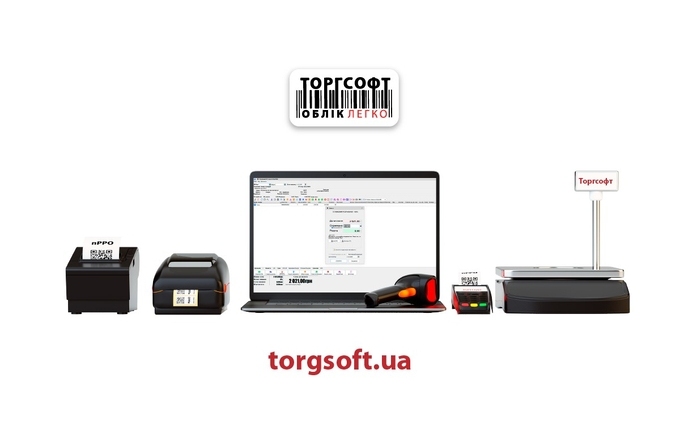
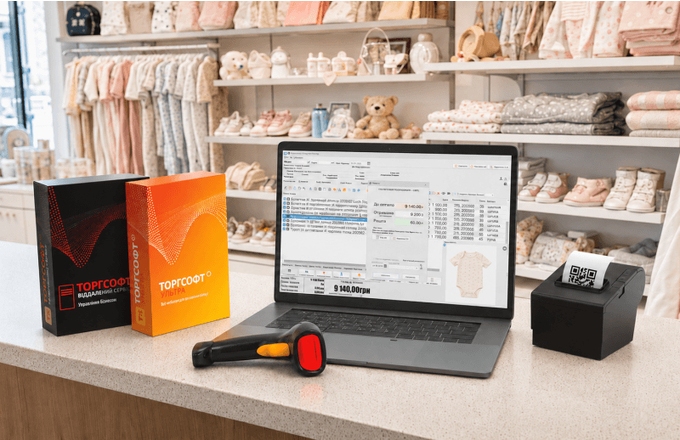
Torgsoft is a ready-made solution for warehouse, financial, and inventory management for small and medium-sized businesses
 Go back to the previous step