


Torgsoft lets you store a product quality certificate number and its expiry date. The «Товарознавство» → «Сертифікати якості» (Product Information → Quality Certificates) mode helps you find products with no certificate or an expired document, so you can request a new one from your supplier in time.
How to add a certificate
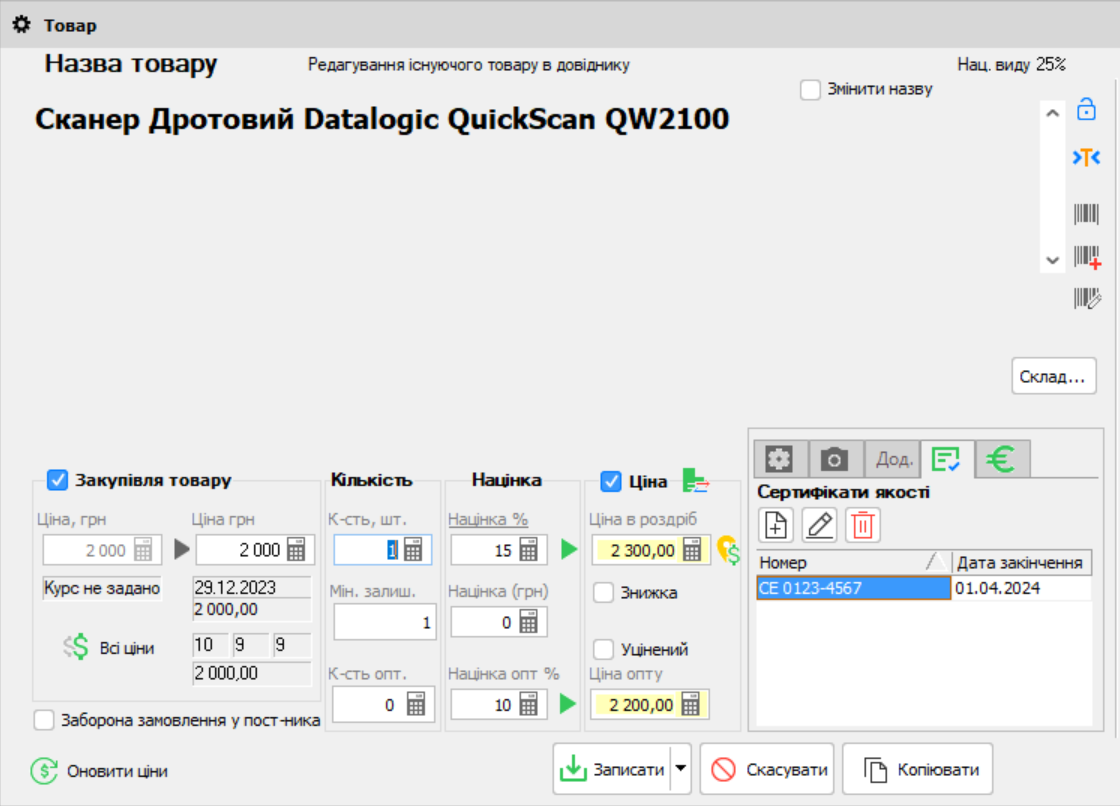
- Open the product card while receiving stock, in «Склад» → «Стан складу» (Warehouse → Stock Status), or from the full product list.
- In the «Сертифікати якості» (Quality Certificates) section, click «Додати» (Add). Enter the certificate number and expiry date.
- Save the changes. The certificate will appear in the product card; you can edit it or add a new one if needed.
How to check expiry dates
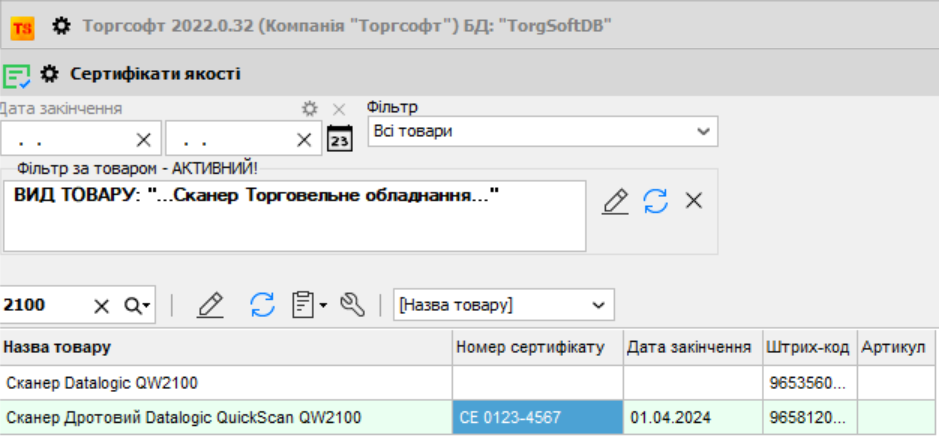
Open «Товарознавство» → «Сертифікати якості» (Product Information → Quality Certificates). The list shows the product, the most recently entered certificate number, expiry date, barcode, and SKU. Choose a filter: all products, products with a valid certificate, no certificate, or an expired certificate. You can also set a date range and find a specific product.
The program helps you track the details and dates you enter. Determine which documents your product requires based on the requirements for that product; a record in the program does not confirm that the product complies. Details on using this mode are available in the Torgsoft Help.


 Go back to the previous step