


“Товарознавство → Довідник поставок товару” (Merchandising → Product Supply Directory) groups several incoming invoices into a supply batch. This lets you view them together in the “Аналіз прибутковості прихідної накладної” (Incoming Invoice Profitability Analysis) report.
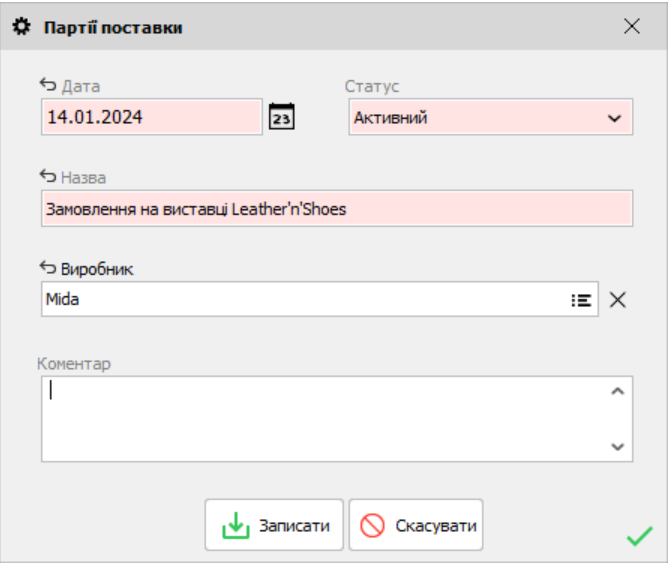
How to create a batch
Click “Додати” (Add), then enter the date and name, and, if needed, the manufacturer and a comment. An active batch can be selected in incoming invoices. The “Вилучений” (Removed) status removes it from the selection list, but does not by itself change any products or invoices.
How to link invoices and view the results
When entering a new receipt or editing the details of an existing one, select the “Партія поставки” (Supply batch) field. Then, in “Аналіз прибутковості прихідної накладної” (Incoming Invoice Profitability Analysis), filter by batch and click “Оновити” (Refresh). According to Help, selecting a batch affects this analysis only.
For a full description of the fields and filters, see Help: Product Supply Directory.


 Go back to the previous step