


“Товарознавство” → “Вид товару” — a directory of product groups. It helps organize your assortment, find products with filters, and set shared rules for product cards. For example, in the “Взуття” group, you can create a “Кросівки” subgroup and enable size and season for it. Enter the specific model and its attributes in the product card.
How to build a product type tree
- Open “Товарознавство” → “Вид товару”. Click “Додати” (Add) to create a type at the current level, or “Додати підлеглий” (Add subordinate) to create a subgroup.
- Enter a name. If needed, select “Бере участь в назві” (Included in name) if this type name should be part of the product name.
- Save the type and add any other branches you need. The “Перенести гілку” (Move branch) and “Перенести товар” (Move product) buttons let you change the directory structure.
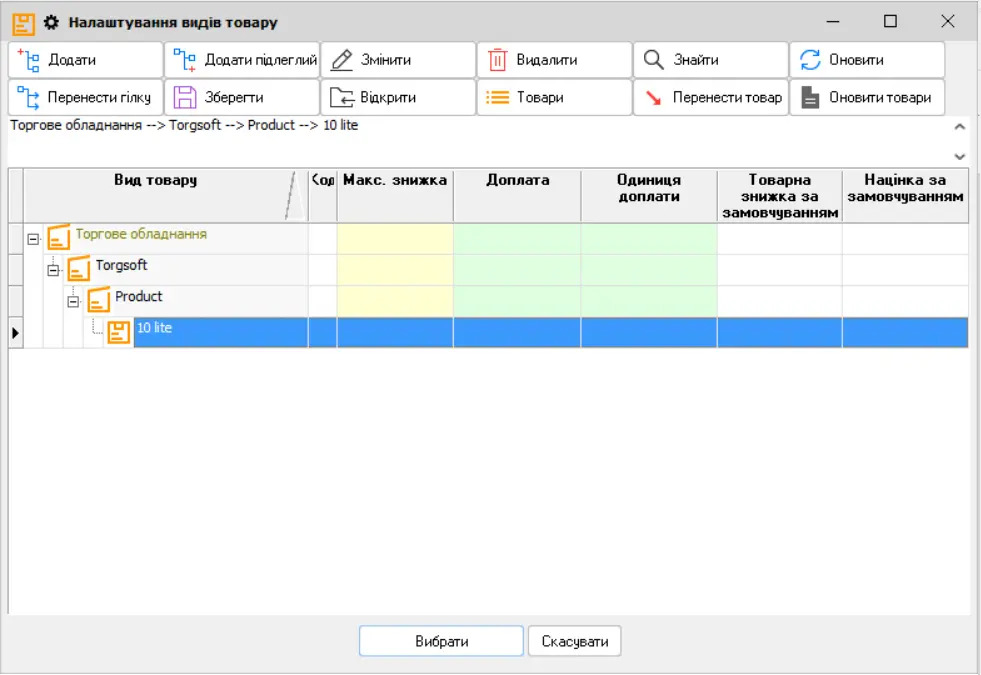
Rules you can set for a product type
In the type settings, choose which fields are needed in the product card: manufacturer, season, color, material, SKU, gender, or size. If you select “Необхідний” (Required) next to a field, a new product cannot be saved until that field is filled in. For products sold by weight, choose the appropriate unit of measure; for products with size variants, enable “Розмір” (Size).
You can also set price rounding, markup, discount, and the maximum discount at checkout for products of this type. Before changing pricing rules, check them with a new product as an example: whether the markup applies to existing products and imports depends on separate settings.
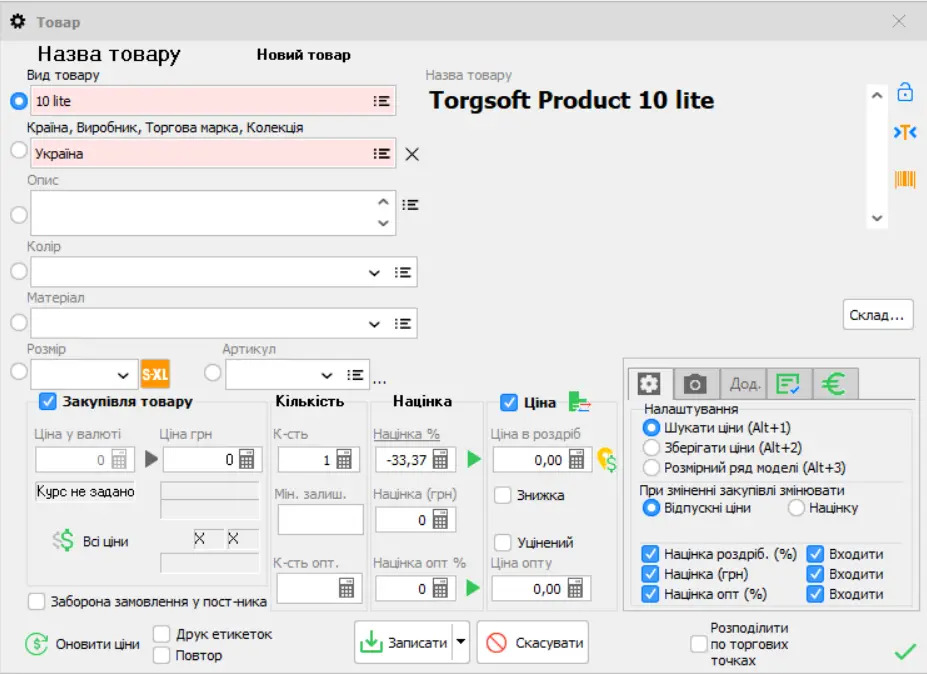
Once you have set up a product type, select it when receiving goods into stock. The full list of parameters, including markups, serial numbers, and batch tracking, is in Torgsoft Help.


 Go back to the previous step