


“Товарознавство” → “Повний перелік товарів та послуг” (Merchandise → Complete List of Goods and Services) is a directory of all records created in Torgsoft. Here you can prepare a product before its first stock receipt, find a record with no stock on hand, edit product details, or add a service. Use “Стан складу” (Stock Status) to work with stock quantities, and the complete list to work with product catalog descriptions.
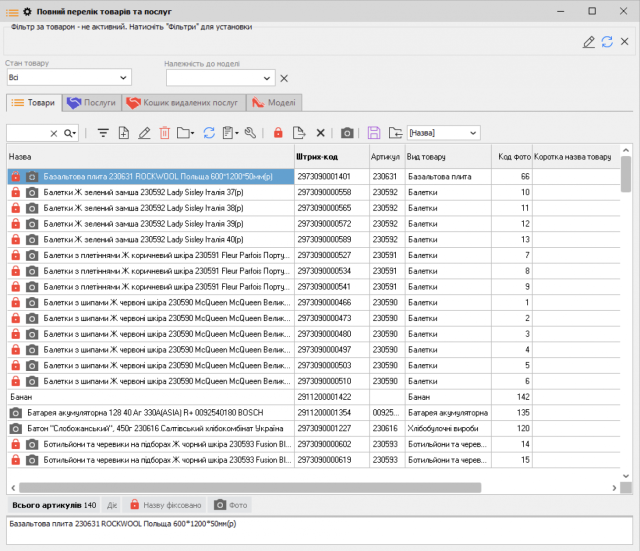
How to prepare a product record
- On the “Товари” (Goods) tab, click “Додати” (Add).
- In the record, select the product type and fill in the name, SKU, barcode, and any other fields required for that type.
- Click “Записати” (Save). The product will appear in the complete list even if it has not yet been received into stock.
You can edit an existing record. Delete a product created by mistake only if it has had no stock movements. If the product has already been used, you can deactivate it and restore it later if needed. You can lock a product name to prevent accidental changes.
How to add a service
On the “Послуги” (Services) tab, click “Додати” (Add), then enter a name and price. A service is not received into stock and has no quantity on hand or purchase cost. If needed, you can link it to a product type or manufacturer, add a photo, or specify a set of products to be written off together with the service.
You can deactivate an unneeded service and later restore it from “Кошик видалених послуг” (Deleted Services Bin). On the “Моделі” (Models) tab, you can view product models and their associated records.
For the complete list of actions for goods, services, and models, see Torgsoft Help.


 Go back to the previous step