


“Товарознавство” → “Розмірний ряд” stores a set of sizes that can be reused for products. For example, create a range of 36–41 once, then enter the quantity for each shoe size separately when receiving stock.
How to create and link a size range
- Open “Товарознавство” → “Розмірний ряд”. In the upper part of the window, click “Додати” (Add), name the range, and save it.
- In the lower part of the window, add sizes one at a time: enter a value in the “Розмір” (Size) field and click “Записати” (Save).
- In “Товарознавство” → “Вид товару”, open the relevant product type, enable the “Розмір” (Size) option, and save. If needed, link the new size range to a manufacturer in the manufacturer directory.
How to receive goods by size
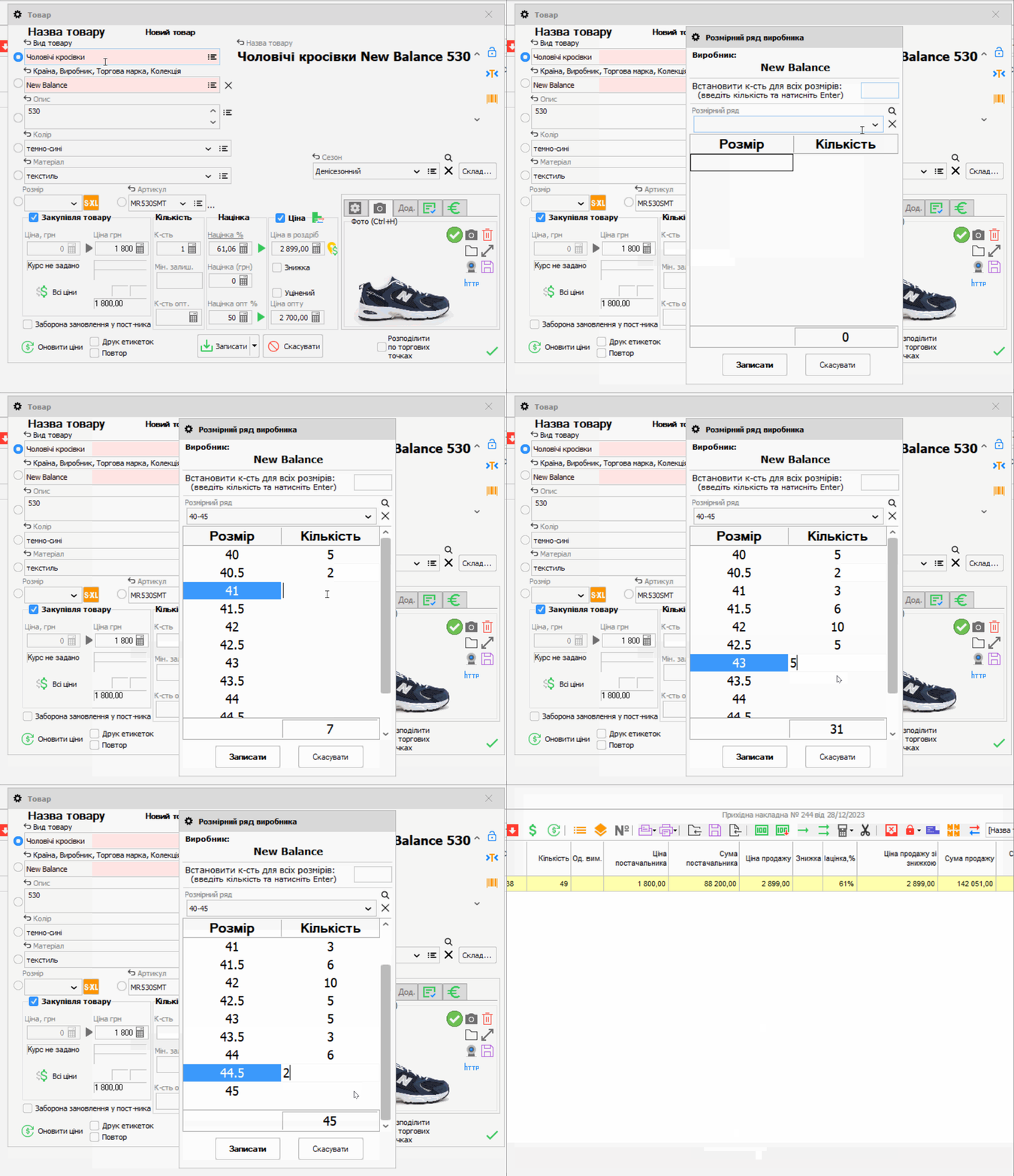
When receiving stock, click “Р-р” (Size) in the product card. If a size range is linked to the manufacturer, the program will fill it in; you can also select another range from the directory. Enter the quantity for each required size. If you are receiving just one size, select it without filling in the entire range.
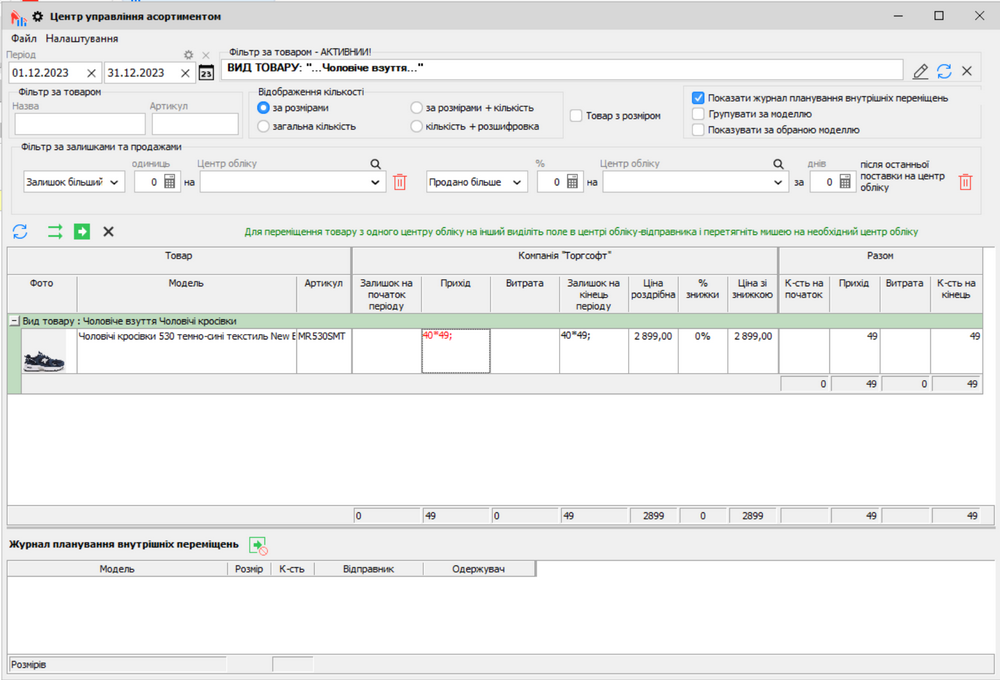
You can use size data to review stock levels and sales. The screenshot shows products filtered by size in the “Центр управління асортиментом” (Assortment Management Center).
For instructions on creating a size range and using it when receiving stock, see the Torgsoft help guide.


 Go back to the previous step