


«Товарознавство» (Product Management) → «Фасовка штучного товару» helps you print a label for a package containing several identical items. For example, you can sell bolts in packs of five: when the barcode is scanned, the program adds five bolts to the sale.
How to set up the barcode
In «Налаштування» (Settings) → «Параметри» (Parameters) → «Вага» (Weight), check the «Ознака штрих-коду з кількістю товару» field (barcode indicator for item quantity). The program uses this indicator to recognize a barcode for packaged goods. The help guide gives 25 as an example value.
How to prepare labels
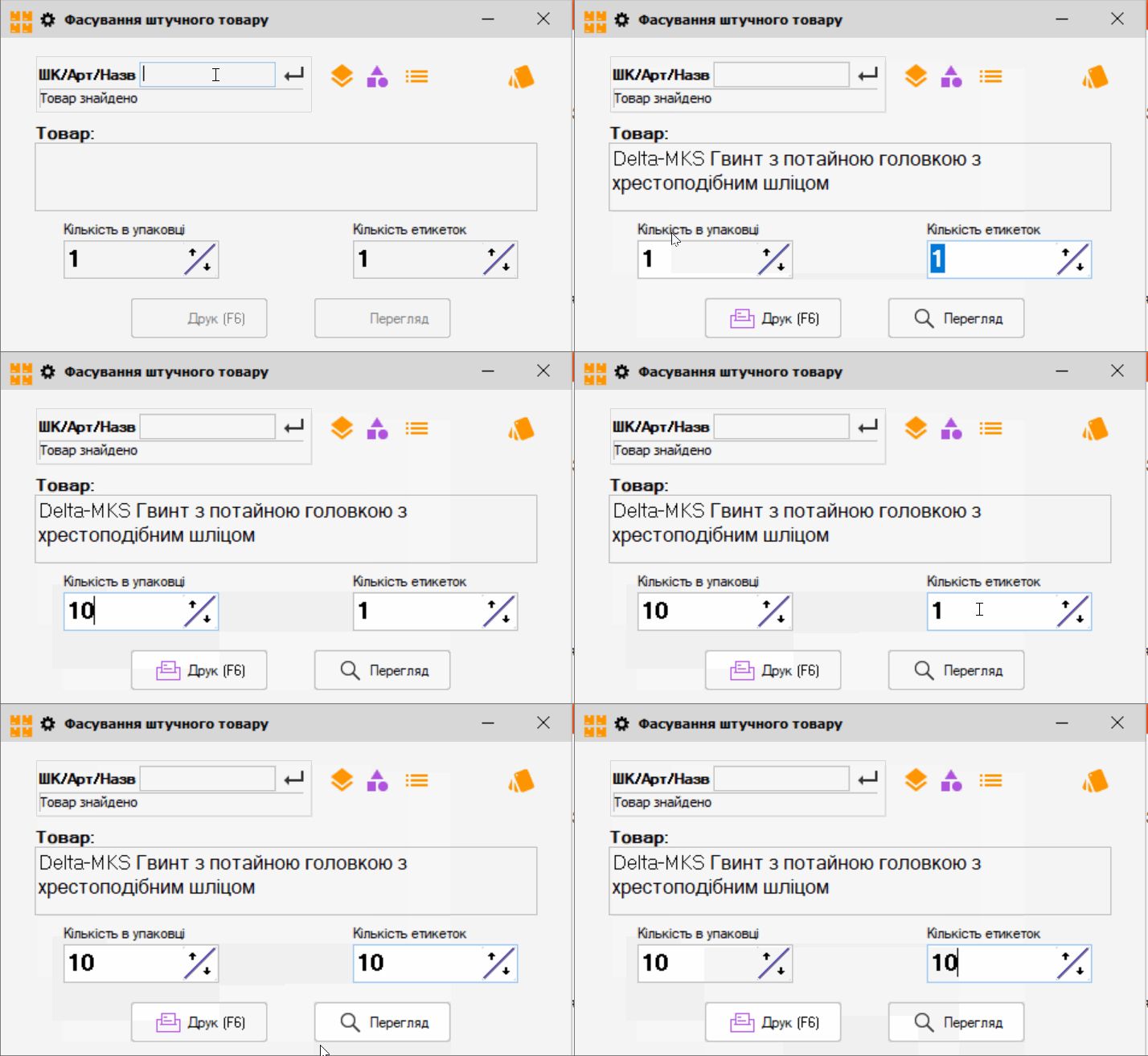
- Open «Товарознавство» → «Фасовка штучного товару» and select an item from stock or the full list. You can also find it by barcode or article number.
- In «Кількість в упаковці», enter the number of units in one package.
- In «Кількість етикеток», enter how many packages need labels. If needed, select a template in «Налаштування друку етикеток».
- Click «Перегляд» (Preview) to check the label, or «Друк» (Print) to print it. Attach the labels to the prepared packages.
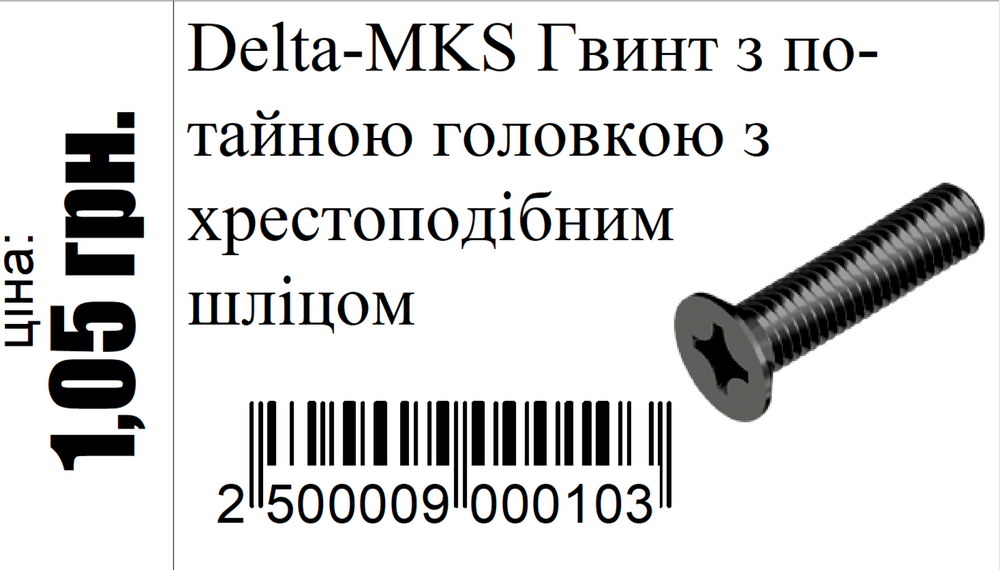
When making a sale, scan the package barcode: the sale will include the number of units specified during packaging. For details, see the Torgsoft help guide.


 Go back to the previous step