


The «Документ → Замовлення постачальникові» menu (Document → Supplier Orders) contains orders you previously saved using «Формування замовлення постачальнику» (Create Supplier Order). Here you can check what has been ordered, what has arrived, and what you still need to receive.
How to find the order you need
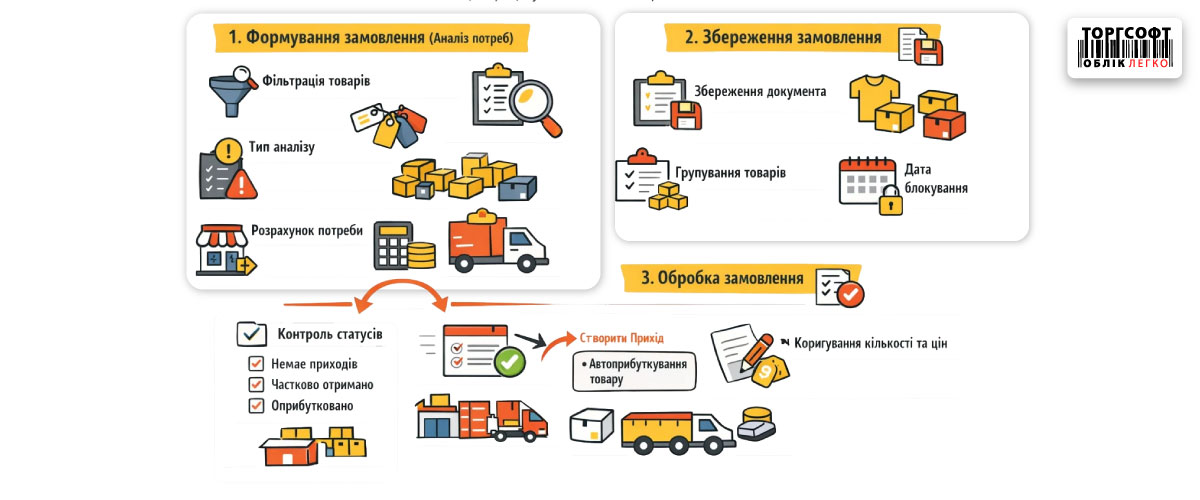
Select a date range and order status: no receipts, partially received, or fully received. A separate filter shows items with no delivery, a short delivery, or an overdelivery. The window has three sections: orders, their items, and related goods receipt invoices.
How to record received goods
Open the order and click «Створити прихід на замовлення» (Create receipt from order). The program will prepare a goods receipt invoice with the ordered items; check the quantities and prices before saving. If an invoice already exists, add the ordered items to it. In the item list, you can change the quantity and price of an individual item.
According to Help, you cannot create a receipt from an order that includes an item tracked by batch. Check how such an order should be received before processing it.
To calculate your needs and create an order first, follow the instructions for creating an order. For a complete list of fields and actions, see Help: Supplier Orders.


 Go back to the previous step