


“Товарознавство” → “Розрахунок ціни для етикетки” (Calculate label price) calculates a separate price to print on a label. You enter a discount percentage, and the program selects a label price so that after subtracting this percentage, the result is the product’s current selling price. This calculation does not change the current price in “Стані складу” (Stock Status).
How to calculate the price
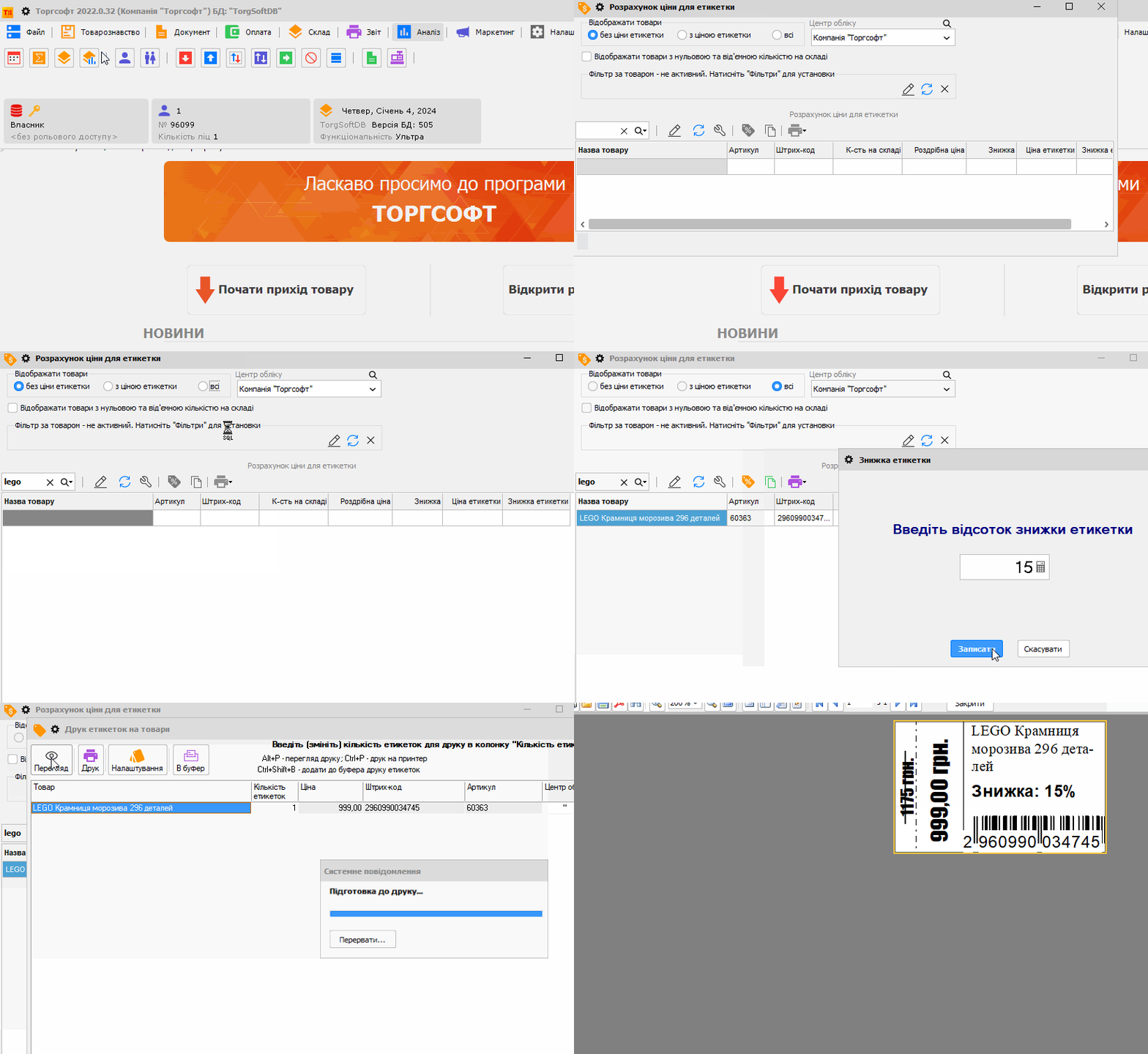
- Open “Товарознавство” → “Розрахунок ціни для етикетки” and select products.
- Click “Встановити знижку етикетки” (Set label discount), enter a percentage, and click “Записати” (Save).
- Check the calculated label price and current selling price before printing.
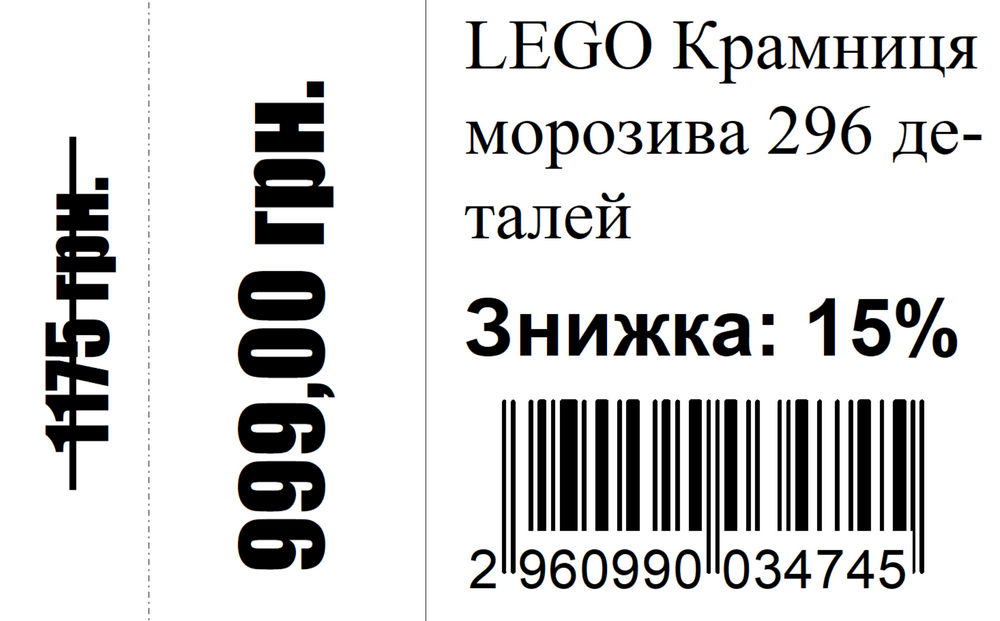
Formula: label price = current selling price ÷ (1 − discount / 100). For example, with a current price of UAH 85 and a 15% discount, the program calculates a label price of UAH 100. This is a calculated value, not a record of how much the product cost previously.
How to print labels
Click “Друк етикеток” (Print labels) and choose to print a specified quantity or the quantity of the product in stock. In the first case, you can change the number of labels manually; in the second, the program uses the stock quantity.
In the print window, open “Налаштування” (Settings) and select a template with the “Ціна етикетки” (Label price) and “Знижка етикетки” (Label discount) fields. You can download and customize the FR3 label template example for your printing needs.
The Torgsoft help guide describes how to work with the window and template.


 Go back to the previous step