


“Товарознавство” → “Діагностика помилок” (Product Management → Error Diagnostics) helps find products with identical barcodes, inaccurate names, and incomplete links to reference directories. This mode is useful after importing products or transferring documents between databases.
What to check
The “Помилки товару” (Product Errors) tab shows records with the same barcode and different names. If they are the same product, check the product cards and merge the records. If they are different products, correct the barcode for one of them. Before merging, compare the name, SKU, and stock levels: after this action, the product data will be linked in a single record.
The “Помилки на складі” (Warehouse Errors) tab shows which inventory centers contain these products and how many units remain. On the “Назва товару” (Product Name) tab, you can review name changes over a selected period. “Усунення помилок” (Error Resolution) contains a history of actions performed in diagnostic mode.
How to complete missing reference data
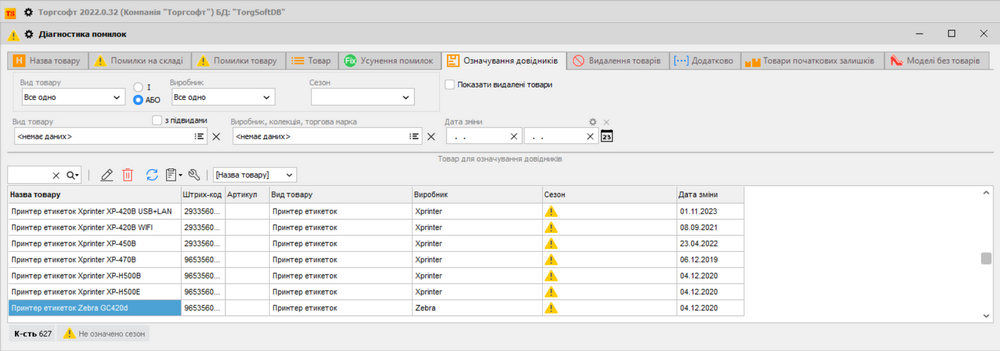
On the “Означування довідника” (Reference Directory Tagging) tab, assign a product type, manufacturer, or season to products. You can assign a value to one product or a selected group. This is useful after the initial import, when products were added to the database without the required attributes.
Other tabs let you view the full product list, correct custom barcodes, and find products with no activity. The steps for each tab are provided in the Torgsoft Help.


 Go back to the previous step