Callback
  • From a market stall to a store

  • -

  • From a store to a retail chain

  • -

  • From retail to manufacturing

Product delisting: how to hide irrelevant items and speed up search

Volodymyr Vytyshchenko

Trade automation expert at Torgsoft

To keep the product catalog "light" and speed up search, the Torgsoft program provides a mechanism for deactivating outdated products. This applies to items that will no longer be ordered from suppliers, obsolete models, or products that are not in demand.

Main conditions before deactivating a product:

  • Zero balance. You can remove from stock (deactivate) only a product whose quantity is equal to zero in all warehouses.

  • Balancing stock levels. If a product has a positive or negative balance, its quantity must first be reduced to zero. This is done by performing a stocktaking procedure (adding such products to the stocktaking sheet and balancing the stock levels) or by creating a write-off document.

  • Preserving history. A product cannot be physically deleted completely from the database if it is linked to warehouse documents and has had previous movements. Therefore, the program only hides it — by changing its status to "Deactivated". Such hiding is safe and will not affect the results of profit analysis for those past periods when this product was actively sold.

Method 1. Selective deactivation through "Stock Status"

This method is best suited for regular manual work with a small number of items.

  1. Open the form Warehouse — Stock Status.

  2. In the upper right corner, in the Product Filter, select the value "Only with zero and negative quantity".

  3. Find and select the product that needs to be removed from the assortment.

  4. Click the Delete Product button on the toolbar. After this action, the product disappears from "Stock Status", which visually unloads the directories and makes it easier to search for current items.

Method 2. Bulk cleanup through "Error Diagnostics"

If you need to perform a global cleanup of the database from products that have not been sold for a long time, it is better to use a special bulk tool.

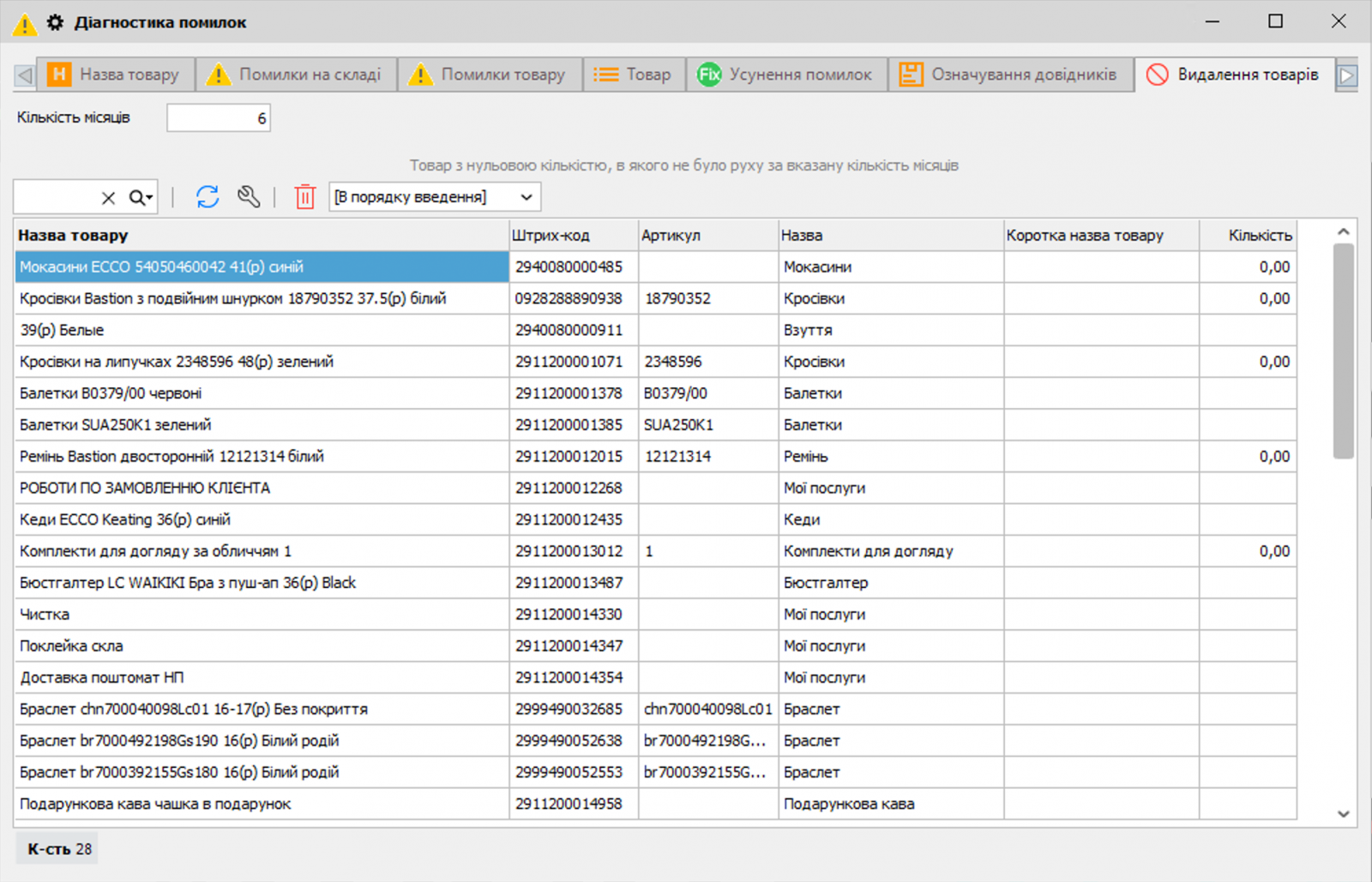
Error Diagnostics

  1. Go to the menu Merchandise Management — Error Diagnostics.

  2. Open the Product Deletion tab. Here, products with zero quantity and no movements for the number of months you specified are displayed automatically.

  3. Select the required products and click the Delete Product action.

  4. The selected products will be deactivated and automatically moved to a special system product type called "NO INFORMATION".

  5. If, after such deletion of products, their original "Product Type" remains completely empty, the system will warn you about this and offer to delete the category itself (Product Type). If you click "No" in the warning dialog box, the program will offer simply to deactivate the selected products without deleting the product type tree branch itself.

Where to find deactivated products and how to return them?

Where to find deactivated products and how to return them?

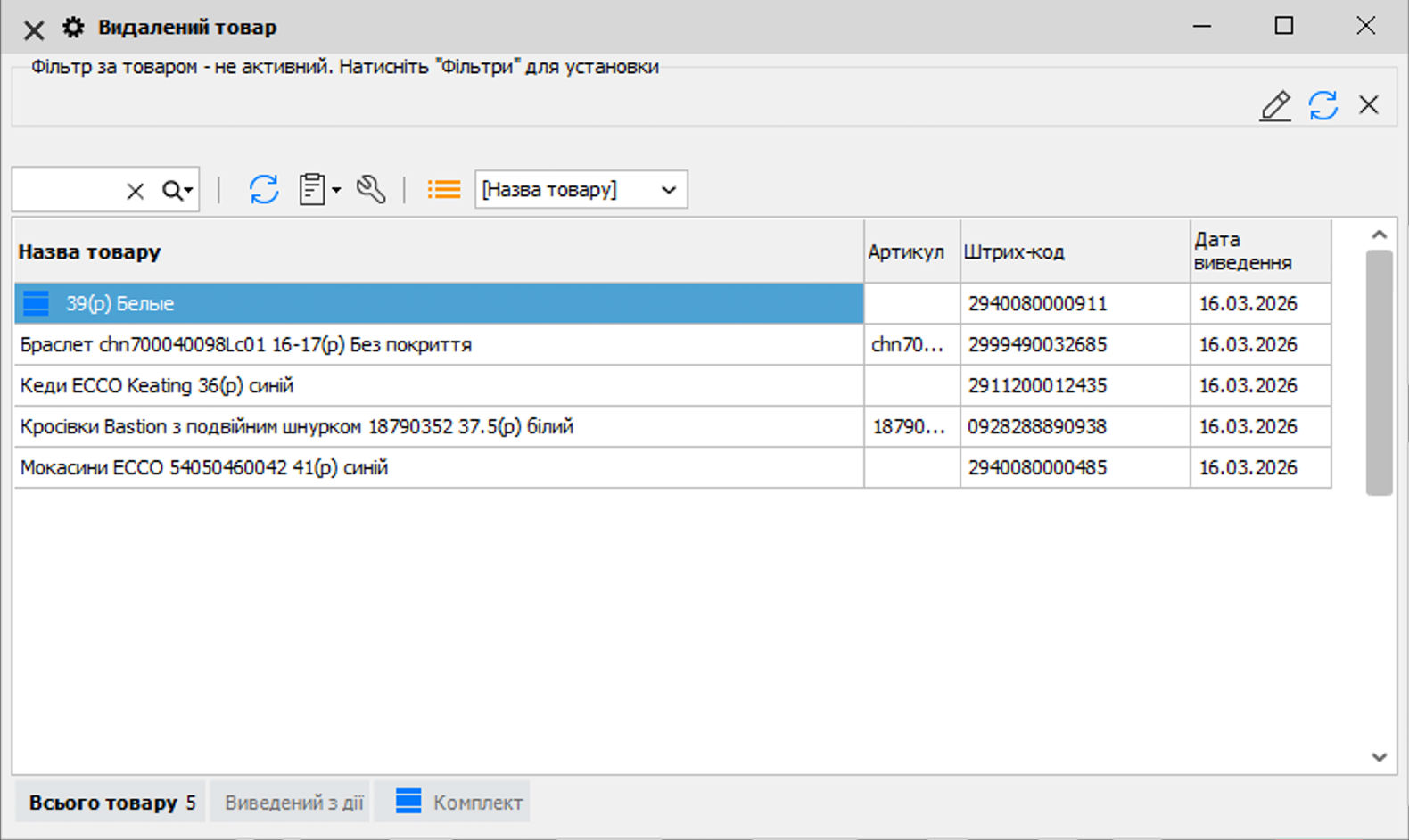
  • All hidden items do not disappear without a trace but are moved to a separate register, which can be found in the menu Merchandise Management — Deleted Product.

  • When a product is deactivated, the program обязательно records the "Deactivation Date". Thanks to this, in all reports (for example, "Stock Status by Date"), if you generate a report for a date later than the product deactivation date, such a product will no longer be displayed. At the same time, it will remain visible in earlier periods before that date.

  • If you need to return the product to active use (for example, if you resume cooperation with the supplier), you can find it in the deleted products list and click the Restore button. In addition, if you simply create a new receipt invoice for a previously deactivated product (receive it into stock again), Torgsoft will automatically reactivate it, and it will appear in the directories again as an active product.


Програма обліку товару | Торгсофт


Facebook Instagram YouTube Twitter Google News Apple Podcast SounCloud

Add comment

Add comment
Thank you for your feedback! It will be published after being reviewed by a moderator.
Related articles