


“Документ” → “Реалізація” (Document → Realization) is the seller’s workspace for recording a sale. Here, you add items to the receipt, select a customer, take payment, and print a document for the buyer. When you open this mode, Torgsoft creates a new sale.
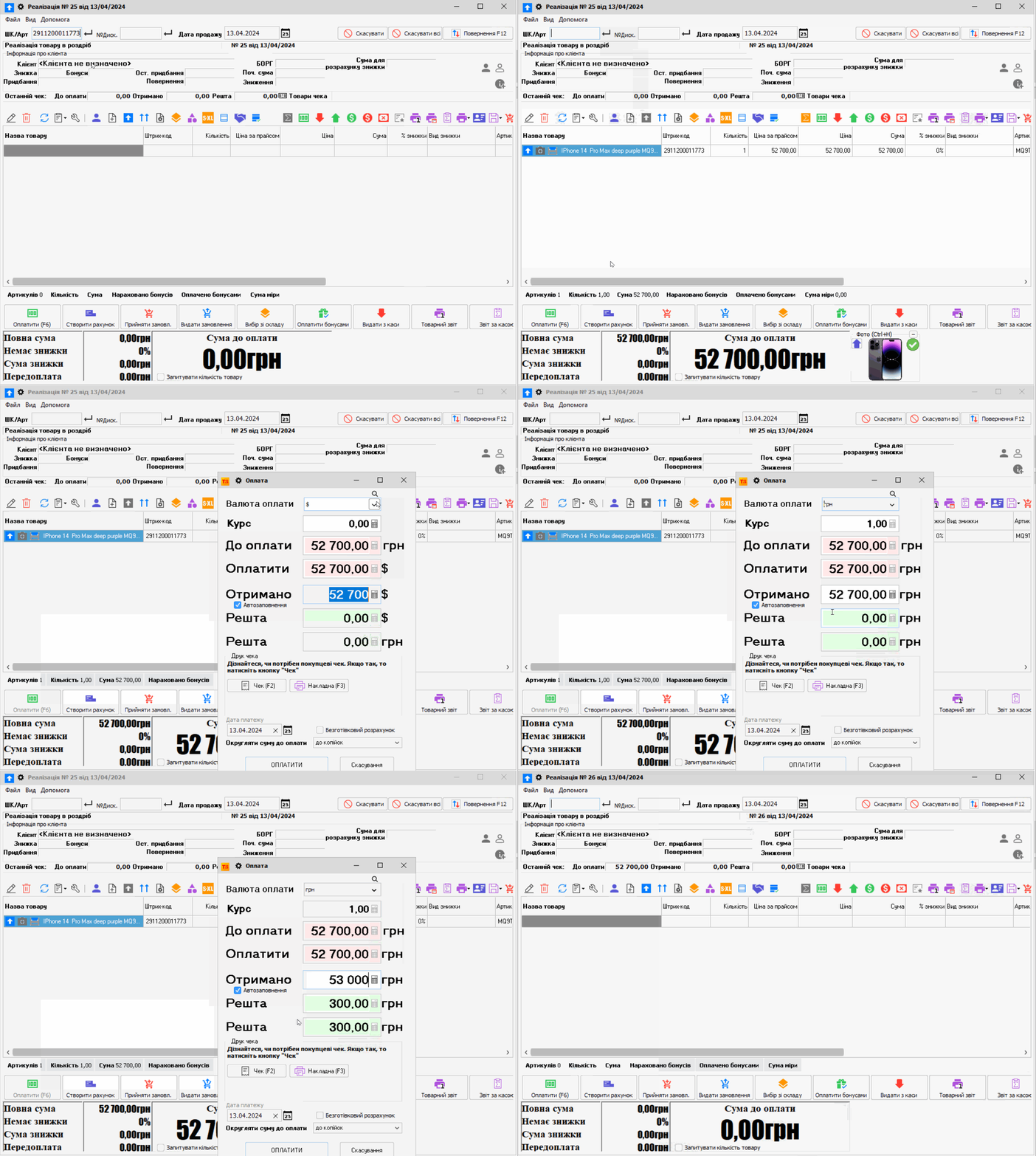
How to record a sale
- If the customer has a discount card, scan its barcode or select the customer from the directory. Skip this step for a sale without a card.
- Scan the item’s barcode. If you don’t have a scanner, enter the item number or select the item from stock. Before taking payment, check the name, quantity, price, and discount.
- For multiple units, change the quantity in the item row. If needed, select the trade type in the document settings: retail or wholesale.
- Click “Оплатити” (Pay) and select the payment method. Check the amount and change due, then confirm the payment.
Available payment methods depend on Torgsoft settings and connected equipment. If an RRO or PRRO fiscal register is in use, a fiscal receipt is generated according to the cash register settings. A non-fiscal goods receipt does not replace a fiscal receipt.
Other options in the sale window
You can find an item in stock, check its remaining quantity, apply an authorized discount, change document settings, and print a delivery note or warranty card. Which commands are visible depends on the employee’s permissions and enabled options. To sell with an invoice and shipment, use the separate “Торгівля з випискою рахунка” (Trade with invoice issuance) mode.
For detailed commands, form settings, and special cases, see the Torgsoft help guide.
Video


 Go back to the previous step