


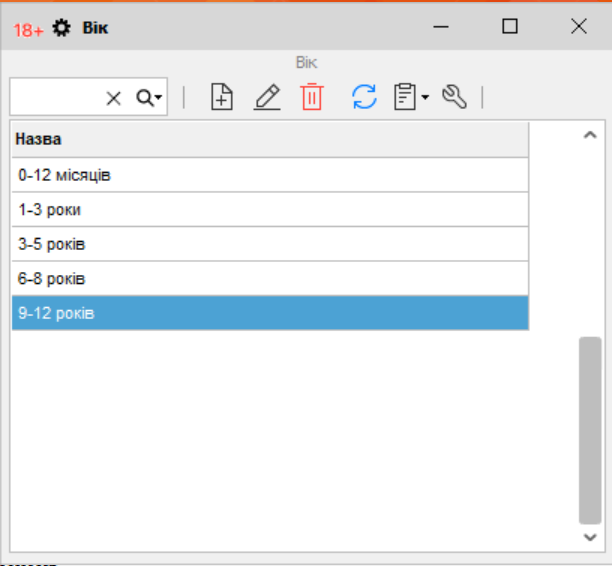
“Товарознавство” → “Вік” is a reference list of values for a product attribute. For example, for children’s products you can create labels such as “0–12 months” and “3–5 years”, then select the appropriate value in the product card.
How to enable the attribute
According to the help guide, this mode is available after activating the additional feature “Синхронізація з інтернет-магазином” (Sync with online store). Also, open “Налаштування” → “Параметри” → “Товар”, enable “Використовувати додаткові характеристики товару”, and restart the program.
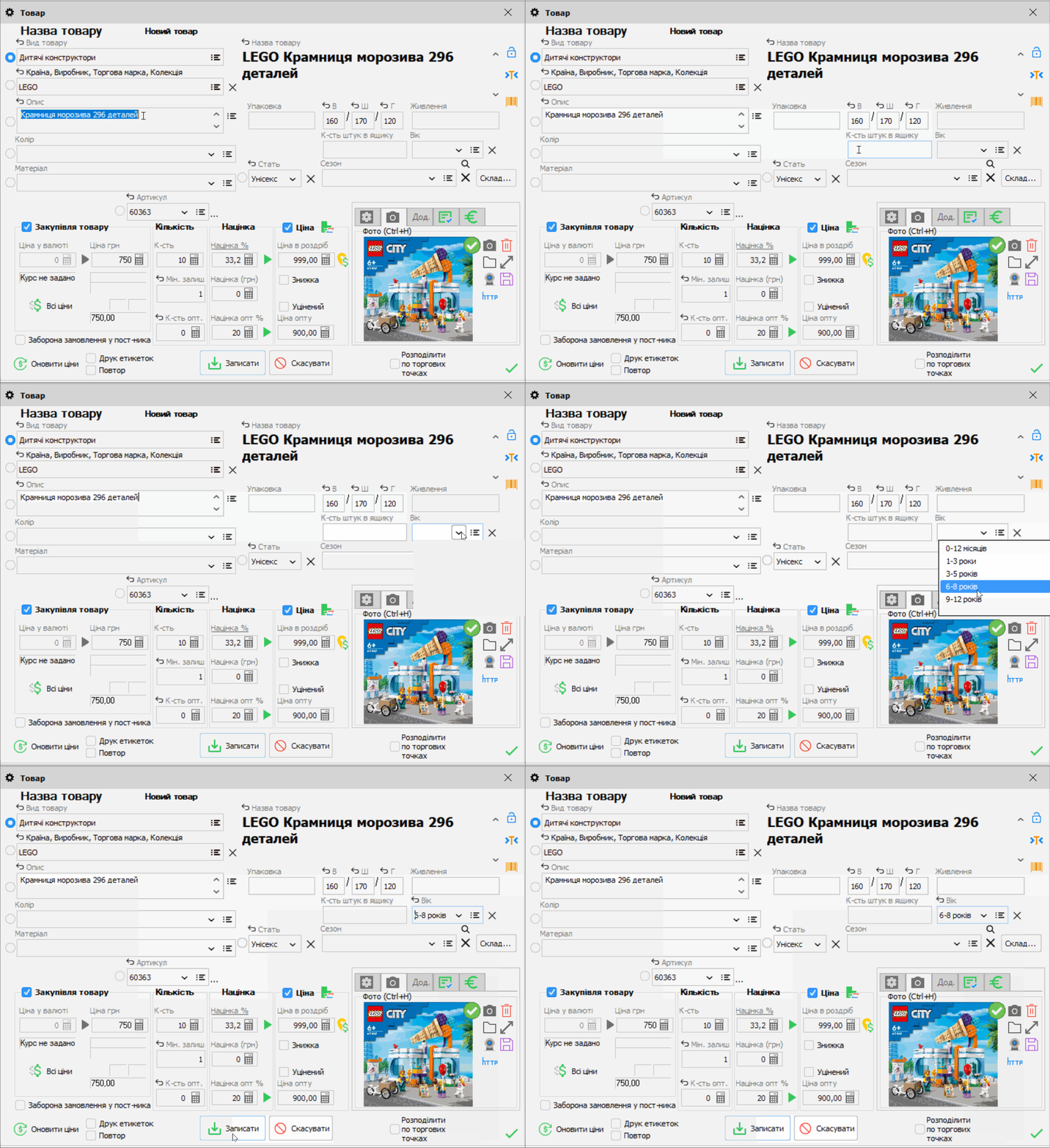
Along with the “Вік” field, the product card will also include “Упаковка”, package dimensions, “Живлення”, and “К-сть штук в ящику”.
How to add age values
- Open “Товарознавство” → “Вік” and click “Додати”.
- Enter the age group name and save it. Add any other values you need in the same way.
- When receiving or editing a product in “Стані складу”, select a value in the “Вік” field.
This field stores a product attribute. Rules for selling products with age restrictions must be set separately: the reference list itself does not verify the buyer’s age. For details on setup, see the Torgsoft help guide.


 Go back to the previous step