



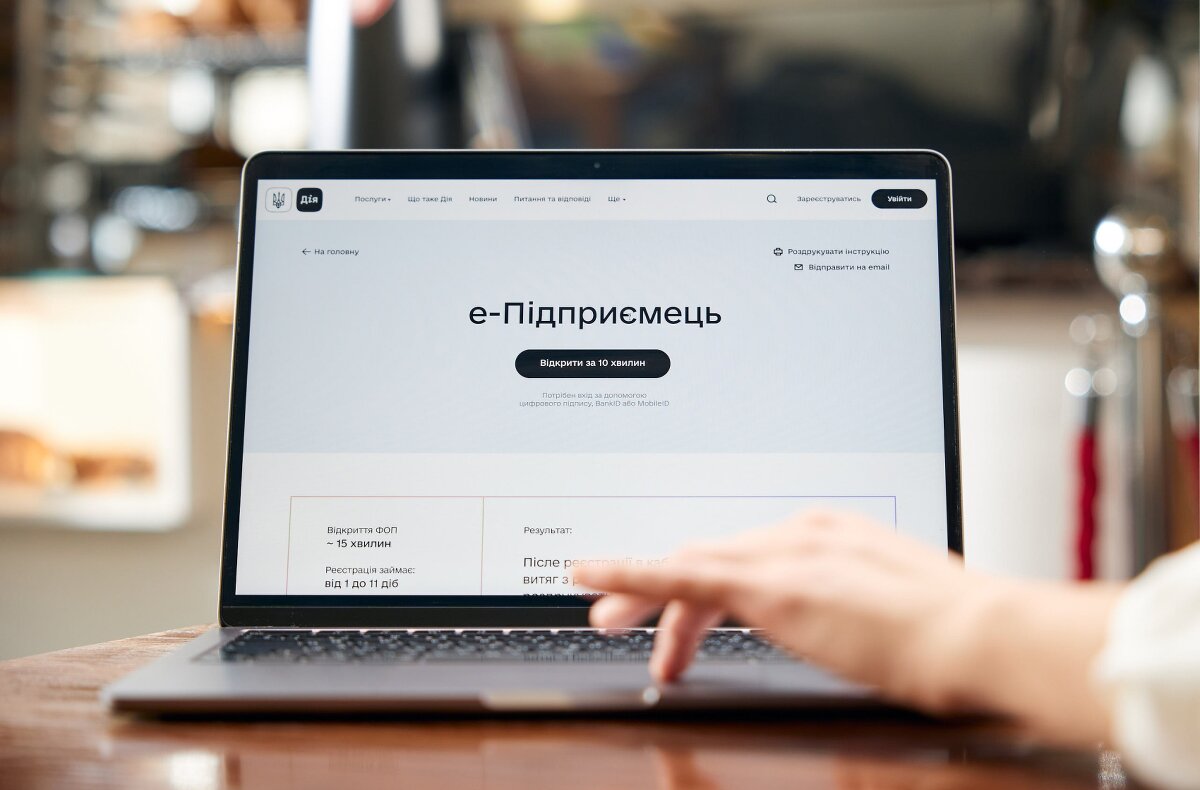
Through e-Entrepreneur on the Diia portal, you can submit one application for the services you need to open or grow a business in Ukraine. The official page offers 16 services, from registering as an entrepreneur to registering a cash register and notifying the authorities that you have hired an employee. Completing the application takes approximately 10–40 minutes, but the relevant authority or bank processes each selected service within its own timeframe.
Before applying, decide on your business structure, tax system, business address, payment methods, and staffing needs. Separately check requirements for your premises, food products, and high-risk work if they apply to your business. After submitting, check the outcome of each service: one combined application does not replace every permit or automatically confirm that your store is ready to open.
- Who can use e-Entrepreneur and what to prepare
- Which 16 services are available and how to choose
- How to complete and submit the application
- How long it takes and the order in which services are provided
- How to choose a tax system and check the transition date
- What to check about premises, food products, and permits
- When a sales assistant can start work
- How to check results and fix errors
- How to connect a registered PRRO to Torgsoft
- Practical steps to open a store or a new location
- Official sources and legal provisions
Who can use e-Entrepreneur and what to prepare
According to the official Diia page, the service is available to adult Ukrainian citizens who are starting a business or expanding their operations. It can be used by prospective and existing individual entrepreneurs (FOP), as well as applicants arranging available services for a limited liability company (LLC). For example, an existing entrepreneur can select services for a new store without registering as a FOP again.
To set up an LLC, the service provides for operating under the model charter. Existing LLCs can also switch to the model charter. If the founders need a custom charter or a different organizational form, they should use the relevant separate registration procedure.
The application must be signed with the applicant’s personal electronic signature. Clause 5 of the Procedure approved by Resolution No. 1156 of the Cabinet of Ministers of Ukraine allows either a qualified electronic signature (QES) or an advanced electronic signature based on a qualified certificate. Signing in to your account does not, by itself, sign the application.
It is useful to prepare in advance the details from your premises documents, your business activities under the Classification of Types of Economic Activities (KVED), your chosen tax system, and information required for the selected subservices. For a store, it is especially important to enter the same address and business unit name in the premises and cash register documents. If you plan to hire someone, prepare the employee’s details and the agreed start date.
Which 16 services are available and how to choose
You can add the services you need to the application yourself or use the questionnaire. Your answers help assemble a list, but you still need to check that it matches your actual business activity. Below are all 16 services listed on the Diia page.
| Business need | Available services | What to check before choosing |
|---|---|---|
| Register a business or update its details | 1. FOP registration. 2. Amendments to FOP details. 3. LLC registration under the model charter. 4. Switching an LLC to the model charter. | Whether you need a new registration or only amendments. For an LLC, whether the model charter terms suit you. |
| Set up tax status and a bank account | 5. Registration for or transition to the simplified tax system. 6. Registration as a value-added tax (VAT) payer. 7. Opening a bank account. 8. Notification of the use of a single tax account. | Eligibility for the chosen system, its start date, whether you need VAT, and the bank’s terms. A single account for tax payments and a current bank account are set up through separate services. |
| Register a business location and cash register | 9. Notification of taxable objects using Form No. 20-OPP. 10. Application to register a cash register (RRO). 11. Application to register a software cash register (PRRO). | Information about the premises, their condition and your right to use them, as well as the type of cash register you need. |
| Meet requirements for the premises and business activity | 12. Registration of a declaration that the material and technical facilities comply with fire safety requirements. 13. Registration of a declaration that the material and technical facilities comply with occupational safety legislation. 14. Registration of food market operators’ facilities. | Whether the relevant declaration or registration is required, whether an exemption applies, and whether a separate permit is needed. |
| Find and formally hire employees | 15. Submitting job vacancies to the State Employment Center. 16. Notification that an employee has been hired. | A vacancy helps you find a candidate. Submit the hiring notification after formalizing the employment relationship and before the employee starts work. |
Procedure No. 1156, as amended by Resolution No. 523 of 18.03.2026, which took effect on 28.04.2026, defines the statutory scope of the combined service. It includes, in particular, permits for high-risk work and equipment, and a broader list of facility registrations. At the same time, Clause 4 of the Procedure makes service delivery dependent on technical availability. For your application, therefore, use the subservices available in the Diia form; complete any required procedure separately if it is unavailable in the Diia form.
How to complete and submit the application
- Open the e-Entrepreneur service on the Diia portal and sign in. Check that you are using your own account and have a valid applicant electronic signature.
- Select services or complete the questionnaire. For an existing business, include only the actions you need. For example, opening a second store does not require setting up a new FOP.
- Enter the details for each selected service. Check the address, business activities, tax details, premises information, and employee details against your documents.
- Read the generated applications before signing. Pay particular attention to dates, premises identifiers, and information the system filled in automatically. Under Clause 6 of Procedure No. 1156, the applicant is responsible for the accuracy of the information.
- Sign and submit the application. Save the available submission confirmation and list of requested services so you can track each one.
- Track the outcomes. In your account, open “Послуги — Замовлені послуги” (“Services — Ordered services”), select the combined service, and review the statuses. Notifications are also sent by email and appear in the “Зверніть увагу” (“Please note”) section.
Submitting a combined application on the Diia page is listed as free of charge. Bank products, account maintenance, cash register software, and other business services you purchase may have their own fees. For a bank account, Procedure No. 1156 also allows additional applications and documents, so check your chosen bank’s requirements before completing the process.
How long it takes and the order in which services are provided
Allow 10–40 minutes to submit the application. Diia gives an overall processing time of 1 to 10 business days, depending on the services selected, and notes that some individual actions may be completed within minutes. These estimates do not guarantee approval of every application or that your store can open on the day you submit.
If the combined service is used to set up a FOP or LLC, Diia says to count the timelines for other applications from the date the registration details are entered in the Unified State Register of Legal Entities, Individual Entrepreneurs and Civic Associations (USR). Clause 8 of Procedure No. 1156 requires services to be provided in sequence when one must precede another. So do not count the time to fill in the form and the timelines for dependent procedures as one simultaneous step.
| Services | Timeline stated by Diia |
|---|---|
| FOP registration; amendments to FOP details; LLC registration under the model charter; switching an LLC to the model charter | Each within 1 day |
| Submitting vacancies; opening a bank account; PRRO registration; notification that an employee has been hired; notification of a single account; Form No. 20-OPP | Each within 1 day |
| Registration for or transition to the simplified tax system; VAT payer registration | Each within 3 business days |
| Fire safety declaration; occupational safety declaration; RRO registration | Each within 5 business days |
| Registration of food market operators’ facilities | Within 10 calendar days |
For services with a “1 day” timeline, the Diia page does not specify whether this means a calendar or business day. Do not use that wording to determine a statutory filing deadline yourself. For example, the processing time for Form No. 20-OPP does not change its filing deadline, and the processing time for an employee notification does not allow you to let the employee start before the required notification has been submitted.
How to choose a tax system and check the transition date
Selecting the simplified tax system in the application does not override the conditions in the Tax Code of Ukraine. Before choosing, check your planned business activity, annual income, number of employees, restrictions for the relevant group, and whether you have any tax debt. The main eligibility criteria are in Article 291, while the rules for applying and starting under the system are in Article 298 of the Tax Code of Ukraine.
- Group 1 is for FOPs with no hired employees who sell goods at retail from market stalls and/or provide specified household services to the public. A low turnover alone does not make this group suitable for a regular store outside a market.
- Group 2 is available only to FOPs that manufacture or sell goods, operate in the restaurant business, or provide services permitted for this group. Service customers may be single-tax payers and/or members of the public. Group 2 is not available for selling jewelry and household items made of precious metals, precious stones, stones of organic origin, and semi-precious stones: among single-tax payers, these businesses may choose only Group 3 if they meet its conditions. No more than 10 people may be employed at the same time, subject to the exceptions in Subparagraph 291.4.1.
- Group 3 is available to FOPs and legal entities that meet its conditions. There is no employee limit for ordinary taxpayers in this group.
The annual income ceilings for Groups 1, 2, and 3 are 167, 834, and 1167 minimum wages, respectively, as set by law on January 1 of the relevant year. Also check the restrictions in Clause 291.5: staying under the income limit does not remove restrictions on business activities. In particular, sales of excisable goods are subject to specific restrictions and expressly defined exceptions.
For a new FOP choosing Group 1 or 2, the application must be submitted before the end of the month in which it is registered. Single-tax payer status starts on the first day of the following month. For a newly established entity choosing Group 3 without VAT, submitting the application within 10 days of state registration gives it status from the date of that registration; Subparagraph 298.1.2 does not define this as a business-day period.
An existing business moving from the general tax system must apply no later than 15 calendar days before the start of the next quarter. Under Subparagraph 298.1.4, this transition is allowed once per calendar year if the business complied with the requirements of Clause 291.4 during the preceding calendar year. The application must include a calculation of income for the preceding calendar year, so prepare those figures and check them in the generated documents before signing. After processing, check the registered group, rate, business activities, and effective date against the tax authority’s records.
If an existing single-tax payer opens a store at a new address, they must also notify the tax authority of the change in business location by submitting an application concerning the simplified tax system. Under Clause 298.5 of the Tax Code of Ukraine, Group 1 and Group 2 taxpayers must submit it no later than the 20th day of the month following the month of the change; this deadline also applies to changes in their tax address and business activities. Under Clause 298.6, Group 3 taxpayers must report a change in tax address or business location no later than the last day of the quarter in which the change occurred. Submitting Form No. 20-OPP does not replace this application.
Illustrative example. An entrepreneur registered a FOP on May 12 and applied for Group 2 by the end of May. Under Subparagraph 298.1.2, the entrepreneur becomes a single-tax payer on June 1. If the entrepreneur plans to make sales in May, they need to determine the tax treatment for that period separately, since Group 2 does not apply yet.
VAT payer registration is a separate subservice. If you request it, check its result and registration date separately from your single-tax status. Use the business’s confirmed tax status when planning prices, documents, and cash register settings.
What to check about premises, food products, and permits
First register the premises, then set up the cash register
Assess your store, warehouse, and other locations where you conduct business to determine what to report on Form No. 20-OPP. Clauses 8.1–8.4 of the Procedure for Registering Payers of Taxes and Fees No. 1588 cover, among other things, premises you own or rent. File the application with the supervisory authority at your main place of registration within 10 business days after the premises are registered, established, or opened.
For practical store preparation, first check the premises details and submit Form No. 20-OPP. Then check that the business unit appears in your taxpayer electronic account and proceed to register a PRRO for it. If you selected the relevant subservices in one combined application, track the outcome of the preceding step. This helps you spot a mismatch in the address or a missing premises record before setting up the cash register workstation.
Diia calls Form No. 20-OPP a notification, while Procedure No. 1588 calls it an “application.” For electronic submissions, the details must be entered into the tax records no later than the day after receipt. Changes to the premises type, name, address, right of use, or condition also require an update under Clause 8.5.
For food sales, identify which procedure applies
Under Article 25 of Law No. 771/97-VR on Food Safety and Quality, facilities that do not require an operating permit are subject to state registration. Submit the application no later than 10 calendar days before the facility begins operating. Before completing it, check whether the facility has already been registered, since registering the same facility again is grounds for refusal.
Under Article 23, an operating permit is generally required for the production and/or storage of food of animal origin, as well as in cases specified by law for agricultural food markets. However, Part 2 of that article sets out exceptions, including for food service establishments, food retail, and certain types of storage and production. The answer therefore depends on what you actually do: selling ready-made products in a store and manufacturing products separately must be assessed under their respective conditions.
Registering a food facility through e-Entrepreneur does not replace an operating permit when one is required. In that case, you need a separate procedure that includes an inspection. For registration, Article 25 provides for a decision within 10 calendar days, or automatic registration in real time if the electronic procedure is technically available. Even if the entry is made quickly, you still need to submit the application in advance.
If the outcome is delayed, do not assume that a pending status is enough to open. Part 8 of Article 25 allows operations to begin under the principle of tacit consent if, within 15 business days after submission, the territorial authority has not decided to refuse registration or has not provided a copy of its refusal decision. To rely on this provision, keep proof of submission and verify that these specific conditions have been met.
A fire safety declaration is required subject to exemptions
Article 57 of the Code of Civil Protection of Ukraine ties the start of operations by newly established businesses and the use of real estate to filing a fire safety declaration. Entities with a high risk rating also need a positive fire safety assessment. The right to carry out the relevant activity arises on the filing date—that is, when the declaration is received by the appropriate permitting authority—provided other applicable requirements are met.
A tenant does not have to file a declaration if the landlord has already registered one for the property. Other exemptions cover stalls, kiosks, and containers located in a market under an approved site plan, as well as premises formally commissioned after construction, reconstruction, restoration, or major repairs. Before requesting the service, ask the landlord for a document that lets you check whether an exemption applies.
Diia and Clause 6 of Procedure No. 440 provide for registration within 5 business days of receipt of the declaration. Part 4 of Article 57 of the Code sets a period of 10 business days. In the event of this discrepancy, the Code takes precedence as an act of higher legal force. As a practical step, check the outcome after 5 business days have elapsed; if there is none, contact the authority handling the declaration. Determine the right to use the premises under Part 5 of Article 57: subject to other applicable requirements, it arises on the day the declaration is received by the relevant permitting authority. Keep proof of receipt, then save the registration outcome as well.
Choose the occupational safety declaration based on the work and equipment
The occupational safety declaration applies to specified high-risk work and equipment. Under Clause 21 of Procedure No. 1107, the declaration process applies to Group B in the relevant lists. File the declaration no later than 5 business days before starting the work or operating the equipment; the territorial authority of the State Labor Service of Ukraine (Derzhpratsi) registers it within 5 business days.
During martial law, a temporary option to carry out some Group A work on the basis of a declaration is also in effect. The text of Resolution No. 1107 refers to Resolution No. 357 of 24.03.2022: the rule covers items 4, 7–9, 11–21, 23–27, 29, and 30 of Group A in Appendix 2 and remains in effect until martial law is terminated or lifted and for one month afterward. In other cases, do not assume that a declaration is a universal substitute for a permit.
Under Subparagraph 1 of Clause 1 of Resolution No. 357, during martial law in Ukraine, entrepreneurs and businesses may also operate (use) the machines, mechanisms, and equipment listed in items 2–9 of Group A of the list approved by Resolution No. 77 on the basis of a declaration that their material and technical facilities comply with occupational safety legislation. If an entrepreneur or business has acquired the right to use such equipment or perform the work specified above under these temporary declarations, Subparagraph 3 of Clause 1 requires them to obtain the relevant permit documents no later than one month after martial law is terminated or lifted.
Before applying, list the work and equipment involved. Match the work against Appendix 2 to Procedure No. 1107, and the equipment against the separate list approved by Resolution No. 77 of the Cabinet of Ministers of Ukraine dated 03.02.2021. Based on the relevant group and any applicable temporary rules, determine whether you need a declaration or a permit. Registration of the declaration confirms completion of that procedure, but the employer must still ensure that safety requirements are met in practice. If the required permit is not available among the subservices in the combined application, obtain it separately.
Licenses for selling excisable goods are not among the 16 services listed on the Diia page. If your range includes such goods, add a check of the required licenses to your separate launch plan. Filing a fire safety declaration, an occupational safety declaration, or a cash register application does not complete the licensing process.
When a sales assistant can start work
Submitting a job vacancy and notifying the authorities that an employee has been hired serve different purposes. A vacancy is submitted to find a candidate. Once an employer has agreed with a specific person that they will work, the employer formalizes the employment relationship and notifies the State Tax Service of Ukraine (STS) before the person actually starts work.
Article 24 of the Labor Code of Ukraine prohibits allowing an employee to work without an employment contract formalized by an order or directive and the required notification. The “within 1 day” timeline on the Diia page describes processing of the subservice and does not allow you to submit the notification after the employee’s first shift. Before they start, keep proof that the notification was duly submitted and check that it was accepted without errors.
During martial law, the parties agree on the form of the employment contract under Part 1 of Article 2 of Law No. 2136-IX. Therefore, the written-form requirement for a contract with a FOP under Article 24 must be applied in light of this special rule. As a practical measure, put the position, pay, schedule, work location, and start date in writing so both parties have the agreed terms. The order or directive and the pre-start notification are still required.
Resolution No. 413 provides a special procedure for a member of a business company’s executive body and a company director: the notification consists of the information the STS receives from the USR. For an ordinary sales assistant or store manager, submit the standard hiring notification. If electronic submission is technically impossible, the Resolution allows a paper document accompanied by an electronic copy.
How to check results and fix errors
After submitting, keep a simple list: service name, submission date, authority or bank, current status, document received, and next action. Check the content of each outcome, since business registration does not automatically confirm cash register registration, tax status, or food facility registration. Under Clause 11 of Procedure No. 1156, the relevant authority informs you of the outcome, including through the Diia portal.
- For a FOP or LLC, check the USR details, including business activities and information that other authorities will use.
- For taxes, check the group, rate, date the simplified system takes effect, and separately the result of VAT registration if requested.
- For premises, check the address, condition, right of use, and whether the Form No. 20-OPP details appear in your electronic account.
- For an RRO or PRRO, check the registration confirmation and its link to the correct business unit. Before starting to take payments, prepare the cash register software and cashier access.
- For declarations and food facilities, keep proof of receipt, the decision or registration details, and check the address and declared business activity.
- For an employee, keep the order or directive and proof of the required notification before they start work.
- For a bank account, obtain the outcome from the bank and check the account details and service terms.
If there is an error, identify the stage where it arose. Incorrect information in an underlying register must be corrected under that register’s procedure; tax registration issues should be addressed with the relevant STS authority, food facility issues with the territorial authority of the State Service of Ukraine on Food Safety and Consumer Protection (Derzhprodspozhyvsluzhba), fire declaration issues with the State Emergency Service of Ukraine (SES), and account issues with your chosen bank. For a technical portal error, contact Diia support and keep the ticket number and error message.
Read the full text of any refusal, request to revise, or notice that the application has been left without action. For example, Article 25 of Law No. 771/97-VR allows incomplete or inaccurate information to be corrected within a specified period before a facility registration is refused. If the reason is that the facility is already registered, first check the existing record and whether it needs to be amended.
For an occupational safety declaration, Clause 21 of Procedure No. 1107 provides for an updated declaration within 7 business days of a change to the information or, if an error is found, from the date the declaration was submitted. For a fire safety declaration, Clause 2 of Procedure No. 440 allows you to resubmit a declaration with corrected, accurate information within one month of the original submission. Follow the procedure for the specific service, since resubmitting the entire combined application may not fix the underlying issue.
How to connect a registered PRRO to Torgsoft
Once you have confirmation that the PRRO is registered, you can configure it in Torgsoft. According to the official Torgsoft instructions, you need to activate the additional “Програмний РРО” (“Software cash register”) feature for the required number of workstations, install cryptographic libraries, and configure the cashier’s key. The license and purchase terms for the additional feature must be agreed separately: the fact that the combined Diia application is free does not determine the software product’s price.
During setup, select the business unit the cashier’s key has access to; the instructions link this access to prior registration of the cashier’s public key with the STS through the relevant notification. Then check the taxes in the product type records and the payment methods that will appear on the receipt. According to the Torgsoft instructions, sales taxes are set in the “Товарознавство — Вид товару — Обкладається ПДВ” menu (“Merchandising — Product type — Subject to VAT”). In your computer’s regional settings, set Ukrainian as the language for programs that do not support Unicode and turn off the beta option for using Unicode UTF-8. A single combined Diia application does not perform these technical settings automatically.
If training takes place in test mode, receipts issued are not fiscal receipts, even if they have a fiscal number. Before real sales, close the test shift and turn off test mode: the instructions allow you to change this mode only when the shift is closed. Check the business unit and cashier operation. The first shift must be opened online. The instructions also state a limitation: one PRRO cannot be used in both the standard Torgsoft application and the mobile app; you need to configure separate PRROs for them. Article 3 of Law No. 265/95-VR requires relevant payment transactions to be processed through a registered cash register and a receipt to be provided to the customer.
Practical steps to open a store or a new location
Illustrative example: a new non-food store with a sales assistant. The owner first checks the suitable business structure and tax system, the premises documents, and whether a fire safety declaration is required or an exemption applies. In the combined application, the owner selects business registration, the required tax status, a bank account, Form No. 20-OPP, and a cash register. After the USR entry appears, the owner tracks the remaining outcomes, configures the registered cash register, and completes the sales assistant’s employment formalities, including notification before the first shift.
Illustrative example: an existing FOP opens another grocery store. The entrepreneur checks that their business activities and tax conditions cover the new range, then registers the new premises and a cash register for that location. For the food facility, they determine whether state registration is sufficient and submit the application no later than 10 calendar days before operations begin. They also check the fire safety documents for the new premises and arrange employment formalities for any planned hires.
To set an opening date, make your own checklist of conditions for starting operations: confirmed business and tax status, registered premises, a ready cash register, applicable business requirements met, and properly hired staff. Keep a document or other confirmation for each condition. Set the launch date based on completion of the required procedures and fulfillment of the legal conditions for starting work.
Official sources and legal provisions
- Diia: e-Entrepreneur — list of 16 services, applicants, signing, fees, timelines, and how to receive outcomes.
- Official e-Entrepreneur website — questionnaire, service selection, and review of individual statuses.
- Resolution No. 1156 of the Cabinet of Ministers of Ukraine dated 07.11.2023, “Some Issues Concerning the Provision of the Combined Electronic Public Service ‘e-Entrepreneur’”, as amended by Resolution No. 523 of 18.03.2026, effective 28.04.2026 — Clauses 1, 3–6, 8–9, and 11–12 of the Procedure: scope, technical availability, signing, responsibility for data, sequencing, and banking service.
- Tax Code of Ukraine dated 02.12.2010 No. 2755-VI — Clauses 291.3–291.5, Subparagraph 291.4.1, Subparagraphs 298.1.1–298.1.4, and Clauses 298.5–298.6: simplified tax system requirements, deadlines for choosing it, and notification of changes in tax address, business location, and business activities for the relevant groups.
- Order No. 1588 of the Ministry of Finance of Ukraine dated 09.12.2011, “On Approval of the Procedure for Registering Payers of Taxes and Fees” — Section VIII, Clauses 8.1–8.6 and 8.8: Form No. 20-OPP, deadlines, changes, and premises checks.
- Law of Ukraine dated 23.12.1997 No. 771/97-VR, “On the Basic Principles and Requirements for the Safety and Quality of Food Products” — Article 23, Parts 1–2, 6, and 9; Article 25, Parts 1–9: operating permits, exemptions, facility registration, timelines, and correction of deficiencies.
- Code of Civil Protection of Ukraine dated 02.10.2012 No. 5403-VI — Article 57, Parts 2–5: fire safety declaration, high risk rating, exemptions, and when the right to operate arises.
- Resolution No. 440 of the Cabinet of Ministers of Ukraine dated 05.06.2013, “On Approval of the Procedure for Filing and Registering a Declaration of Compliance of a Business Entity’s Material and Technical Facilities with Fire Safety Legislation” — Clauses 1–2, 5–8, and 10 of the Procedure: filing, corrections, timelines, and outcome.
- Resolution No. 1107 of the Cabinet of Ministers of Ukraine dated 26.10.2011, “On Approval of the Procedure for Issuing Permits for High-Risk Work and for the Operation (Use) of High-Risk Machines, Mechanisms, and Equipment” — Clauses 6 and 21 of the Procedure and Appendix 2: permit and declaration procedures, timelines, and the list of high-risk work.
- Resolution No. 77 of the Cabinet of Ministers of Ukraine dated 03.02.2021, “On Approval of the List of High-Risk Machines, Mechanisms, and Equipment and Amendments to Certain Resolutions of the Cabinet of Ministers of Ukraine” — Groups A and B of the approved list: determining the procedure for high-risk equipment.
- Resolution No. 357 of the Cabinet of Ministers of Ukraine dated 24.03.2022, “Some Issues Concerning High-Risk Work and the Operation (Use) of High-Risk Machines, Mechanisms, and Equipment During Martial Law” — Subparagraphs 1–3 of Clause 1 and Clause 2: use of specified equipment and performance of specified Group A work on the basis of a declaration, the obligation to obtain the relevant permit documents no later than one month after martial law is terminated or lifted, and the duration of the temporary rules.
- Labor Code of Ukraine dated 10.12.1971 No. 322-VIII — Article 24 and Clause 2 of Chapter XIX: formalizing employment and applying special rules during martial law.
- Law of Ukraine dated 15.03.2022 No. 2136-IX, “On the Organization of Labor Relations Under Martial Law” — Article 1, Part 1 of Article 2, and Clause 3 of the Final Provisions: application of special rules and the parties’ agreement on the form of the employment contract.
- Resolution No. 413 of the Cabinet of Ministers of Ukraine dated 17.06.2015, “On the Procedure for Notifying the State Tax Service and Its Territorial Authorities of the Hiring of an Employee (Domestic Worker), the Conclusion of a Gig Contract, or the Termination of an Employment Contract with a Domestic Worker” — enacting clause and Appendix 1: notification before work begins, submission method, and the exception for company directors.
- Law of Ukraine dated 06.07.1995 No. 265/95-VR, “On the Use of Cash Registers in Trade, Food Service, and Services” — Article 3, Clauses 1–3: registered cash register and provision of a transaction receipt.
- Official Torgsoft guide, “Adding a PRRO in Torgsoft” — activating the additional feature, technical prerequisites, cashier’s key, test mode, and usage limitations.
See how stock, documents and payments are connected
The Torgsoft demo lets you reproduce typical store operations and review the data used by an accountant.
- Stock movement Record goods receipts, sales, returns, write-offs, transfers and stocktakes.
- Documents, payments and fiscal receipts Compare stock documents, payment methods, balances and linked fiscal receipts.
- Multiple businesses Review how documents, fiscal registers, accounts and reports are separated between sole traders and legal entities.
Try it with your own example
The demo is available for 30 days. During a consultation, you can check whether Torgsoft fits your accounting workflow.
 Go back to the previous step