



eCheck gives customers access to a fiscal receipt in their banking app after paying by card. Store participation is voluntary. If a seller is required to use a cash register (RRO) or a software cash register (PRRO), the seller must process the sale through a registered cash register and provide the customer with a transaction document. A payment terminal slip does not meet this obligation. These requirements apply to trade in Ukraine.
To connect to eCheck, the owner submits an application, coordinates the settings with the bank and cash register software provider, arranges a test purchase, and trains cashiers. The store must separately determine when it is required to enable cashless payments: the deadline depends on the trader’s category and location. This obligation does not mean every entrepreneur must buy a separate physical terminal.
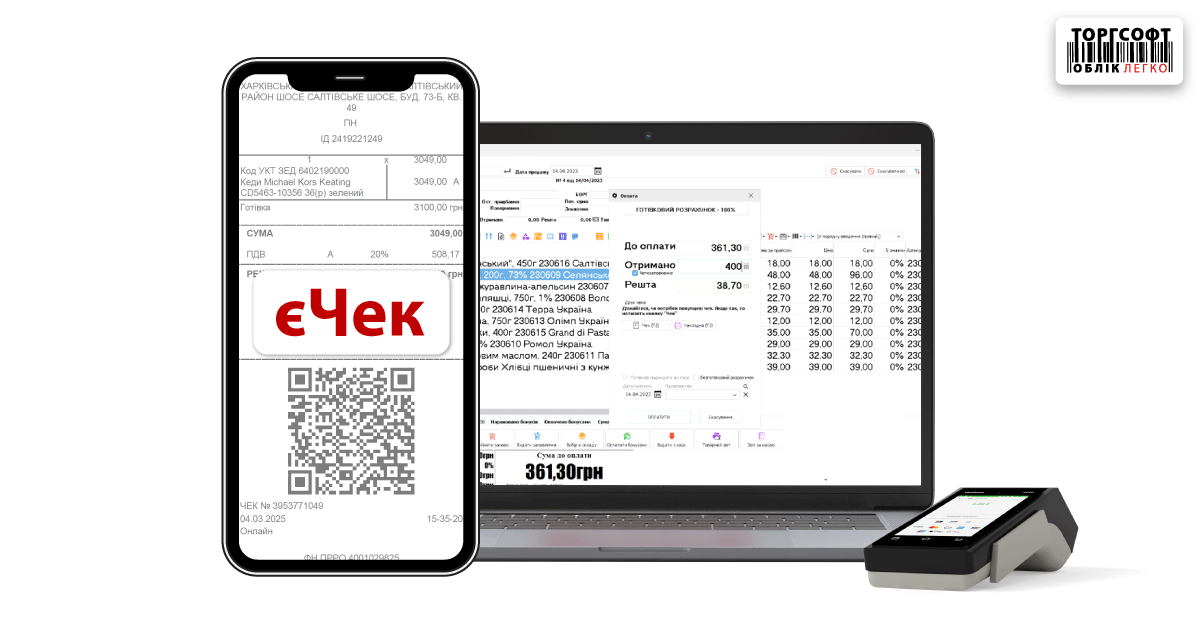
An electronic fiscal receipt and checkout equipment
- How eCheck, an Electronic Fiscal Receipt, and a Terminal Slip Differ
- How a Store Can Connect to eCheck
- How Cashiers Can Provide a Paper or Electronic Receipt
- Who Must Enable Cashless Payments
- When an RRO or PRRO Is Required and What to Check on a Receipt
- How to Process Returns with an Electronic Receipt
- How to Send Receipts and Protect Customer Contact Details
- What Are the Penalties for Failing to Provide a Fiscal Receipt
- Official Documents for Setting Up Store Operations
How eCheck, an Electronic Fiscal Receipt, and a Terminal Slip Differ
The bank processes the card payment, while the RRO or PRRO registers the transaction and generates a fiscal receipt. Cashiers must check both outcomes so that the customer pays for the goods and receives the required document.
| Document or service | What the customer receives | What the store must check |
|---|---|---|
| Electronic fiscal receipt | An electronic transaction document with the required details. It may be provided, for example, through a QR code—a two-dimensional code that can be scanned with a smartphone—or sent to a phone number or email address. | The sale was processed through an RRO or PRRO, and the customer received a document for the full transaction amount. |
| eCheck | A description of the purchase in the banking app and a link to the fiscal receipt in the system of the State Tax Service of Ukraine (DPS). | The cash register generated a fiscal receipt, and the service linked it to the corresponding card payment. |
| Payment terminal slip | Confirmation of the card transaction. | The payment was successful. If a fiscal receipt is mandatory for the sale, it must be issued separately and provided to the customer. |
Under Articles 2 and 3 of Law No. 265/95-VR, a transaction document may be issued in paper and/or electronic form. A store may issue electronic fiscal receipts without participating in eCheck, including after a cash payment.
How a Store Can Connect to eCheck
The eCheck pilot launched on February 20, 2026. Sellers that use an RRO or PRRO and accept cashless payments may join voluntarily. The service provides access to receipts after card payments made in a store or online. Whether a particular purchase appears depends on the seller’s and bank’s participation and the settings.
Before connecting, find your bank in the “Хто вже з нами” (“Who Is Already with Us”) section on the eCheck website. Check with the bank and cash register software provider whether participation is available for your payment acceptance method.
- Submit an application. The owner or an authorized employee completes the form on the eCheck page for sellers. The page also provides a cash register setup guide and materials for staff.
- Coordinate the terminal and cash register software settings. Tell the bank that processes card payments and the cash register software provider the terminal model and software name. The bank must configure the terminal to work with eCheck through an extended data exchange protocol. Through this protocol, the cash register software receives a unique internal card transaction number provided by the bank that issued the customer’s card. The cash register software provider must confirm that the software receives this number and passes it along with the corresponding receipt data. Automatically sending the purchase amount to the terminal does not, by itself, confirm that the system is ready for eCheck.
- Have a specialist configure data exchange. The specialist must ensure that the receipt’s eCheck participation indicator, the bank’s card transaction identifier, the unique internal receipt number, and the seller’s correct registration code are transmitted in accordance with the service requirements. These data link the payment to a specific receipt.
- Make a test purchase. An employee pays for an item with a card issued by a bank that participates in the service. The person responsible for the launch compares the item, amount, seller, and date in the fiscal receipt and banking app, and opens the link to the fiscal document.
- Train cashiers. Employees must be able to explain how customers can receive receipts, provide a paper or electronic document, and notify the responsible specialist when a purchase does not appear in the customer’s banking app.
Before accepting the setup, ask the specialist to show you the internal receipt number and its fiscal number; they may differ. The internal number helps locate the document in the store’s cash register system, while the fiscal number identifies it after the transaction is registered. Give the specialist the eCheck technical setup guide so that the configuration matches the way your RRO or PRRO operates.
How Cashiers Can Provide a Paper or Electronic Receipt
Paragraph 2 of Article 3 of Law No. 265/95-VR allows an electronic transaction document to be provided, including through a QR code on the display of a cash register or a device running a PRRO, or by sending it to a phone number or email address supplied by the customer. The code must identify the specific receipt. A link to the store’s home page is not suitable for this purpose.
For daily operations, the owner should establish the following procedure:
- Before completing the sale, the cashier asks which format is convenient: “Would you like a printed receipt or an electronic one?”
- The cashier processes the full purchase amount through the RRO or PRRO. For a card payment, the cashier also checks that the payment was successful.
- The employee provides a paper receipt or sends the electronic document using the selected method when the customer receives the goods. When sending it to a phone or email address, the cashier confirms the contact details; when using a QR code, the cashier gives the customer time to scan it.
- If the store uses eCheck, the cashier explains that the customer may be able to view the purchase in the banking app. If that method is unavailable, the employee provides the document through another available method.
During the eCheck pilot, customers can receive receipts in paper or digital form. If a customer chooses a digital receipt, the service allows the store not to print a paper copy. For store operations, it is advisable to retain the ability to print and agree with staff on how to provide the document when a customer cannot use the digital method.
What to Do If eCheck Does Not Appear in the Banking App
If the customer’s bank does not support the service or the purchase does not appear, the cashier provides the fiscal receipt for that transaction on paper, through a QR code, or by sending it to a phone number or email address. If the payment was successfully accepted and the receipt has already been generated, there is no need to accept the money again or process a new sale to deliver the document.
Example. A customer pays UAH 840 for an item. The payment succeeds and a fiscal receipt is generated, but the banking app shows only the debit. The cashier provides access to the existing receipt for UAH 840, and the responsible employee separately investigates why eCheck is missing. Processing the sale again would create an unnecessary transaction.
Who Must Enable Cashless Payments
Resolution No. 894 of the Cabinet of Ministers of Ukraine dated July 29, 2022 sets deadlines by which traders must enable cashless payments, including for distance sales. It provides for the use of electronic payment instruments, payment apps, or payment devices. The owner should coordinate with the payment service provider on a solution that customers can actually use for the relevant type of trade.
| Trader category | When the obligation applies |
|---|---|
| In settlements with a population over 25,000 | From January 1, 2023, except for the special categories below. |
| In settlements with a population from 5,000 to 25,000 | From January 1, 2024, except for the special categories below. |
| In settlements with a population below 5,000 | From January 1, 2025, except for the special categories below. |
| Individual entrepreneurs (FOPs) who are single tax payers in Group 1; traders using vending machines; mobile trade and trading from outdoor stalls or stands; sales of products grown or raised by the seller | Three months after martial law is terminated or canceled. |
The special deadline applies to the entire list in subparagraph 4 of paragraph 1 of Resolution No. 894. The owner of a regular fixed store in a small village must account for the general deadline for the settlement, while an entrepreneur engaged in mobile trade must account for the special condition for that type of activity.
How to Account for a Territorial Exception
Paragraph 2 of Resolution No. 894 provides an exception for traders in the territories of communities located in an area of military or combat operations, under temporary occupation, encirclement, or blockade. The exception also applies for three months after the relevant circumstances end.
To determine a territory’s status, consult the List of Territories of Hostilities and Temporary Occupation, approved by Order No. 376 of the Ministry for Communities and Territories Development of Ukraine dated February 28, 2025. This order repealed the previous Order No. 309. The owner or accountant must find the entry that covers the store address and compare the territory’s name and code, category, and the relevant period’s start and end dates.
Under paragraph 1-1 of Resolution No. 1364 of the Cabinet of Ministers of Ukraine dated December 6, 2022, on compiling the list of territories, if no date is specified for the end of hostilities, the cessation of the possibility of hostilities, or the end of temporary occupation, the corresponding territorial status continues. Whether a territory appears on the list must be assessed together with its category and the terms of the specific exception.
- Identify the place of business. For each store, determine separately the settlement and community to which its address belongs.
- Compare the operating period with the territory’s status. Account for the dates in the relevant entry and any consecutive periods with different statuses.
- Calculate the period after the circumstances end. For the exception to the cashless payment requirement, paragraph 2 of Resolution No. 894 provides for an additional three months after hostilities end, deoccupation, or release from encirclement or blockade.
- Keep a record of the basis for applying the exception. It is advisable to record the order details, the relevant list entry, and the calculation of the period for the specific address. If the territory’s status changes, the accountant must recalculate the date on which the obligation begins.
When an RRO or PRRO Is Required and What to Check on a Receipt
Cashless payment acceptance and the use of an RRO or PRRO are governed by separate requirements. Having a terminal does not exempt a store from registering the transaction through a cash register, and a deferral under Resolution No. 894 does not, by itself, exempt the store from using an RRO. The general rule in paragraphs 1 and 2 of Article 3 of Law No. 265/95-VR requires the full transaction amount to be processed through a duly registered RRO or PRRO and the document to be provided to the customer.
Exceptions must be considered in light of the specific activity and payment method. Paragraph 6 of Article 9 of the Law refers to the rules of the Tax Code of Ukraine for FOPs who are single tax payers. Paragraph 14 of Article 9 applies to payments for services made exclusively through remote banking systems and/or money transfer services. It should not be extended to every online sale of goods.
To check the cash register, the owner or accountant should take a receipt from an actual purchase and compare it with the sale:
- the seller and retail outlet where the customer purchased the goods;
- product names, quantities, prices, discounts, and the total amount;
- the payment method and the amount actually received;
- the date, time, and fiscal numbers of the document and cash register;
- whether the customer can access the required document through the link or QR code provided.
This procedure helps verify the purchase against the document. When configuring the cash register, account for the full receipt format and applicable details under the requirements established pursuant to Article 8 of Law No. 265/95-VR.
The fiscal number of a receipt and the fiscal number of a cash register identify different things: the first identifies the document, and the second identifies the RRO or PRRO. During a test purchase, open the fiscal document through the link in the DPS system and compare its contents with the sale. The bank’s payment success notification confirms the payment outcome.
How to Process Returns with an Electronic Receipt
Articles 8 and 9 of the Law of Ukraine “On Consumer Protection” No. 1023-XII provide for the use of an electronic transaction document. A store employee must open the receipt from the banking app, message, or email and find the corresponding sale.
- Identify the purchase. Compare the seller, date, item, quantity, and amount in the fiscal receipt. If the customer shows only a card debit, use the date and amount to locate the sale, then identify the corresponding transaction document.
- Determine the reason for the request. Different conditions apply to goods of proper quality and goods with defects. The receipt confirms the purchase, while the reason for the request determines the customer’s possible claims.
- Compare the request with the statutory conditions. For an exchange of non-food goods of proper quality, consider the deadline, the condition of the goods, and the list of goods that cannot be exchanged on these grounds. For goods with defects, establish the nature of the defect and the applicable warranty conditions.
- Process the outcome. If there is a basis for a refund, process the corresponding transaction and provide a transaction document. For a card purchase, follow the refund procedure set by your bank and cash register software.
What to Do with Goods of Proper Quality
A customer may exchange non-food goods of proper quality if the goods are unsuitable in terms of shape, size, style, color, or dimensions, or cannot be used as intended for another reason. The general period is 14 days, excluding the purchase day, unless the seller has announced a longer period. The goods must be unused, with their consumer properties, marketable appearance, seals, and labels preserved. A transaction document is also required, and the government-approved list of goods that cannot be exchanged on these grounds must be taken into account.
If an equivalent item is unavailable for sale, the customer may choose another item with a price adjustment, terminate the contract and receive a refund, or wait until an equivalent item becomes available. In the last case, the seller must notify the customer on the day the item arrives.
When the contract is terminated, the refund amount is based on the item’s price at the time of purchase. The money must be returned on the day the contract is terminated; if that is not possible, it must be returned within another agreed period not exceeding seven days.
What to Do with Goods Found to Have Defects
If a customer discovers defects during the warranty period, Article 8 provides for a proportionate price reduction, free repair of the defects, or reimbursement of the cost of repairing them. The customer may request a refund or replacement if there are substantial defects caused by the manufacturer, seller, or service provider, or if the goods are falsified; where necessary, this must be confirmed by an expert examination.
For unfit food products, the seller must replace the product with one fit for consumption or refund the money. For non-food goods that have already been used and were sold through a retail consignment business, the claims under part one of Article 8 are satisfied with the seller’s consent if the warranty period has not expired.
When a contract is terminated because of defects, the refund amount is based on the item’s price at the time of the request if the price has increased, or at the time of purchase if it has decreased. The money must be returned on the day the contract is terminated; if that is not possible, it must be returned within an agreed period of up to seven days. For a product under warranty, the customer must also present the technical passport or a document replacing it, with the date of sale marked.
The seller may refuse to satisfy claims under Article 8 if the seller proves that the defects arose because the customer violated the rules for using or storing the goods. The customer has the right to take part in the quality inspection personally or through a representative.
How to Send Receipts and Protect Customer Contact Details
If a customer provides a phone number or email address to receive a receipt, the store must determine the lawful basis and purpose for processing that data. Articles 6 and 11 of the Law of Ukraine “On Personal Data Protection” No. 2297-VI require data to be appropriate to the processing purpose and establish the grounds for its use.
For store operations, it is advisable to collect only the contact details needed for the selected delivery method, explain their purpose to the customer, and limit employee access. The owner must set a retention period in line with the lawful need: personal data cannot be kept longer than necessary for the lawful purposes of processing.
Providing a phone number for a receipt does not, by itself, mean consent to receive marketing messages. If the store changes the processing purpose to a new purpose that is incompatible with the original one, it must obtain the customer’s consent for that use unless the law provides otherwise.
What Are the Penalties for Failing to Provide a Fiscal Receipt
Under paragraph 1 of Article 17 of Law No. 265/95-VR, processing a transaction for less than the full amount, failing to process it through an RRO or PRRO in fiscal mode, or failing to provide the corresponding transaction document carries a financial penalty: 100% of the amount of the sale made in violation for the first violation and 150% for each subsequent violation. Using an electronic receipt format is not, by itself, grounds for this penalty.
The reduced rates of 25% and 50% provided for in paragraph 15 of Section II of the Law applied to specified transactions during the period from August 1, 2023, through July 31, 2025, but no later than the termination or cancellation of martial law. They cannot be applied to later sales.
How to Determine a Territorial Exemption from Liability
Paragraph 14 of Section II of Law No. 265/95-VR provides an exemption from liability for violations committed in the sale of goods or provision of services starting October 1, 2023. Violations of settlement procedures in the sale of excisable goods are excluded.
| Territory category | End date of the exemption |
|---|---|
| Temporarily occupied territory | Through the date temporary occupation ends. |
| Territory of active hostilities | Through the date hostilities end. |
| Territory of possible hostilities | Through the date the possibility of hostilities ends. |
The owner or accountant must find the store’s territory in the list under Order No. 376 and compare the date of the violation with the period covered by the relevant status. This requires checking the start date and end date of the specific period that includes the transaction.
The three-month period after the relevant circumstances end applies to the exception to the cashless payment requirement under Resolution No. 894. Paragraph 14 of Section II of Law No. 265/95-VR sets the end dates for exemption from liability shown in the table. The accountant must calculate these periods separately. An exemption from liability does not itself remove the obligation to use an RRO or PRRO if that obligation applies to the transaction.
Official Documents for Setting Up Store Operations
- Law of Ukraine “On the Use of Cash Registers in Trade, Public Catering, and Services” dated July 6, 1995, No. 265/95-VR — Articles 2, 3, 8, 9, and 17; paragraphs 14 and 15 of Section II on receipt formats, payment processing, exceptions, and liability.
- Resolution No. 894 of the Cabinet of Ministers of Ukraine “On Establishing the Deadlines by Which Traders Must Ensure the Possibility of Making Cashless Payments…” dated July 29, 2022 — paragraphs 1 and 2 on deadlines, special categories, and the territorial exception.
- Order No. 376 of the Ministry for Communities and Territories Development of Ukraine dated February 28, 2025, approving the List of Territories of Hostilities and Temporary Occupation, registered with the Ministry of Justice of Ukraine on March 11, 2025, under No. 380/43786 — paragraphs 1 and 2 and the approved list for determining a territory, its status, and the relevant period.
- Resolution No. 1364 of the Cabinet of Ministers of Ukraine dated December 6, 2022, “Certain Issues Concerning the Compilation of the List of Territories…” — paragraphs 1, 1-1, 1-6, and 1-7 on compiling the list, dates, territory identification, and updating information.
- Law of Ukraine “On Consumer Protection” dated May 12, 1991, No. 1023-XII — Articles 8 and 9 on transaction documents, exchanges, claims for defects, and refunds.
- Law of Ukraine “On Personal Data Protection” dated June 1, 2010, No. 2297-VI — Articles 6 and 11 on the purpose, scope, retention period, and grounds for processing customer contact details.
- Announcement by the Ministry of Economy, Environment and Agriculture of Ukraine on the launch of the eCheck pilot on February 20, 2026 — voluntary participation and how to join.
- Official eCheck page for sellers — application, cash register setup, and staff preparation; the eCheck website — search for banks and sellers participating in the service.
- Setup instructions for the eCheck program — RRO and PRRO data requirements for matching a card transaction to a fiscal receipt.
See how stock, documents and payments are connected
The Torgsoft demo lets you reproduce typical store operations and review the data used by an accountant.
- Stock movement Record goods receipts, sales, returns, write-offs, transfers and stocktakes.
- Documents, payments and fiscal receipts Compare stock documents, payment methods, balances and linked fiscal receipts.
- Multiple businesses Review how documents, fiscal registers, accounts and reports are separated between sole traders and legal entities.
Try it with your own example
The demo is available for 30 days. During a consultation, you can check whether Torgsoft fits your accounting workflow.
 Go back to the previous step
Все гарно працює але є недолік який трапляється кожну неділю. Коли йде оплата по терміналу (клієнт вже приклав картку) продавець сканує новий товар і сканер натискає скасувать. У мене 4 відділа, один раз на тиждень хтось робе таку помилку. Зробіть так чтоб сканер не тиснув кнопку скасувать.