


To build a quality email list for your store, offer customers a clear benefit for subscribing, explain what emails you will send, and keep a record of their choice. Start with a voluntary form on your website and a separate invitation to subscribe during a purchase. Add contacts to the marketing list according to an established legal basis, and check opt-outs and duplicate entries before each send.
An address provided to deliver a receipt, invoice, or order update does not by itself show a wish to receive marketing. Keep these purposes separate in forms, records, and sales staff workflows so customers can receive their goods and necessary documents without being forced to subscribe. For regular marketing emails, we recommend explicit, voluntary consent and email address confirmation: this helps you check contact quality and document the subscription.

- What rules apply to email marketing by a Ukrainian store
- 10 ways to collect email addresses for a mailing list
- What to explain to customers beside the form
- How to confirm a subscription and keep a record of the choice
- How to prepare a marketing email and make opting out easy
- How to limit data collection and protect the list
- How to manage an email list and prepare a mailing in Torgsoft
- How to assess list quality and the results of each method
- What to check before your first send
- Legal sources
What rules apply to email marketing by a Ukrainian store
The rules below concern a store operating under Ukrainian law. For commercial electronic messages, apply the Law of Ukraine “On Electronic Commerce” dated 03.09.2015 No. 675-VIII; for collecting and using customers’ personal data, apply the Law of Ukraine “On Personal Data Protection” dated 01.06.2010 No. 2297-VI.
Part 2 of Article 10 of Law No. 675-VIII provides for commercial electronic messages to be sent on the basis of the recipient’s consent. At the same time, Part 3 of that article permits such a message to be sent without consent only if the person can opt out of receiving further messages. It is therefore inaccurate to claim that the law always requires a separate checkbox in a form or double opt-in.
This exception does not remove the requirements for processing personal data. The store must establish a lawful basis for using the address and a specific purpose for processing it. Article 11 of Law No. 2297-VI provides several bases, including consent, entering into and performing a transaction, fulfilling a legal obligation, and the need to protect the legitimate interests of the store or of a third party to whom the data is transferred, except where the need to protect the person’s fundamental rights and freedoms in relation to processing their data outweighs those interests. Having an address in an order does not automatically make any subsequent marketing use lawful.
Practical recommendation for regular mailings: obtain explicit consent for a defined type of email. The customer checks a box or clicks a button under a clear subscription offer. This process is easier to explain to staff and substantiate if a customer asks about it. A purchased list, addresses collected from public pages, or contacts from a data leak do not by themselves give the store a lawful basis to use them or establish the recipients’ consent.
How to distinguish a service email from marketing
Assess the purpose and content of the message. An email with an invoice, receipt, or delivery status for an order serves a specific purchase. An offer to buy other goods, take advantage of a promotion, or return for a discount has a marketing purpose. If you add a marketing block to a delivery update, you need to account for the rules on commercial messages for that content.
Do not subscribe every customer automatically. For an ordinary purchase, do not make marketing subscription a condition of sale, returning an item, handling a request, or receiving a necessary document. If an email address is needed for a particular way of fulfilling an order, explain that need separately from the marketing offer.
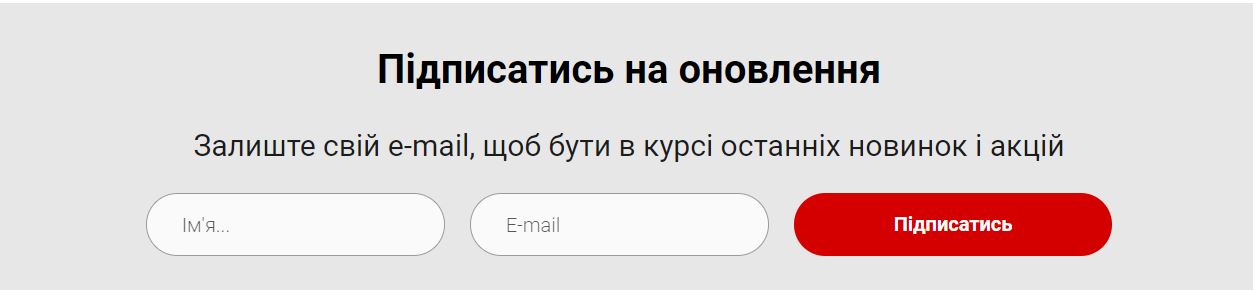
The purpose of the mailing and the processing of contact details should be clearly explained next to the subscription form.
10 ways to collect email addresses for a mailing list
1. Voluntary subscription form on your website
Place the form where visitors can read the offer at their own pace: below a useful article, on a product collection page, or at the bottom of the website. An email address is enough to start. Ask for a name or category of interest only if you will actually use it for the mailing you described.
Instead of a generic “Leave your contact details,” say what the person will receive and how often. For example: “We’ll send a selection of new shoe care products and store offers twice a month.” A “Subscribe” button under that offer can express an informed choice without an additional checkbox, if the action and its consequences are clear. Nearby, explain who processes the address, for what purpose, and how to opt out.
2. Separate subscription option during checkout
Keep the email address field for the order in its relevant section, then offer an optional marketing checkbox below. We recommend this wording: “I want to receive new arrivals and store offers at this address.” The checkbox should be empty so the customer makes the choice.
Configure the form so the order can be placed without checking the box and the address is not added to the subscriber list. Test both scenarios with a sample purchase. Keep the order record and the marketing subscription record separate, since they confirm different actions by the customer.
3. Email receipt delivery with a separate subscription offer
When a customer asks to receive a receipt by email, the seller should explain the purpose: “We’ll send the receipt for your purchase to this address.” Use the contact for that purpose. Do not change the customer’s status to “subscribed to marketing” just because they chose electronic delivery of a document.
If you want to offer a mailing list, make it a separate action: show the customer a subscription form or provide a link to it. This lets the store invite them to subscribe while the customer decides whether they want marketing emails.
4. A link code in the store
Place a QR code (Quick Response, a two-dimensional code for quick access to a webpage) by the checkout or a themed display. Add a specific offer beside it, for example: “Subscribe for emails about new craft supplies.” The customer opens the page on their own phone and enters their address.
Use separate source tags for different placements, such as “checkout” and “craft department.” This will help you compare confirmed subscriptions. Before printing, check that the code opens the right page, the form works well on a phone, and the explanation of data use is visible.
5. Voluntary option in a discount program
When setting up a discount card, explain what information is needed to join the program and how the store uses it. Offer marketing subscription separately. Staff should record the customer’s answer, not turn on mailings for every cardholder.
If the store offers a separate bonus for subscribing, describe its terms in advance: the amount, validity period, eligible goods, and restrictions. Do not replace rights already agreed to by program members with a new requirement to receive marketing. Keep participation in the discount program separate from permission to send marketing emails in the customer record.
6. A useful guide or checklist
Prepare material that helps customers use the store’s products: a textile care guide, a packing list for a hiking trip, or a lighting selection guide. Clearly explain in the form that the store will send the material to the address provided.
A request for one item should not automatically count as a subscription to all offers. You can add a separate voluntary choice nearby: “I’d also like to receive store tips and special offers.” In that case, send the material to everyone who requested it and regular marketing emails according to the separately recorded choice.
7. Notification when a specific product is back in stock
On an out-of-stock product page, offer the option to leave an address for a notification when it becomes available. Record the specific product alongside the contact and, if needed, the size, color, or another selected attribute. This tells staff exactly which notification the customer is expecting.
Do not use this request as a general subscription to store marketing. Offer a separate choice for regular emails. As a practical procedure, set a waiting period: after sending the notification or the end of the defined period, close the request and review whether there is still a need to retain the address.
8. Registration for a store event
When registering someone for a workshop, product presentation, or consultation, explain why you need their address: to confirm attendance, remind them of the time, tell them about a venue change, or send promised materials. Collect only the information needed to organize the event.
Add a separate optional offer for further marketing emails. After the event, distinguish participants who are still due to receive materials from subscribers who agreed to receive future emails. The event ending does not by itself expand the purpose for which contacts may be used.
9. Personal invitation to existing customers to subscribe
Invite a customer to subscribe during their next store visit, in their account, or when they contact you, where appropriate. A staff member might say: “We have a mailing list about new products in this category. If you’re interested, here’s a subscription link.” The customer opens the form and makes the choice themselves.
Do not treat an old purchase as proof of a marketing subscription, and do not send a bulk invitation to every address just because it is saved in your records. If the store plans to send email invitations without prior consent, it must separately account for the opt-out condition in Part 3 of Article 10 of Law No. 675-VIII and the legal basis for processing the addresses. For practical list management, it is easier to gradually collect customers’ explicit choices through your own forms.
10. A link customers can share with a friend
Give subscribers a link to a public subscription page that they can forward to someone they know. On that page, the new visitor can read the offer, enter their own address, and confirm their choice. If you offer a referral reward, set out its terms before participation.
Do not ask a customer to enter a friend’s email address for automatic addition to the list. A friend’s recommendation does not confirm the recipient’s wishes. A source tag in the link is enough to track results; there is no need to collect someone else’s address in advance.
What to explain to customers beside the form
Article 12 of Law No. 2297-VI requires that, when data is collected directly from a person, they be informed about the data controller, the composition and content of the information collected, the purpose of collection, their rights, and the people to whom the data is transferred. This information should therefore be available while the person is filling out the form.
In the short text beside the address field, name the entrepreneur or company, describe the mailing, and explain how to opt out. Add a prominent link to the full data processing notice, specifying the data collected, how it is handled, who receives it, and a contact for inquiries. If you transfer addresses to a mailing service, reflect that in the notice in line with how you actually operate.
Sample text to adapt: “Subscribe for new arrivals and special offers from our store. We’ll send up to two emails a month. Your email address will be processed by the entrepreneur or company named in the data processing notice. You can opt out using the link in each marketing email.” Before publishing, insert the controller’s full name, link to the complete notice, and check that the stated frequency matches your plan.
Do not limit the explanation to an image of the form: the required information must be available as text on the page itself. Do not ask for email account passwords, one-time sign-in codes, or bank card security codes to subscribe. The store does not need them to send emails.
How to confirm a subscription and keep a record of the choice
We recommend setting up two-step confirmation: first, the person fills out the form, then clicks a link in an email. Until the second action, the contact has “awaiting confirmation” status and is not included in regular marketing sends. Keep the confirmation email short: name the store, explain what the button does, and suggest ignoring the email if the recipient did not submit a request.
Double opt-in is a practical way to check access to the inbox and record an additional action, not a universal legal requirement. It does not guarantee verification of the address owner’s identity or fix unclear wording in the original form.
To explain where a subscription came from and what the person agreed to, keep an event log linked to the address. The table below shows a recommended record, not a legally required set of technical fields.
| Field | What to record | Why it matters |
|---|---|---|
| Email address | The address entered by the customer | Link the subscription to a specific contact |
| Date and time | Time the form was submitted and, separately, time of confirmation | Reconstruct the sequence of actions |
| Source and form | Page, code placement, or form name | Identify where the person subscribed |
| Text and version | Saved text of the offer and data processing notice | Show what information the subscriber saw |
| Subscription purpose and scope | For example, store offers or new arrivals in a selected category | Avoid expanding the subscription without an appropriate basis |
| Confirmation method | Choice in the form and link click event, if this method is used | Substantiate the user’s action |
| Current status | Awaiting confirmation, subscribed, opted out, address unavailable | Prepare the next recipient list correctly |
| Opt-out | Date, method, and scope of the opt-out | Stop the relevant mailings |
How to prepare a marketing email and make opting out easy
Under Part 4 of Article 10 of Law No. 675-VIII, a commercial message must be clearly identified as such, and the recipient must have direct and easy access to the sender information provided for in Article 7 of that Law. Discount, bonus, and gift offers must be clearly identified, and the terms for receiving them must be accessible and unambiguous. Pricing information must state whether taxes are included and, if delivery is involved, its cost.
Before sending, check that the subject line and content make it clear what the store is offering. Include accessible seller details and a link to the full promotion terms. If a discount applies only to certain goods or above a certain purchase amount, communicate that restriction so the customer sees it before ordering.
A practical opt-out method is a prominent “Unsubscribe” link in every marketing email that does not require signing in to an account. Also allow customers to reply to the email. Assign a staff member to monitor such replies so an opt-out does not remain only in an inbox.
After an opt-out, remove the address from future marketing sends and check lists already prepared. If you use several programs, arrange for this status to be shared between them and check it before every campaign. A new purchase or re-importing an old file must not by itself restart a marketing subscription. Handle necessary messages about an existing order separately, according to their relevant purpose and legal basis.
How to limit data collection and protect the list
Article 6 of Law No. 2297-VI requires a specific lawful purpose, an appropriate and non-excessive amount of data, accuracy, and storage in an identifiable form for no longer than necessary for lawful purposes. If a new purpose is incompatible with the previous one, further processing requires consent unless the law provides otherwise.
For a regular mailing, start with the address and the subscription record. Do not require a birth date, home address, or phone number without a defined need. Set a separate review procedure for unconfirmed addresses, closed back-in-stock requests, and outdated contacts. Justify retention periods by the purpose of use, since the cited provisions do not set one universal period for all such records.
Article 8 of Law No. 2297-VI provides for a person’s right to access their data, withdraw consent, make a reasoned objection to processing, and request changes or deletion of data if it is processed unlawfully or is inaccurate. A response confirming whether data is processed and describing the personal data must be provided no later than 30 calendar days after the request is received, except in cases provided for by law. Set up a process for receiving such requests and decide who will prepare the response.
Unsubscribing from marketing and deleting all information about a purchase require separate consideration. Stop using the address for marketing after an opt-out, and check whether there is still a lawful purpose and basis for retaining other data. Do not promise to delete all purchase documents just because someone clicked an unsubscribe button.
Under Article 24 of Law No. 2297-VI, data controllers, processors, and third parties must protect personal data against accidental loss or destruction, unlawful processing, and unauthorized access. A natural person entrepreneur is personally responsible for protecting the data they control. In practice, limit staff access according to their duties, secure accounts, monitor exports, and do not leave files containing addresses in open folders.
How to manage an email list and prepare a mailing in Torgsoft
In Torgsoft, customer information is recorded in the form “Маркетинг → Клієнти” (Marketing → Customers); the customer details include an email address. If the mass mailing option is enabled, the “Підписка на розсилку” (Mailing subscription) filter lets you show email subscribers or subscribers to other available channels separately. For store operations, the subscription status must reflect the customer’s actual choice: an address in a customer record does not prove permission to send marketing.
The paid add-on “Масові розсилки клієнтам” (Mass mailings to customers) lets you create a mailing for selected customers, use templates, and review sending results for individual recipients. The documentation provides for sending email through Microsoft Outlook, SMTP (Simple Mail Transfer Protocol), or SendGrid. Outlook requires a configured email client; for SMTP or SendGrid, select or add the settings for the relevant method. First test a send to your own test address, then create a customer list with the appropriate subscription status.
Keep a log of subscription confirmations and include opt-out tracking in your workflow. In the “Контакти і нагадування” (Contacts and reminders) form, you can record the content of a customer inquiry, but it is best to link that record to the original data about their choice. If addresses come from a website or another service, check that statuses match before transferring and sending. The described record-keeping and mailing features do not by themselves obtain consent through a website form or transfer opt-outs between all systems in use.
How to assess list quality and the results of each method
Count unique addresses with confirmed subscriptions to the relevant mailing. The number of form submissions separately shows visitor activity, but may include duplicates, errors, and unconfirmed requests. Use the same fields for each source: number of visitors who saw the offer, new requests after duplicates are removed, confirmed subscriptions, unavailable addresses, and opt-outs.
For a practical quality check, record whether each contact has a defined source, saved offer text, confirmed status, and an opt-out check. If any element is missing, establish the circumstances before adding the address to the recommended consent-based mailing list. Successful email delivery does not prove identity or permission to send marketing.
Illustrative calculation. Over one period, 1,000 unique visitors saw the form. After duplicates were removed, the store received 80 new unique addresses, 60 of which confirmed their subscription. The conversion to a request is 80 ÷ 1,000 × 100% = 8%. The conversion to a confirmed subscription is 60 ÷ 1,000 × 100% = 6%. The confirmation rate among new requests is 60 ÷ 80 × 100% = 75%.
If 5 of those 60 subscribers later opted out, 55 active subscriptions remained in that group. Track opt-outs separately: they do not change the fact that 60 people initially confirmed the form. These are illustrative numbers to explain the method, not a forecast of a store’s results.
Compare sources using consistent definitions and time periods. If visitors submit the form but do not confirm their addresses, check whether the offer is clear, the addresses are correct, and confirmation emails are arriving. If opt-outs increase after the first marketing emails, check whether the content and frequency match what the store promised at sign-up.
What to check before your first send
- Define the content and frequency of the mailing so you can describe them consistently in forms and emails.
- Separate marketing subscription from orders, document delivery, and one-off customer requests.
- Place an explanation of the purpose and an accessible data processing notice beside each form.
- Check that the log records the source, time, offer text, user choice, and current status.
- Go through the full process with a test address: form submission, confirmation, email receipt, and opt-out.
- Before sending, remove duplicates, unconfirmed contacts, and opted-out addresses if you use the recommended confirmed-consent approach.
- Check the sender information, offer terms, prices, and that the opt-out method works.
- Assign a staff member to handle subscription and personal data requests.
Legal sources
- Law of Ukraine “On Electronic Commerce” dated 03.09.2015 No. 675-VIII — Article 10 on commercial electronic messages and its reference to Article 7 on seller information.
- Law of Ukraine “On Personal Data Protection” dated 01.06.2010 No. 2297-VI — Articles 6, 8, 11, 12, and 24 on the purpose and basis for processing, informing individuals, their rights, and data protection.
 Go back to the previous step