



To attract customers on a small budget, first help people find your shop and buy what they need: check the entrance, prices, stock, and opening hours. Then test one offer, count completed purchases by new customers, and calculate the amount left after variable costs and acquisition expenses.
Set a maximum budget before launch. Even promotion without paid advertising takes staff time, preparation of materials, and tracking results. Sales growth will depend on demand, the offer, and how well you carry out the test.
Get your shop ready for new customers
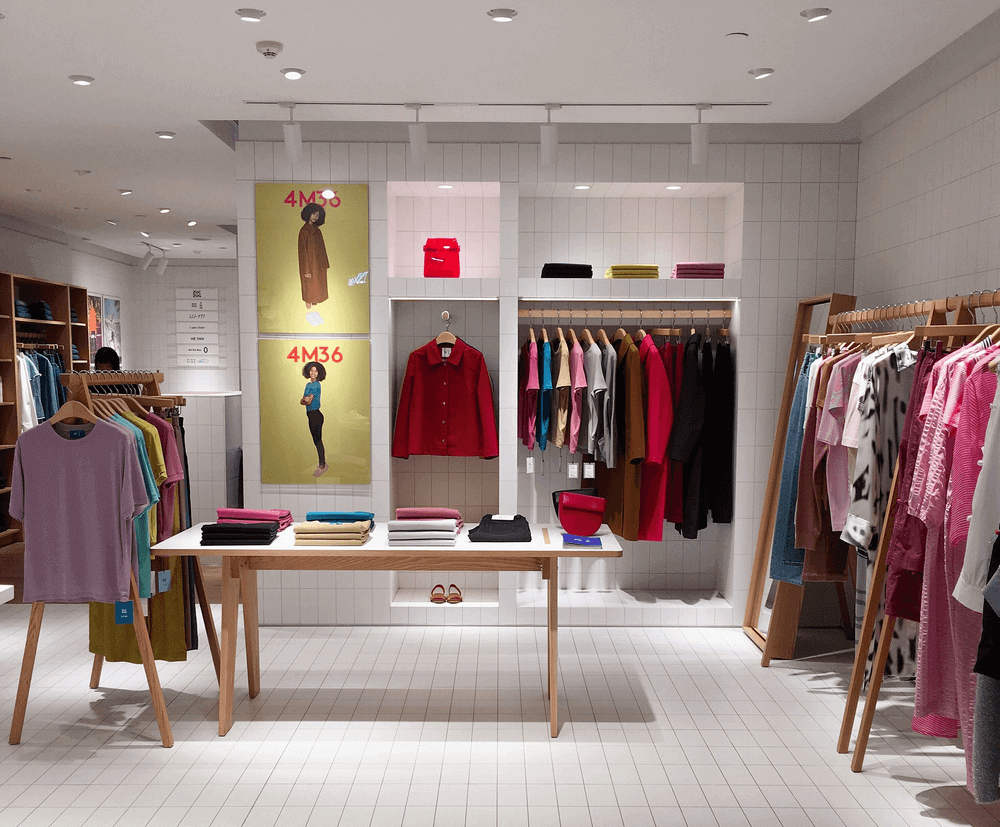
Walk the usual customer route to your shop from the nearest bus stop or neighbouring street. Check whether the shop name is visible, the entrance is easy to find, and the opening hours are readable. Clear obstacles from the doorway and aisles, and keep the window display and shelves clean.
Check the price labels and stock for the products you plan to promote. The sales assistant should know the price, features, and available sizes or options. Prepare a short product card with your own photo, name, price, availability, address, and contact details.
Ask sales assistants which products people look for and why they decide not to buy. Train staff to clarify what a customer needs, check stock, and suggest a suitable option. If you reserve an item, agree a specific reservation period with the customer.
Help customers find your shop on Google
In Google Business Profile, check the address, map pin, category, phone number, regular and special opening hours. Add your own photos of the entrance, tidy shelves, and actual product range. In the description, state clearly what you sell, which town you operate in, and what services you offer.
Google recommends keeping information complete and accurate and adding photos. Local results also depend on how well the business matches a search, its distance, and how well known it is. These steps do not guarantee a particular ranking. For details, see Google’s guide to local search.
Invite all customers to leave an honest review, whether or not they are happy with their purchase. Put a QR code linking to reviews by the till. Do not offer a discount, gift, or other reward in exchange for a review: this is prohibited by Google’s review policies. Reply to the point: ask for details, explain your decision, and discuss complex issues privately.
Choose one offer and one channel
For the test, choose a product or bundle that meets customer needs and is in stock. A discount makes sense only if the calculation leaves enough contribution to cover costs. You could test an offer at the regular price with a specific convenience, such as an agreed reservation.
In the message, state the product, price, offer period, number of units available, address, and how to order. For the first test, choose one channel: a local community group, leaflets at an agreed location, or customer referrals.
For a partnership, find a nearby business whose customers have related needs. For example, a fabric shop and a clothing repair shop could, by mutual agreement, display information about each other’s services. Agree on the location, number of leaflets, and display period.
You can start tracking referrals manually with a separate code. If you plan to offer a reward, decide in advance who receives it, for which completed purchase, how much it is, and how returns will be handled. Check the tax and paperwork requirements for your situation before launch.
Calculate sales contribution and acquisition costs
Illustrative example: one customer buys one unit. The purchase cost is 320 грн, and other variable costs per order, including a reserve for returns, are 20 грн. Replace these amounts with your own figures.
- Without a discount: price 500 грн. Gross margin after purchase cost is 180 грн, or 36% of revenue. After other variable costs, the contribution is 500 − 320 − 20 = 160 грн.
- With a 10% discount: price 450 грн. Gross margin is 130 грн, or approximately 28.9% of revenue. The contribution is 450 − 320 − 20 = 110 грн.
Contribution shows how much remains to cover the campaign, fixed costs, and profit. To calculate net profit, you also need to account for rent, fixed salaries, taxes, and other expenses.
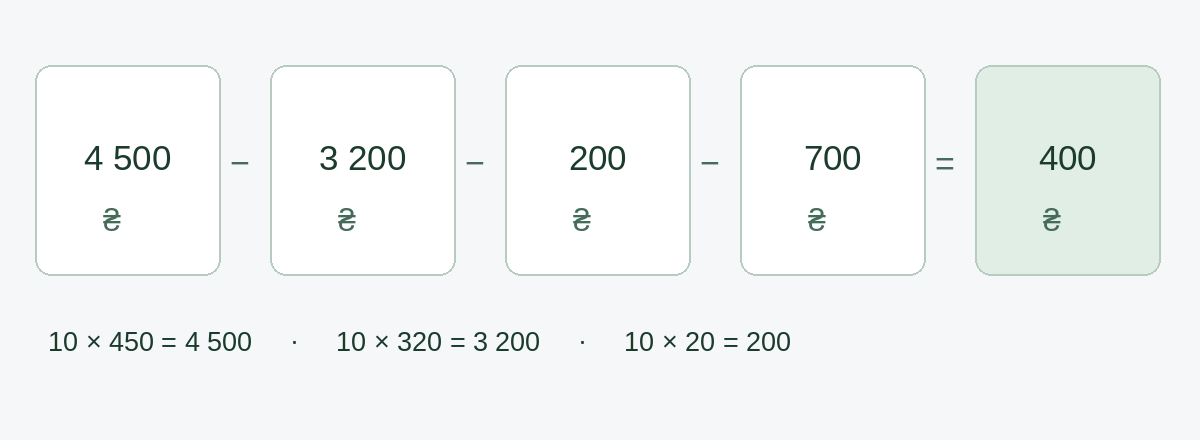
Suppose the campaign cost 700 грн, including all acquisition expenses, and generated 10 fulfilled orders from 10 new customers. The result is 4500 − 3200 − 200 − 700 = 400 грн before fixed costs and taxes. The customer acquisition cost, or CAC, is 700 ÷ 10 = 70 грн.
To cover only the campaign’s 700 грн cost, you need 700 ÷ 110 = 6.36, or at least 7 additional orders. This calculation assumes that all of them resulted from the campaign. If regular customers received the discount or the promoted product replaced other purchases, account for the contribution you lost. A new customer alone does not prove that advertising had an effect.
How to track customer responses in Торгсофт (Torgsoft)
The path uses Ukrainian menu names, with their meanings explained in parentheses. Open Маркетинг → Система опитування клієнтів (Marketing → Customer survey system). On the «Опитування» (Surveys) tab, add an active question, «Звідки ви дізналися про магазин?» (How did you hear about the shop?), and answer options including «Інше» (Other) and «Не пам’ятаю» (I don’t remember). In the «Опитування» (Surveys) section, click «Додати» (Add), set the dates, accounting centres, and «Місце демонстрації» (Display location) to «Реалізація» (Sale). Activate the survey on the «Налаштування» (Settings) tab. After clicking «Оплатити» (Pay), the sales assistant selects an answer and clicks «Продовжити» (Continue); after the last question, the payment form opens. If the customer declines to answer, close the question with Alt + F4. For details, see the customer survey guide.
On the «Аналіз опитування» (Survey analysis) tab, review the number and types of responses by period and accounting centre. Customer responses help link purchases to the channels they name, but by themselves they do not show the campaign’s profit or prove that it led to a purchase.
On the «Клієнти» (Customers) tab, you can view customers and their purchases. For an identified customer, check the available purchase history. If the customer is unidentified or the history is insufficient to verify a first purchase, mark their new-customer status as unverified and count such customers separately. An anonymous response alone does not confirm a first purchase.
A 14-day customer acquisition test plan
- Days 1–2, owner: Record baseline figures for the previous comparable 9 days, since the offer will run on days 5–13. Choose the same mix of weekdays and opening hours. Separately record visits, enquiries, completed purchases by new customers, repeat purchases, and contribution after variable costs.
- Days 3–4, owner and sales assistant: Check the entrance, Google profile, price labels, and stock. Prepare one offer, one channel, and a spending limit. Agree on a continuation criterion: the additional contribution covers the test costs.
- Days 5–13, sales assistant: Record visits, enquiries, completed orders, number of new customers, channels they name, and returns each day. The owner tracks costs and stock. Record repeat purchases separately.
- Day 14, owner: Compare the before and after figures, accounting for discounts and all costs. Continue the offer if there is a sound basis for covering costs; if the result is unclear, run another limited test.
Purchases linked to a channel by a response or code are not always additional. Period comparisons also depend on seasonality, stock, and opening hours. If you cannot separate the campaign’s effect, leave it unconfirmed. Be ready to check the next test’s forecast against actual sales.


 Go back to the previous step