


To help a customer choose a product, explain what it is suited for, how much the purchase will cost, and what terms will apply after payment. Before publishing a message, check the product details, stock, prices, and store promises. Assign an employee to update the information when terms change.
In this article, a sales trigger means specific information that helps a customer make a decision: confirmed compatibility, clear delivery terms, a genuine review, or a stated promotion period. Below are ten practical ways to present such information and a process for checking results. All sample messages and numerical examples are hypothetical: a store may use them only after confirming the relevant facts.

Requirements for Ukrainian stores
For consumer sales in Ukraine, follow the requirements of Ukrainian law. Under Article 15 of the Law of Ukraine “On Consumer Rights Protection” No. 1023-XII, customers must receive necessary, accessible, reliable, and timely information before purchasing a product. This includes, in particular, its main characteristics, price, purchase and use terms, and warranty obligations. Specific product categories may have special information requirements; the general provisions apply to matters those requirements do not cover.
Article 19 of this Law prohibits practices that mislead consumers or are aggressive. In particular, it prohibits falsely claiming that a product is available only in limited quantities or for a limited time in order to pressure a customer into a rushed decision. A seller also may not present a right granted to a customer by law as a special privilege of its own. These requirements apply to website copy, price tags, and in-person conversations.
1. Explain what the product is suited for
Seller information. Prepare details for the specific model, including its dimensions, compatibility, and usage limitations. Match these details to customer questions: what the person wants to store, connect, wear, or carry.
Sample message: “The laptop compartment’s internal dimensions are 34 × 24 × 3 cm. Before ordering, compare them with the dimensions of your device.” Place this information beside the model or size selector, and in the store, next to the display item.
Check and limits. An employee should compare the description with the documentation and measurements for that specific product. Do not apply one model’s specifications to the entire range. If compatibility has not been confirmed, offer to check it with the customer and a sales consultant.
The countdown in an offer should match its actual end date.
2. Show the full cost and how the customer will receive the order
Seller information. Gather the product price, including all mandatory charges; the cost of the selected delivery method; any possible fees; pickup terms; and the time it will take the store to hand the order to the carrier. Also prepare accessible information about exchanges, returns, and how to report defects.
Sample message: “Product: UAH 1,200, including all taxes. Delivery by the selected method: UAH 80. Total due: UAH 1,280. We will hand it to the carrier on the next business day after payment is confirmed. Return terms are available before you place your order.” Show the total in the cart before purchase confirmation, and provide a link to the terms in the product listing as well.
Check and limits. Test the checkout process for different payment and delivery methods. If delivery costs depend on the address or dimensions, collect those details and show the calculation before the customer confirms the order. Distinguish the store’s dispatch time from the expected transit time so you do not promise something outside the store’s control.
Under Article 15 of Law No. 1023-XII, the price must include taxes and mandatory charges paid by the consumer at purchase. Part 4 of Article 10 of the Law of Ukraine “On Electronic Commerce” No. 675-VIII separately requires commercial electronic messages to state whether taxes are included in the price and, if delivery is offered, to provide information about its cost.
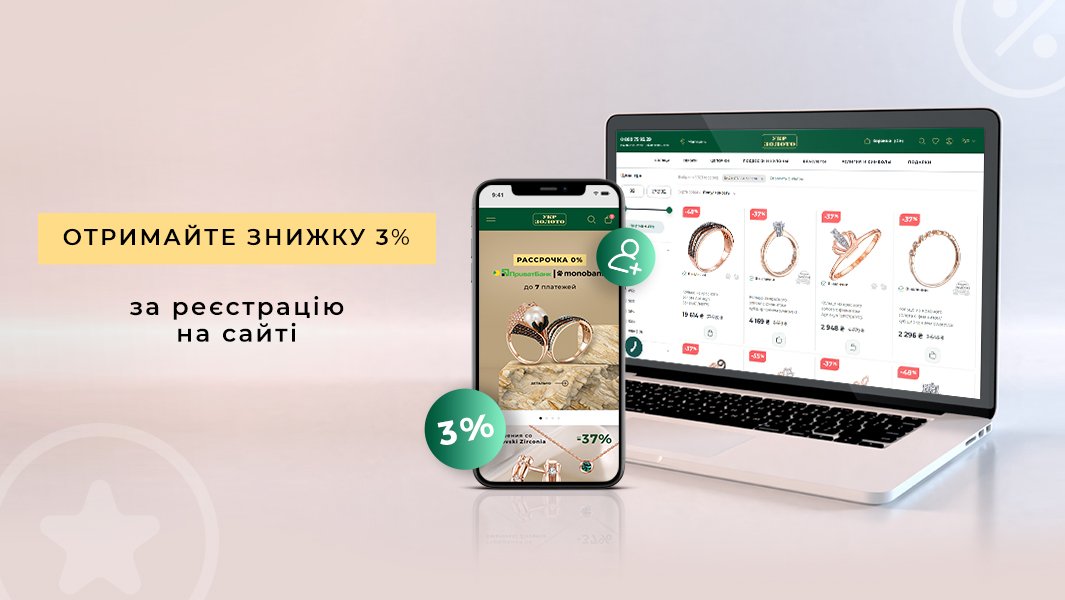
Illustration of an offer: check the terms and availability of the discount before publication.
3. Report the actual stock for the specific product
Seller information. Check the quantity of the required SKU, color, and size at the specific store, as well as confirmed orders and reservations. Decide who will update the message after a sale.
Sample message: “Three blue backpacks of this model are available at the store on Central Street. For pickup, wait until your reservation is confirmed.” This message is suitable beside the store selector or in a consultant’s reply to an availability inquiry.
Check and limits. Compare the recorded stock with actual availability. If the website does not receive timely updates, remove the exact quantity and offer to check availability. Do not leave “last 3” in place after a new delivery arrives or apply it to the whole range when it refers to just one size.

4. State the actual promotion or reservation period
Seller information. Record when the offer starts and ends, which products are included, which sales channels it applies to, and the reservation rules. Employees should know which event qualifies the customer for the promotional price: placing, confirming, or paying for the order.
Sample message: “A 10% discount on the listed models is available from October 20 through October 25. For online orders, the promotional price applies if the order is placed by 11:59 p.m. on October 25.” Place a short summary of the terms beside the price, with the full product list and restrictions on the promotion page.
Check and limits. Check the price at the till and in the cart before the promotion starts and after it ends. If you use a countdown, it must match the actual end of the offer and must not restart when the page is refreshed. Say that a reservation is expiring only if the store truly reserves the product and has a defined process for releasing it.
5. Publish genuine reviews with useful details
Seller information. Keep the original review text, date, and product model, along with proof of purchase if you label the review as verified. Get the author’s permission before using their name, photo, or video.
Sample message: “Review from a customer who bought this model: ‘My laptop fit in the compartment, but I use a separate pocket for the charger.’” Place the review in the relevant product listing so readers can see which model it describes.
Check and limits. Do not change the meaning when shortening a review or move reviews between models. Use the label “purchase verified” only when you have verified it. If the author received the product or a reward for the review, disclose that next to it. Do not create reviews on customers’ behalf or make a reward conditional on a positive rating. One author’s personal experience does not establish that every customer will get the same result.
6. Demonstrate a feature and compare options
Seller information. Choose a question that can be answered with a demonstration: what fits inside, how a fastener opens, or which connectors a device has. For a comparison, use the same criteria and provide each model’s specifications.
Sample message: “The video shows how a laptop, charger, and A4 folder fit in the backpack. The internal dimensions of two models are listed alongside it.” Place the demonstration near the specifications and a short comparison table where customers choose between products.
Check and limits. Film the product in the configuration you sell and state any material conditions of the demonstration. If you show an additional accessory, say whether it is included in the price. A single test does not justify claiming that a product has a certified feature or is suitable for every condition of use.
7. Disclose what a bundle includes and how its discount is calculated
Seller information. Prepare the bundle contents, the usual standalone price of each item, the bundle price, the offer period, and the rules for combining it with other discounts. Check whether the items can be bought separately and whether they are in stock.
Hypothetical numerical sample message: “Backpack on its own: UAH 1,200; case: UAH 300. Total if bought separately: UAH 1,500; bundle price: UAH 1,350. Savings: UAH 150, or 10%. Offer available from October 20 through October 25; other discounts do not apply.” Show the contents, both prices, and restrictions beside the button for purchasing the bundle.
Check and limits. Ring up the bundle at the till and place a test order on the website, including with a discount card. In this example, UAH 1,500 − UAH 1,350 = UAH 150, and UAH 150 ÷ UAH 1,500 × 100% = 10%. For an actual offer, use the store’s confirmed prices.
Parts 3–6 of Article 15 of Law No. 1023-XII require disclosure of the contents and price of a combined offer, the prices of its components when sold separately, its duration, and its restrictions. The term “discount” applies to products sold directly by the seller for a defined, limited period at a price below the usual price. After publicly announcing a discount, the seller must state the price before and after it begins. Call an offer a “sale” only if it covers all products in a particular location or a clearly defined group of products, lasts for a limited time, and offers prices below the usual prices.
8. Explain the warranty and how to make a claim
Seller information. Gather the warranty terms for the specific model, its duration, the responsible party’s details, a contact for claims, and the process for submitting the product for review. If the store offers an additional service, set out its terms in writing.
Sample message: “The manufacturer’s warranty for this model is 12 months, subject to the warranty terms. To make a claim, use the contact details in the ‘Warranty’ section: a consultant will explain how to submit the product.” Place a short explanation in the product listing and make the full terms available to the customer.
Check and limits. Verify the duration against the documents, check the contact details, and make sure employees know how to receive claims. Do not promise an unconditional refund if you cannot honor that promise. Customer rights provided by law cannot be presented as a gift from the store; Article 19 of Law No. 1023-XII expressly prohibits this.
Articles 15 and 19 do not set out the complete procedure for exchanges, returns, and claims about defects. Determining the time limits, exceptions, and process for a specific product and sales method requires the relevant special rules. Therefore, these articles do not justify a universal promise such as “we will take back any product without conditions.”
9. Offer a check or consultation with clear terms
Seller information. Define what exactly the employee will check, how long it takes, whether an appointment is required, and whether there is a charge. Prepare the equipment or sample needed for the check.
Sample message: “Before buying, try on the backpack with your own laptop inside at the store. A consultant can help check how it fits and adjust the straps. The check is free and does not obligate you to buy.” Place the offer near the store address and in the product description.
Check and limits. Make sure the service is available during the stated hours. If an appointment is required, say so upfront. Employees should allow visitors to decline the purchase after a consultation. Agree on paid add-ons before providing them, and include any mandatory charge in the offer price.
10. Send a relevant reminder and make opting out possible
Seller information. Record what information the customer requested, which channel they agreed to receive it through, and how they can stop the messages. For a marketing mailing, prepare clear offer terms and sender details.
Sample message: “Example Store. You asked us to notify you when this blue backpack model was back in stock. It is available for UAH 1,200, including all taxes. Pickup is free; delivery by the selected method is UAH 80. Full terms and seller details are available via the link. To opt out of marketing messages, reply ‘Стоп’ (‘Stop’).” Send it through the agreed channel after confirming that the product has actually arrived.
Legal boundary. Part 2 of Article 10 of Law No. 675-VIII provides that commercial electronic messages may be sent with the recipient’s consent. Part 3 allows messages without consent only if the recipient can refuse further messages. Part 4 requires the commercial nature of the message to be clearly identified, direct and simple access to sender information under Article 7, clear terms for incentives, and information about taxes and delivery. At the same time, Article 19 of Law No. 1023-XII prohibits persistent messages without the consumer’s consent.
Practical process. For a store, it is advisable to collect separate, verifiable consent for marketing messages, agree on their frequency, and stop the mailing after an opt-out. The mere presence of a phone number in an order does not record consent to marketing. Check the opt-out list and the unsubscribe method before sending. Article 10 does not provide a complete set of rules on personal data processing and advertising, so the availability of an opt-out by itself does not confirm compliance with all mailing requirements.
How to check a message before publishing
For each offer, create a short working record that another employee can use to verify it without oral explanations:
- Text and placement: product listing, price tag, cart, consultation, or mailing.
- Evidence: manufacturer documentation, actual measurement, stock records, price history, original review, or approved promotion terms.
- Responsible employee: who checks the information and corrects the message.
- Update trigger: sale of the last unit, change in the delivery rate, end of promotion, or change in what is included.
- Fulfillment check: test order, till sale, warranty claim, or mailing opt-out.
If evidence is missing, remove the relevant claim until it has been checked. For price, stock, and promotion end dates, define how information will be updated promptly wherever customers see the offer.
How to measure results: compare purchases, returns, and costs
Start with one message for one product group. For example, add the backpack’s internal dimensions and instructions for checking compatibility to its product listing. Decide in advance on the observation period, success metric, and costs to include.
Where possible, show the original and revised versions to comparable groups of visitors at the same time. If comparing different periods, choose the same days of the week and compare the product range, prices, stock, traffic sources, and advertising costs. Record material differences: they may explain a change in sales.
Hypothetical numerical example. Each of two product listing versions was viewed by 1,000 visitors. The original version resulted in 40 orders; the revised version resulted in 50. The order rates were 4% and 5%, respectively, a difference of 1 percentage point. After returns, 38 purchases remained in the first group and 45 in the second.
| Metric in the hypothetical example | Original version | Revised version |
|---|---|---|
| Orders | 40 | 50 |
| Returns | 2 | 5 |
| Purchases after returns | 38 | 45 |
| Amount remaining per purchase after cost of goods and variable expenses | UAH 250 | UAH 220 |
| Separate costs for checking the message and handling returns | UAH 200 | UAH 500 |
| Result for the items included | 38 × 250 − 200 = UAH 9,300 | 45 × 220 − 500 = UAH 9,400 |
In this example, ten additional orders produced a difference of just UAH 100 across the items included in the calculation. This is not the store’s net profit: it excludes some fixed costs and taxes. For your own assessment, account separately for discounts, fees, packaging, delivery paid by the store, mailings, and return costs, taking care not to count anything twice.
Wait for comparable return observation periods for both groups. Also assess cancellations, customer questions, complaints, and opt-outs. A small difference in one short test does not confirm that the message will produce the same result in the future.
Torgsoft: checking stock, discounts, and mailing lists
Before publishing an availability message, open “Склад → Стан складу” in Torgsoft (“Warehouse → Stock Status”) and check the required product and warehouse. According to the official help documentation, the form shows quantity, size, selling price, and cost, and allows you to view the history of price and discount changes. If the recorded data needs clarification, first compare it with actual availability. These features help verify the offer text; this help documentation does not confirm automatic updating of website messages.
To check the terms that were actually applied, use “Аналіз → Аналіз використання знижок” in Torgsoft (“Analysis → Discount Usage Analysis”). The official description of the feature allows filtering by period, discount type, employee, accounting center, and customer. The results show the sale price, the amount discounted, and product profit. Check whether manual changes altered the price announced to the customer; to assess the overall result, include expenses that this report does not cover.
The paid additional feature “Масові розсилки клієнтам” (“Mass Mailings to Customers”) lets you select entered customers, use their contact details and templates, and review sending results. Short Message Service (SMS) messages require a connection to a supported service; email requires configuration of the chosen sending method. Before adding recipients, separately check consent and opt-outs: a customer record by itself does not confirm permission to send marketing. The documented mass mailing requires the user to click “Відправити повідомлення” (“Send message”); automatic sending based on product views or an abandoned cart is not confirmed in the cited documentation.
 Go back to the previous step