


Tell customers what is relevant for them to know
Order updates, promotion reminders and birthday greetings serve different purposes. Before sending a campaign, decide who you are contacting and what the customer should understand or do after receiving the message.
The additional option “Bulk messaging to customers” lets you send SMS messages and emails from Torgsoft using the program’s customer database. You can reuse prepared templates for future communications.
Prepare your campaign step by step
Define the purpose
Separate messages about an invoice or shipment from promotional offers. For a promotion, explain the terms; for an order, provide the information the customer needs.
Choose recipients
In Torgsoft, you can filter customers by discount type and add selected customers to a campaign. Check the list: the offer should match the needs of this group.
Prepare a template
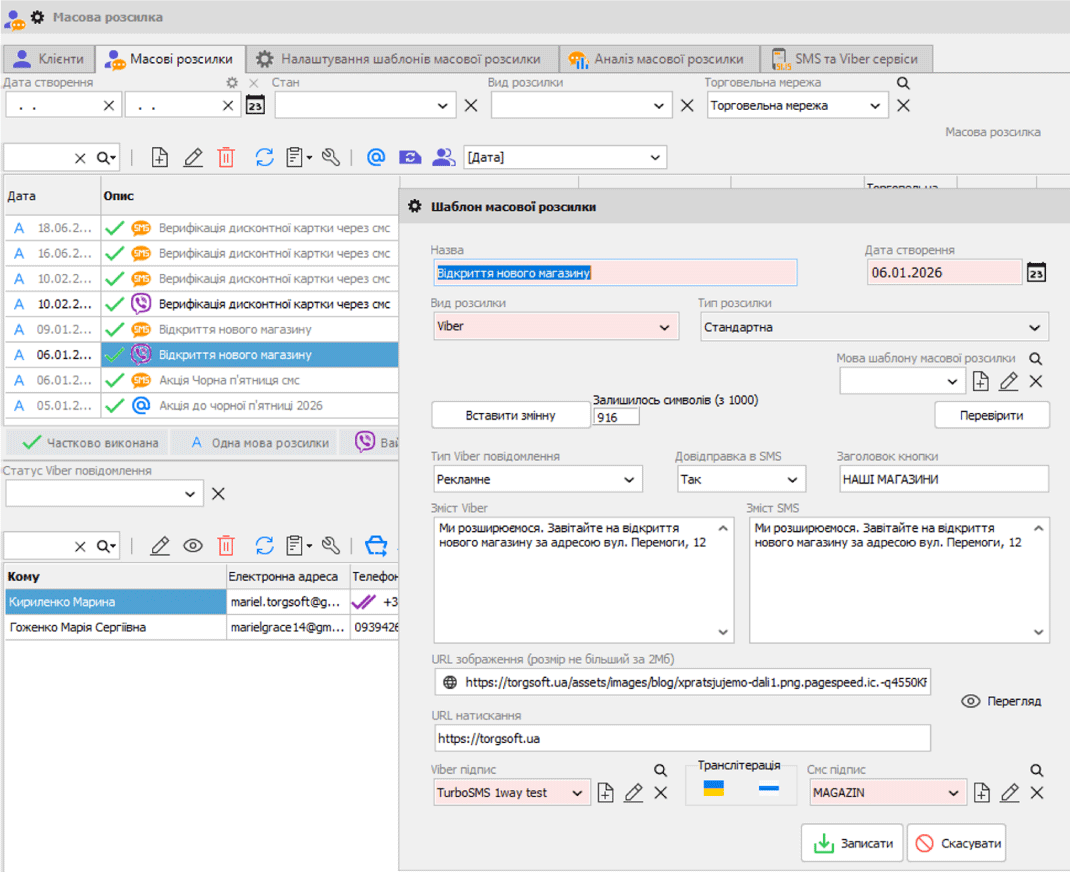
Write a short message with one clear reason for getting in touch. For example, a seasonal promotion message can specify the products, terms and offer period. You can save the template for reuse.
Set the parameters
For a campaign, specify the date, time, message type and template. Before sending, check recipients’ contact details, the content and whether the timing is appropriate.
Messages about invoices, payments and delivery
Separate template types are available for messages related to an invoice, its payment and a delivery note. They help you prepare different messages for different stages of order processing.
Invoice templates provide the invoice amount, while delivery note templates provide the declaration number. You can include these details in a message using variables. Check that the relevant document details are filled in before notifying the customer.
Practical example: after shipping an order, prepare a message with the declaration number and a brief explanation of what it is for. Don’t overload it with advertising if the customer is expecting delivery information.
Greetings and language templates
Torgsoft supports automatic birthday greetings. Prepare a separate template with a warm greeting, a clear offer and its terms, if the greeting includes a gift or discount.
You can prepare campaign templates in different languages. Check each version separately: product names, dates and offer terms should remain the same in meaning.
Before sending
Check contact details, customers’ consent to receive messages, offer terms and the text for each recipient group.
Prepare the delivery method
SMS requires a connected messaging service. For email, you need to configure a sending method: Outlook, SMTP or SendGrid.
If you are planning a Viber campaign, check the service requirements and the settings you need with the sales department before connecting it. Describe your idea in advance: a promotion message, an image, a link to a product page or another scenario.
Start with one specific task: notify customers about delivery, prepare a greeting or contact a selected group of customers. This makes it easier to check the content and organize future campaigns.
Check the connection terms
Review the option page and discuss your scenario with the sales department on Telegram @torgsoft_sale or by phone at +38 (067) 558 37 84.
 Go back to the previous step