


End the day by checking money and goods
During the day, the cashier sells goods, accepts returns, and processes other cash transactions. At closing time, the owner or administrator should check whether the documents, payments, and actual stock levels match.
One end-of-day report is not enough for this check. Review sales, returns, cash, and transfers of goods between stores separately. Agree on who checks each area and who they should notify about discrepancies.
Start with sales, returns, and payments
In Торгсофт, you can view reports on sales and cash movements for the day. Use them as the basis for your check, and reconcile any unclear amounts against the documents for the specific transactions.
For each sale, check the goods, quantity, amount, and payment method. For example, if a customer paid by card, do not count that payment as cash takings when reconciling.
Review returns separately: which goods were accepted from the customer, how much was refunded, and where the refund came from. Also account for cash withdrawals, handover of takings, and other cash expenses — these help explain the actual cash balance.
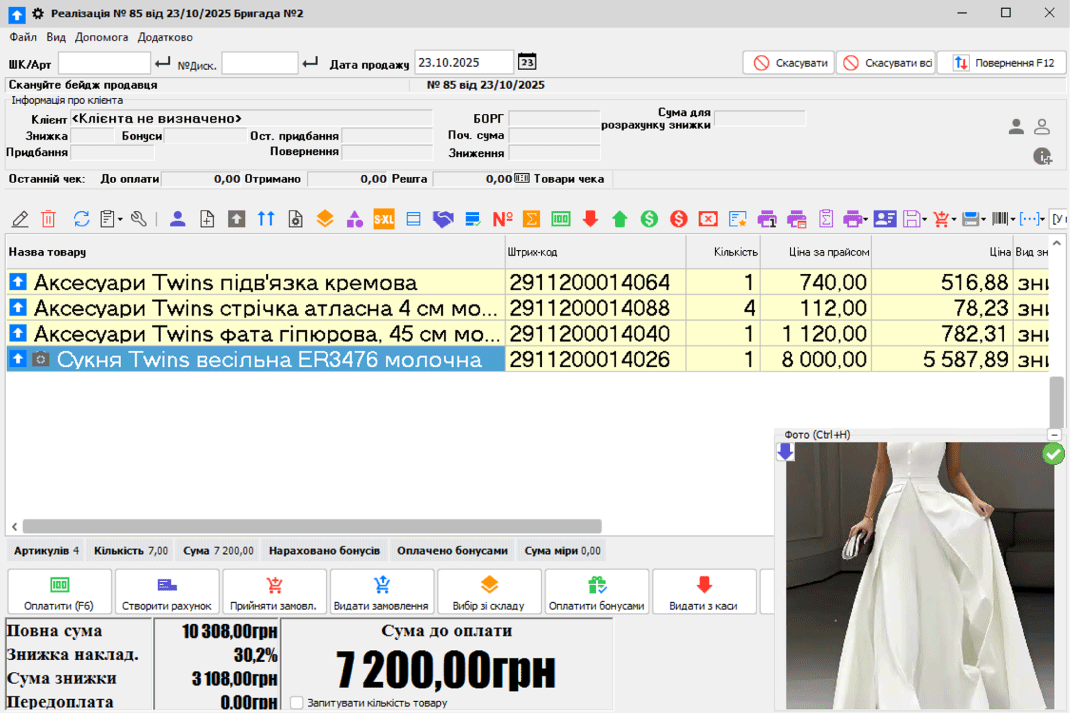
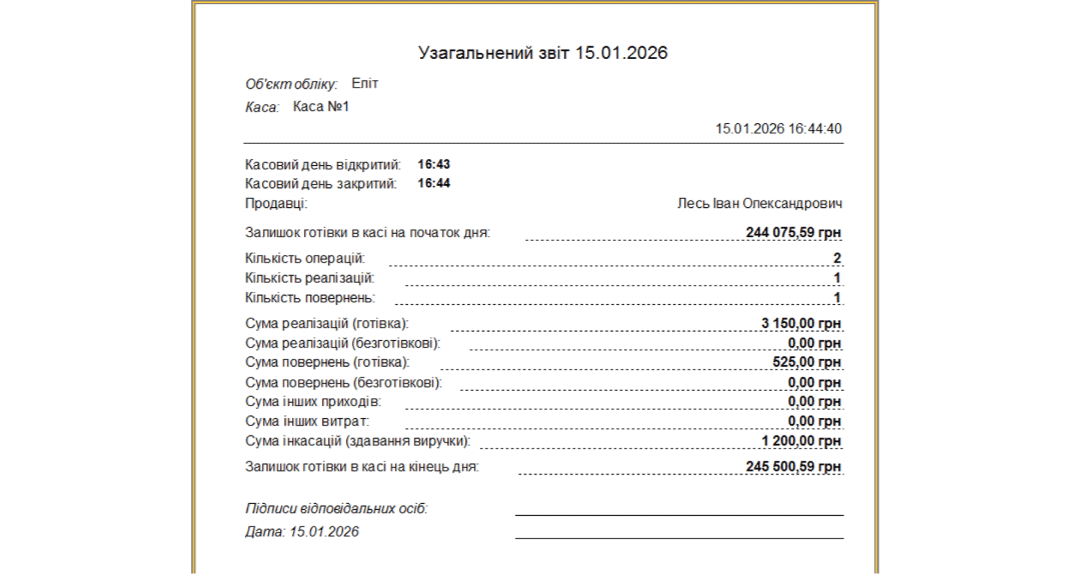
Four checkpoints before closing
Cash in the till
Count the money by denomination and compare the actual amount with the recorded figures. If there is a difference, check the opening balance, cash payments, returns, expenses, and withdrawals. Record the check result.
Fiscal shift
If the store uses an RRO or PRRO, include checking the shift status and the availability of the Z-report in your evening checklist. Confirm that work has ended according to the procedure agreed for your till.
Goods transfers
If you have several stores or warehouses, find out which shipments have been received and which are still in transit. For an unaccepted transfer, ask the responsible employee where the goods are and whether their receipt has been recorded.
Negative stock balances
If your work procedure allows sales when the recorded stock is zero or negative, check the goods with negative quantities. Count them physically and reconcile the receipt, sale, and transfer documents before correcting the data.
For each unresolved discrepancy, record the item or transaction, amount or quantity, person responsible, and next action. This gives you a specific list of questions for the next working day.
How to investigate an unclear transaction
Start with the document and an explanation from the employee who carried out the transaction. Compare the date, goods, quantity, and payment. For example, if an item is physically in the store but its recorded balance raises questions, check the sequence of its receipt, transfer, and sale.
Do not change the data just to make the totals match. First establish the cause, then approve the correction and reconcile again.
Check your workflow before daily operations
For a trial check, prepare several items and a scenario: a sale, a return, till reconciliation, and a review of the daily totals. Contact us for advice if you need help with setup or the first steps.
After activating the demo version, up to 2 hours of free technical support is available for 30 days. Specialists advise on setup and getting started. Full terms are provided on the technical support page.
You can ask questions on Telegram at @torgsoft_sale or by phone at +38 (067) 558 37 84.
 Go back to the previous step