


Remove old documents while preserving current totals
Every day, a store records sales, receipts, returns, transfers, and payments. Over the years, a large document history builds up. If the database has grown and work with it has slowed down, review which history needs to remain in current accounting.
The Торгсофт add-on option “Deleting Statistics for Closed Periods” removes old financial and warehouse documents from closed months. This reduces the amount of data and helps speed up the program. The totals needed for ongoing accounting are preserved.
When to plan a cleanup
Consider a cleanup if the old months are already closed and their detailed documents are no longer needed in the working database. First decide the cutoff date up to which you want to remove the history and which documents you may still need to check or review old transactions.
For example, a store has accumulated several seasons of history. The owner needs current stock balances, supplier debts, and customer purchase totals, while wanting to keep old documents in an archive. In this situation, start preparing by reconciling the totals and creating a backup.
What remains after deletion
Торгсофт creates opening balances for debts, reflecting settlements with suppliers and customers as of the end of the last closed period. Warehouse balances are carried forward in goods receipt notes dated on the last day of that period, in the currency of the goods’ last purchase. According to Help, stock totals before and after deletion should match, except for goods with negative stock balances at an individual accounting location on the deletion date. This means current accounting is based on opening data instead of the full history of old documents.
Accumulated customer purchase totals and cash register balances are also preserved. At the same time, the document change log and the user activity log for the deleted period are cleared. According to Help, a consolidated tax invoice containing goods linked to a warehouse document being deleted may be deleted in full, even if it includes transactions from other periods. If you may need old document changes to review situations, take this into account before starting.
What to save separately
A database archive and the totals recorded before cleanup: they are needed to check the result and possibly restore the database.
How to prepare and check the result
Choose the months you need
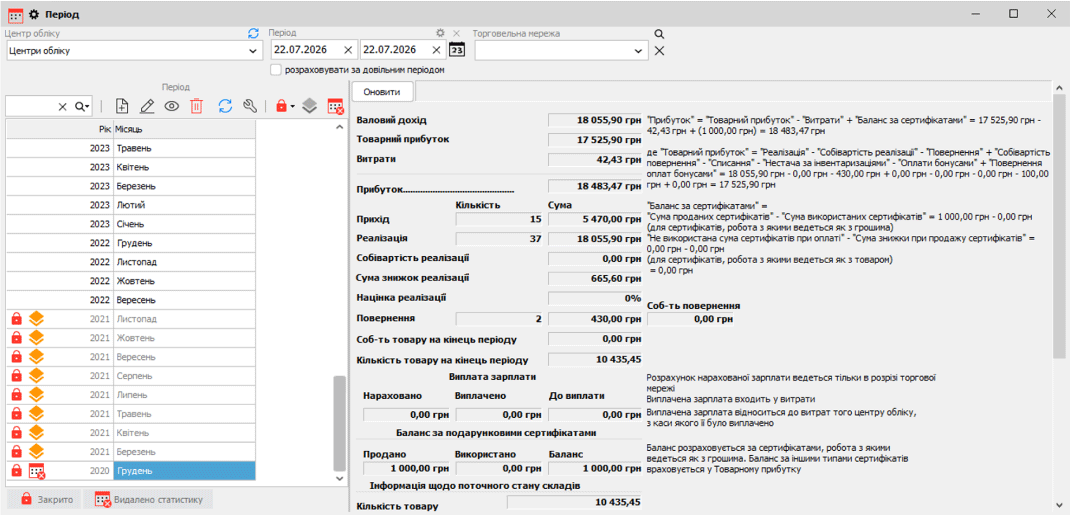
Select the old periods whose history you plan to remove. Deletion works with closed months, so the relevant periods must be closed in advance. Statistics are deleted sequentially, starting with the oldest month, up to the selected closed period; the last closed month remains visible so that opening stock balances can be established. A period containing a sale will not be deleted if the related return was recorded in a later period that has not been deleted.
Record the totals
Record the quantity of goods in warehouses, supplier and customer debts, money in cash registers and accounts, purchase totals, and customers’ current bonuses. For foreign currency settlements, it is convenient to record the figures separately for each currency.
Save an archive
Before deletion, the program offers to create a database backup. Save it before starting the cleanup. Deletion itself must be performed on the server computer where the database is hosted.
Reconcile the data after cleanup
Compare the same figures with your records from before deletion. If the figures differ by more than one unit, contact technical support and coordinate restoring the database from the archive.
Schedule the cleanup for a convenient time for the store. Agree in advance on who will save the archive and who will check stock balances and settlements when it is complete.
Ask about activating the option
For advice on activation, contact the Orders Department on Telegram @torgsoft_sale or by phone at +38 (067) 558 37 84.
 Go back to the previous step