


To improve how a store operates, choose a specific purchase and follow how a customer searches for a product, checks availability, makes a choice, pays, and receives the order. Record the customer’s actions and questions, identify the problem step, and test one change at a time. Assign an owner and agree in advance on the result you will use to assess the change.
You can establish why a customer dropped out by asking them or by investigating. Leaving a product page alone does not explain the reason. To draw conclusions, combine observations, customer inquiries, and sales metrics, and label assumptions as hypotheses. Torgsoft can support specific staff actions, such as checking a size across chain stores, placing an order, and handing over a product.
Choose the purchase you want to examine
The customer journey is the sequence of actions a customer takes before and after a purchase. A useful working model for a store is: search → availability → selection → payment → receiving the order → repeat purchase. Real journeys can differ: a customer may return to the selection stage, come straight to the store, or order a familiar product by phone. Record the journey you observe.
Consider a hypothetical example: a customer is looking for a particular sneaker model in a specific size, wants to try it on in a store, and hopes to collect it the same day. This is specific enough to examine product search, the staff member’s response about availability, and preparation of the order before the visit.
Before starting, the store owner or manager records:
- which purchase the team is examining—the product, required option, and method of receiving the order;
- where the journey begins—on the website, in a message, by phone, or on the shop floor;
- what problem needs to be investigated—for example, why a customer does not visit after asking about a size;
- what counts as completion—a confirmed order, payment, or actual handover;
- who will collect the data and who can change the relevant process.
Do not invent a job, habits, or motives for the customer. In this example, what matters is which size they are looking for, when they want to collect it, and what response they received.

Collect facts from purchases and inquiries
A sales assistant records questions asked during consultations, the online store manager records inquiries and order progress, and the owner reviews these records alongside available website and sales metrics. For the research, you can also ask a customer to show how they look for a product and observe their actions.
While observing, do not tell the person where to click. If they pause, ask, “What are you looking for now?” After a purchase, suitable questions include: “What information was missing before you placed the order?” or “At what step did you need to contact a staff member?”
Keep a brief observation log. For each case, record the date, contact channel, product or option, customer action, their words, and the outcome. If the reason remains unknown, say so. For example: “Asked about size 39, received a response, did not place an order; reason not given.”
The statement “I can’t see which store has this size” confirms that the customer could not find the information they needed. The assumption “They did not order because the price was too high” needs to be checked separately. Do not enter it in the log as an established fact.
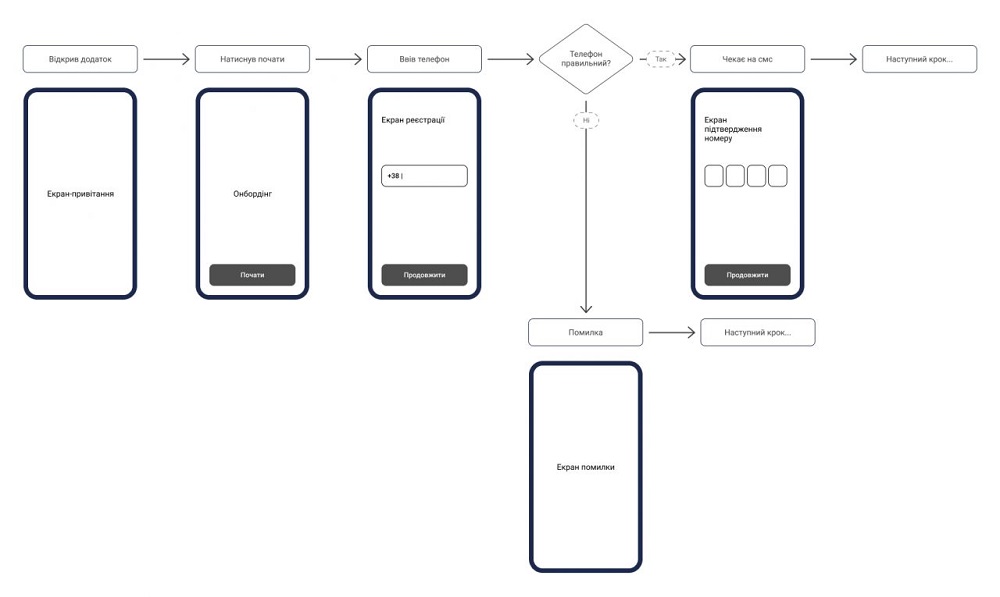
Describe the need and the completion criterion
A user story is a brief record of someone’s need. You can write one using this template: “As a [customer in a particular situation], I want to [take an action or achieve a result] so that [benefit].” This helps the team understand why it is changing a process.
For our hypothetical example: “As a customer planning to come in for a fitting, I want to check that my size is available before traveling so I know which store to visit.”
Next, record the completion criterion—the result that tells the team it has completed the task. Here, the customer must receive confirmation of the specific model, size, and store location. If the customer asks to have the product held, the sales assistant agrees on a time limit separately and confirms the order.
Test this criterion against a specific inquiry: can the sales assistant find the required option and give the customer the address? The response “It’s available in the chain” leaves the task incomplete because the customer still does not know where to go.
Create a table of changes and checks
The examples below are hypothetical and provided for training. They show how to move from a recorded case to a check. In the store’s working table, replace them with your own observations and inquiries. Examine the stages that occur in the journey you have chosen.
| Stage | Fact or inquiry | Hypothesis | Change | Check | Metric | Owner |
|---|---|---|---|---|---|---|
| Search | Customer enters a SKU and cannot find the model | Search does not recognize the SKU | Add search by SKU | Repeat the inquiry from the log | Share of checked searches that return the required result | Website manager |
| Availability | Customer asks where size 39 is available | They need information about the store location | Include the model, size, and address in the response | Review responses to these inquiries | Share of responses with full confirmation | Sales assistant |
| Selection | Customer asks for the insole measurement | The size chart available is not enough to make a choice | Add verified measurements for this model | Ask the customer to find the required measurement | Share of participants in the check who find the information without help | Product manager |
| Payment | Customer asks how much they need to pay | The total is not prominent enough | Show the total before confirmation | Check its visibility in the selected ordering method | Share of completed payments among those started | Online store manager |
| Collection | Customer arrives, but the order is not ready yet | Staff interpret the ready status differently | Notify the customer that the order is ready after checking all items | Compare the notification with the actual order status | Share of orders ready when the notification is sent | Collection staff member |
| Repeat purchase | Customer asks to find a model from a previous order | They find it difficult to locate the model again on their own | Include the product name and SKU in the order confirmation, with the customer’s agreement | Check whether the product can be found using this information | Share of successful repeat searches during the check | Order manager |
The result of a technical check and a change in customer behavior are separate outcomes. Search may correctly find a SKU, but that alone is not enough to conclude that sales have increased. First check that the change works, then assess the relevant metric.
Agree who will do the work and when
For an initial check, the owner can organize the work in the following order. This is a working plan; timing depends on inquiry volume and the complexity of the change.
- Before collecting data, the manager chooses a scenario, assigns an owner, and creates an observation log.
- While working, sales assistants and managers record cases using the same rules. They also keep records of unsuccessful and incomplete purchases.
- After reviewing the records, the manager chooses one problem, formulates a hypothesis, and agrees on a completion criterion with the person carrying out the change.
- Before launch, the person carrying out the change records what they will change, how they will check it, and which metric the team will compare. The manager sets the observation period based on the usual sales cycle.
- At the end of the agreed period, the team compares results, reviews new inquiries, and decides whether to keep the change, revise it, or continue observing.
Three working documents are enough: an observation log, a change table, and a check summary. In the summary, state the period, number of cases, metrics before and after the change, and circumstances that could have affected the result. There is no universal number of days or customers that applies to every store. A few successful cases confirm only what you observed in those cases.
How to calculate conversion and compare results
Website purchase conversion shows the ratio of completed purchases to sessions. A session is a separate visit in the analytics system; one person may have several sessions. To calculate the rate, divide the number of purchases by the number of sessions and multiply by 100%. Count completed orders, not the individual products in those orders.
Hypothetical calculation: Over the selected period, the website received 1,000 sessions and had 30 completed purchases. The conversion rate is 30 ÷ 1,000 × 100% = 3%. If 40 purchases occurred in the next comparable period across 1,000 sessions, the conversion rate is 4%. The difference is 1 percentage point, and the relative increase is (4% − 3%) ÷ 3% × 100% ≈ 33.3%.
Before comparing, check that the system counts sessions and purchases the same way and that the periods have the same length and mix of days. Record any changes in advertising, prices, discounts, and product availability. The training figures shown here do not by themselves prove that the new process caused an increase.
Use its own denominator for each stage. For example, a store received 50 inquiries about the availability of a required size. Of these, 35 resulted in an order, so the share is 35 ÷ 50 × 100% = 70%. This is the share of orders among those inquiries. Calculate overall website conversion separately.
If website analytics is configured to track the required events, a funnel report can show how many users move on to each subsequent step. Agree on the step order, period, and counting rules. Investigate why customers drop out through inquiries and observations.
Checking sizes and handing over orders in Torgsoft
To answer an availability question, the sales assistant opens “Inventory → Product availability across chain stores,” sets the product filters, and reviews quantities by size and inventory location—stores or warehouses. Before confirming availability as of today, set the current date in the “As of date” field and click the “Refresh” button with the mouse. Pressing F5 or Enter in the text filter may apply the filter to previously retrieved data: a full refresh using these methods occurs only the first time or 15 minutes after the previous full refresh. The process is described in the availability checking instructions.
If the product is available at the store where the order is being placed, the sales assistant opens “Document → Sale,” selects the product, then uses the “Product order and prepayment” menu and selects “Accept order.” During setup, they must decide whether to move the product to a temporary warehouse. The instructions allow it to remain in the main warehouse if availability when the customer arrives is guaranteed. The sales assistant enters the order details, specifies the agreed prepayment amount, and clicks “Save.” In the “Prepayment for customer order” window, they enter the amount received and click “Pay.” To hand over the order, the sales assistant opens “All orders” from the same menu in the “Sale” form, selects the order, and clicks “Issue.” In the “Order issue” window, they move the required items to the sales list; the rest may remain in the previously selected warehouse. If there was a prepayment, the sales assistant checks the amount being applied. They then click “Sell”: the product is added to the sale form, where the sale must be completed. This process is described in the product reservation instructions.
The sales assistant records the collection deadline in the “End date” field. After it passes, a product in a temporary warehouse is not automatically returned to the main warehouse. Assign a staff member to review overdue orders and decide what to do with the reserved stock. In the process check log, record availability confirmation, order placement, and actual handover separately so the team can compare its actions with the purchase outcome.
Sources
- User story template and completion criteria.
- Description of the customer journey before and after interacting with a company.
- Data sources for research: interviews, observations, and inquiries.
- Reports on user journeys through sequential steps.
- Website purchase conversion formula.
- Torgsoft: product availability across chain store warehouses.
- Torgsoft: product reservation and order handover.


 Go back to the previous step