


To sell through Instagram, prepare a clear catalog in Ukrainian, make seller information available, and decide in advance how payment, delivery, and returns will work. Assign someone to handle messages, confirm the order contents and price with the customer, and record every purchase.
You can manage sales through posts and direct messages, or, if you have your own website, direct customers there to place orders. Before accepting money, agree with your accountant on the tax system and receipt requirements for each payment method. Measure promotion results by paid and fulfilled orders, expenses, and returns.

- Choose your products and set an order fulfillment process
- Set up your business status and publish seller information
- Set up your profile and catalog in Ukrainian
- Set up order handling in messages
- How to handle orders through your own website
- How to determine whether you need an RRO or a software RRO
- Set up lawful delivery and returns procedures
- Collect only necessary data and secure access
- Keep a single order log
- How to track stock and Instagram orders in Torgsoft
- Promote products and count completed sales
- What to do before your first sale
- Official regulations for organizing sales
Choose your products and set an order fulfillment process
Start with products whose availability, quality, and dispatch times you can control. For each item, determine its purchase cost and the costs of packaging, payment processing, and delivery paid by the shop. Budget separately for advertising and returns: the amount received from a customer alone does not show whether a sale was profitable.
If a supplier will ship an item directly to the customer, agree on who confirms stock, packs the parcel, provides the tracking number, and accepts returns. Clearly identify the seller in your terms of sale and tell customers whom to contact. Do not confirm availability based only on a photo in a supplier’s catalog.
For your initial launch, choose an assortment that a manager can keep up to date. Before publishing, photograph each item, measure its relevant dimensions, record its code, and decide where it will be stored. This will help staff find the exact color and size the customer selected.
Set up your business status and publish seller information
Before you begin trading regularly, register your business activity and agree with your accountant on the appropriate tax regime. Instagram is a channel for receiving orders; choosing a social network does not create a separate tax exemption.
If you choose the simplified tax system, take into account the restrictions in paragraph 291.4 of the Tax Code of Ukraine. Retail trade under Group 1 is permitted exclusively from trading places in markets, so Group 1 should not be chosen for ordinary remote sales of goods through Instagram. For Group 2 or Group 3, take into account the type of goods, income, employees, and the other conditions in Article 291.
Under Article 7 of the Law of Ukraine “On Electronic Commerce” No. 675-VIII, a seller must provide direct, simple, and stable access to its details. Put them on a separate, accessible page linked from your profile and repeat the key information in a pinned post:
- the full legal name of the legal entity or the individual entrepreneur’s (IE’s) surname, first name, and patronymic;
- the legal entity’s location or the IE’s registered and actual residential address;
- the legal entity’s identification code or the IE’s taxpayer registration card number; passport details provided for by law apply to entrepreneurs who have officially refused a taxpayer number on religious grounds;
- an email address and/or the online shop’s address, and a business phone number for convenient contact;
- licensing information, if the activity requires a license;
- information on whether taxes are included in the product price and on the delivery cost.
Your brand name may differ from the seller’s legal name. Show how they are connected in the seller details, order confirmation, and payment information so customers know whom they are paying and where to submit a complaint.
Set up your profile and catalog in Ukrainian
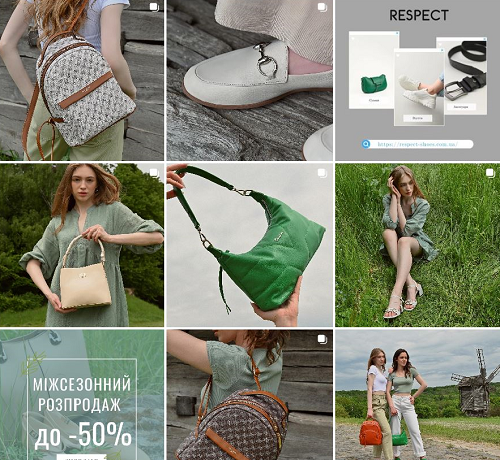
In your profile description, state what the shop sells, where it delivers, how to place an order, and when the manager is available. Add a link to your catalog or your own website, if you have one. Choose a name and profile image that customers can easily recognize in messages and on other shop pages.
Pages of sellers registered in Ukraine that sell goods in Ukraine must be in Ukrainian. Other language versions are allowed, but the Ukrainian version must be at least equal to them in scope and content and must load by default for users in Ukraine. If you use your own website, configure it accordingly. This is provided for in Part 6 of Article 27 of Law No. 2704-VIII. Under Article 30, serve customers in Ukrainian; at an individual customer’s request, you may switch to another language acceptable to both parties.
What to include in a product post
Use a standard description template so managers do not leave out important product details. The requirements for information provided before purchase are set out in Articles 13 and 15 of the Law of Ukraine “On Consumer Protection” No. 1023-XII. In practice, a product listing can include:
- Name and SKU. The SKU is the code staff use to find an item. If each color or size has its own code, specify the relevant variant.
- Photos. Show the overall appearance, details, contents, markings, and visible condition. Do not use photo editing to alter the product’s color or the appearance of a defect.
- Specifications. Include the material, dimensions and actual measurements, volume, compatibility, or other details that affect the customer’s choice.
- Condition. State clearly whether the product is new, used, or discounted, and describe any specific defects.
- Price. Show the final price per item or set, including applicable mandatory charges. Explain the delivery cost separately.
- Availability. Distinguish products in your own stock from items available to order. Agree on the supply time for the latter before payment.
- Manufacturer and conditions of use. Provide the manufacturer’s name and location, and the contact details of the business that handles complaints, repairs, and technical maintenance. Depending on the product, state the manufacturing date, applicable warnings, warranty, shelf life or service life, and storage and safe-use conditions. Make this information available in the listing or through a direct link before purchase.
After the last item is sold, update availability in all relevant posts. If the final stock count needs checking, the manager should contact the warehouse before sending order confirmation and payment details.
Information to pin
Create profile-linked sections for “About the seller,” “How to order,” “Payment and delivery,” “Exchanges and returns,” and “Contacts.” For delivery, state the carriers, service area, dispatch times, how the cost is determined, and who pays it. For returns, provide a contact, address, how to submit a request, and the applicable terms.
Publish reviews with the customer’s permission, hiding phone numbers, addresses, payment details, and other unnecessary personal data. Show how the shop handled a particular request. The number of followers alone does not establish that a seller is reliable.
Set up order handling in messages
The owner should decide who answers inquiries, confirms payments, and ships products. If one person handles everything, still separate these tasks in the work list. This makes it easier to spot an order that has been paid for but not yet packed.
- Confirm the product. Ask for the SKU or post link, the required color, size, and quantity.
- Check availability. Compare the recorded stock with the quantity that can actually be dispatched. Record the agreed reservation period.
- Send the terms. Before the customer agrees to buy, summarize the order contents, price, payment, delivery, warranty, and returns process.
- Get confirmation. Give the customer a chance to correct errors and explicitly approve the order.
- Check the agreed payment method. For advance payment, verify receipt using the shop’s bank or payment records before shipping. Use a screenshot of a receipt only to help locate the payment. For cash on delivery, ship on the agreed terms and check that the money arrives after the customer receives the parcel.
- Pack and ship. Staff check the goods against the order, prepare the required documents, and provide the tracking number.
- Complete the record. Mark whether the goods were received, cash on delivery was received, or the parcel was refused. Record returned goods and refunds separately.
Under Article 11 of Law No. 675-VIII, the seller must promptly confirm receipt of an electronic order. The terms of sale must explain which action constitutes acceptance of the offer to conclude a contract. If the transaction requires a signature, use the methods provided for in Article 12; do not automatically treat an ordinary chat message as an electronic signature.
Order confirmation template
Fill in this template after confirming availability. Insert return and warranty terms that match the product and the agreed contract.
Hello! We have received your order No. [number]. Seller: [full legal name and details]. Contact for questions and complaints: [phone, email, address].
Product: [name, SKU, color, size, condition, quantity]. Price per item: UAH [amount]. Product total: UAH [amount], taxes included. Delivery: [method, cost or agreed calculation, who pays]. Other agreed charges: [list or “none”]. Total payable to the shop: UAH [amount].
Payment: [method and deadline]. Reservation valid until [date, time]. Dispatch: [agreed time]. Recipient and delivery: [agreed details].
Exchange, return, and withdrawal from the contract: [specific terms and how to submit a request]. Warranty and reporting defects: [terms, responsible person]. Full terms of sale: [link].
Please check the product, total, and delivery details. To approve the order, [clearly state the action specified in the terms of sale]. If anything needs to change, message us before approving.
Provide the customer with confirmation of the purchase at the time it is made or the goods are transferred. It must include the return terms, seller details, how to submit complaints, and warranty obligations. Explain in the terms of sale how the customer can receive the offer or contract in a form that prevents its contents from being changed. Keep a record of the agreed order contents and the terms that applied to it: editing a pinned post must not change an agreement for a purchase already placed.
How to handle orders through your own website
If customers place orders on your website, link from Instagram directly to the product and the required variant. On the checkout page, show the purchase contents, total, payment methods, delivery, and available terms of sale. Let customers correct their details before confirming.
After an order is placed, the website should provide its number and contents, and the manager should match it against payment and stock records. If a customer both messages you and places an order on the website, handle everything under one order number. This reduces the risk of shipping twice.
Set up this process so it works through posts, messages, and your website. Use the platform’s additional shopping features only if they are available to your account and the conditions for their use are met.
How to determine whether you need an RRO or a software RRO
A recorder of settlement transactions (RRO) or a software recorder of settlement transactions (software RRO) is required depending on the nature of the payment and applicable statutory exceptions. Under Articles 2 and 3 of Law No. 265/95-VR, settlement transactions include, among other things, accepting cash and payment by bank card. Online orders are also subject to requirements for settlement documents.
Before launch, make a list of all payment methods with your accountant and set out the procedure for each in writing:
| Payment method | What to establish |
|---|---|
| Cash or card payment to the seller | Whether a statutory exception applies. If not, the seller must process the settlement transaction through an RRO or software RRO and provide a receipt. |
| Card payment through a payment page | How the service accepts payment, when the shop receives confirmation, and who prepares and sends the fiscal receipt. |
| Transfer to an account using an International Bank Account Number (IBAN) | What transaction the bank records show and whether it constitutes a settlement transaction for the seller. The account number alone is not enough to conclude that an exemption applies. |
| Cash on delivery through a carrier or payment provider | Who accepts the money, what the agreement with the intermediary provides for, which document the customer receives, and which obligations remain with the seller. |
The exemption for single-tax payers in Group 1 is set out in paragraph 296.10 of the Tax Code of Ukraine, but it does not expand the activities permitted for that group. Groups 2 and 3 have no general exemption simply because sales are made on a social network. The exception in paragraph 14 of Article 9 of Law No. 265/95-VR for certain remote payments for services cannot automatically be applied to sales of goods.
For a transaction that must be processed through an RRO or software RRO, a “payment received” message, payment invoice, or transfer receipt does not replace the seller’s fiscal receipt. Assign a staff member to verify the amount and goods and confirm that the receipt was sent to the customer.
Set up lawful delivery and returns procedures
Explain dispatch time and delivery time separately. Unless the distance contract provides otherwise, under Part 6 of Article 13 of Law No. 1023-XII, the seller must deliver the goods within a reasonable period, no later than 30 days after receiving the customer’s consent to conclude the contract. If the order cannot be fulfilled because the goods are unavailable, notify the customer immediately. In practice, do so as soon as you discover the problem and agree on what happens next.
For product-related requests, distinguish among three grounds because each has different conditions:
- Withdrawal from a distance contract. Part 4 of Article 13 of Law No. 1023-XII provides a 14-day period from confirmation of the information or receipt of the goods. If confirmation of the information does not meet the requirements of Part 3 of Article 13, the period is 90 days from receipt of that information, or, for tangible goods, from receipt of the goods or their first delivery. If the seller corrects the confirmation during those 90 days, the customer has 14 days from receiving the corrected confirmation.
- Exchange of a non-food product of proper quality. Article 9 provides for 14 days, excluding the day of purchase, unless the seller has announced a longer period. The product must be unused, with its appearance, properties, seals, and labels preserved, and the customer must retain the settlement document; the government’s list of exceptions must also be taken into account. If an equivalent product is unavailable, the customer has the options provided for in that article, including terminating the contract.
- Complaint about defects. Under Article 8, within the warranty period the customer may demand a proportional price reduction, free repair of defects, or reimbursement of the cost of repairing them. For significant defects or counterfeiting, the law provides for a refund or replacement under the conditions it specifies.
Do not impose a blanket “no returns” rule. When considering withdrawal from a distance contract, take into account the specific exceptions in Part 5 of Article 13. For example, the exception for made-to-order goods concerns an item that cannot be sold to another person or can be sold only at a significant financial loss. Do not automatically describe a standard-size item from your assortment as custom-made.
Parts 5–9 of Article 12 apply to distance contracts through the reference in Part 7 of Article 13. In particular, the seller bears the costs associated with return when the contract is terminated on this basis. To terminate the contract, the customer must keep the goods in an unchanged state. Opening the packaging, inspecting or checking the product, and any resulting reduction in its value do not remove this right. The customer also retains this right if the goods are destroyed, damaged, or spoiled through no fault of their own.
The manager should record the date of the request, purchase number, customer’s request, and reason for return. When the goods are received, the responsible employee records their condition and completeness, and the accountant or owner processes the refund and required settlement documents. For termination of a contract under Article 9, the money must be refunded on the day of termination. Only if a refund that day is impossible may the parties agree on another date, no later than seven days. Do not automatically apply this deadline to every other ground for return.
Customer relations are governed by Law No. 1023-XII. Section IX of the Law of Ukraine “On Consumer Protection” No. 3153-IX links the entry into force of its main provisions to the termination or cancellation of martial law. Do not treat its future rules as obligations already in force for your shop.
Collect only necessary data and secure access
For ordinary delivery, ask for the recipient’s details, contact phone number, city, town, or village, and the carrier’s branch or delivery address. Collect an email address if it is needed for the agreed communication method or documents. Do not make date of birth, family details, or copies of documents mandatory without a separate need and legal basis.
Articles 6, 11, and 12 of the Law of Ukraine “On Personal Data Protection” No. 2297-VI require a lawful purpose, an appropriate legal basis, and a data set that is not excessive. Contract performance may provide a basis for processing personal data. When collecting data, tell customers who controls the personal data, what information the shop collects, why it collects it, whom it shares it with, and what rights the customer has. Put this notice at an accessible link and provide it before customers submit their data.
Give access to orders only to staff who need it to do their work. Enable two-factor authentication—an additional sign-in check—secure the linked email account, and keep recovery methods somewhere controlled by the owner. Where the service allows it, give employees separate accounts instead of sharing a password.
Revoke a former employee’s access when they leave. Keep documents and order approvals separate from the manager’s personal phone, taking applicable retention periods into account. Obtain separate consent for advertising messages and provide a clear way to unsubscribe; do not automatically add a customer to a mailing list after a purchase.
Keep a single order log
Even with a small volume of sales, maintain a spreadsheet or other tracking system that the responsible staff can access. Assign each order a number. Messages show what was agreed with the customer; the log helps the owner see which actions are still outstanding.
| What to record | What to monitor |
|---|---|
| Number, date, responsible manager, link to the conversation | A specific person is responsible for the inquiry, and the agreement can be found. |
| SKU, product variant, quantity, price, reservation | The agreed product is prepared for dispatch. |
| Payment method, amount, and date; balance due | Payment is matched to the purchase and cash on delivery is not overlooked. |
| Required receipt or other document and date sent | The customer received the document required for the payment arrangement. |
| Dispatch date, parcel number, receipt or refusal | The order is complete or has been referred for follow-up. |
| Returned product, reason, refund amount and date | Product and financial records match what actually happened. |
| Inquiry channel and advertising campaign, if known | The sale can be linked to a specific way of attracting customers. |
Record “Instagram” manually as the channel if your system does not capture it automatically. If a customer proceeds to your website, keep the website order number in the same record. Do not create a second sale just because the conversation continued in another channel.
How to track stock and Instagram orders in Torgsoft
Before confirming a purchase, a manager can open “Склад → Стан складу” (“Warehouse → Stock Status”) and check the quantity, size, and price of the required item. An accounting center in Torgsoft is a shop or warehouse for which product records are maintained. Select the relevant center and manually enter an order received by message into the working records. Record the inquiry channel and message status in the order log. License purchases and available features are governed by Torgsoft’s commercial terms.
If a customer places an order on your website, you can add the paid “Синхронізація з інтернет-магазином” (“Online Store Synchronization”) option. It is compatible with Torgsoft Ultra and Terminal; it is not available for Start. Torgsoft is the primary accounting system, and the exchange with the website is configured with the help of its developer or administrator. Activating the option does not include website modifications or a separate setup by a specialist. Current prices and licensing terms are listed on the option page.
The developer or administrator must configure the website to receive products from Torgsoft and submit orders in a supported format. In the synchronization settings, specify accounting centers, the price source, reservations, and schedule. If paid invoices are to be created from orders, set a payment method and the relevant cash desk or settlement account for each order currency on the “Оплати” (“Payments”) tab. If the corresponding setting is missing or the payment cannot be processed, the invoice may be created without payment; during automatic import, an error is recorded in the program’s error log.
For automatic exchange, Torgsoft must be running on the specified computer under the required user account; set an interval no shorter than 10 minutes, taking other objects into account. Consider that user’s permissions: restrictions on access to products may limit their export to the website. After a test order, compare the product, price, reservation, and payment, and review the synchronization log and program error log.
The manager handles Instagram messages separately.
Promote products and count completed sales
Plan posts around questions that help customers make a purchase: how to choose a size, how models differ, what is included, and how to care for the product. Show the feature you are describing in your photos and videos. End each post with a specific action: send the SKU in a message or visit the product page on your website.
For promotions, specify the products, dates, restrictions, previous price, and new price. Under Parts 4–6 of Article 15 of Law No. 1023-XII, a discount must apply for a defined, limited period and reduce the product’s regular price. Managers must know the promotion terms so they can confirm orders correctly.
If statistics are available in your professional account, use the metrics actually shown to compare posts. Track inquiries, confirmed orders, payments, completed purchases, and returns separately. Views help measure attention to a post, but sales data is also needed to decide how much to spend.
Illustrative example. During a selected period, the shop received 40 inquiries, confirmed 20 orders, and received payment for 15. Therefore, 15 ÷ 20 × 100% = 75% of confirmed orders were paid. All 15 orders were fulfilled, and two were later returned in full, leaving 13 orders that were not fully returned. If advertising cost UAH 1,300 and all 13 purchases can reasonably be attributed to that campaign, the advertising cost per such purchase is UAH 100. This is not yet a profit calculation: the cost of goods and other expenses must also be included.
Each week, the owner and manager should review incomplete orders and reasons for refusal. If customers often ask for measurements, add them to the catalog; if they refuse after learning the delivery terms, make those terms more visible; if paid items are delayed, review warehouse operations. Change a specific step and compare its results over the next comparable period.
What to do before your first sale
- Identify the seller, tax regime, and documentation process for each payment method.
- Publish seller details, contacts, and payment, delivery, warranty, and return terms.
- Complete your profile and product listings in Ukrainian with prices, specifications, and availability.
- Assign responsibility for messages, payments, packing, and returns.
- Run through a test order, from product selection to receipt of confirmation and the required document.
- Compare the order record, money, product, and delivery details, and resolve discrepancies before launching advertising.
Official regulations for organizing sales
- Law of Ukraine “On Electronic Commerce,” dated 03.09.2015, No. 675-VIII — Articles 7 and 10–15: seller details, notices, electronic contracts, payment, data, and document retention.
- Law of Ukraine “On Consumer Protection,” dated 12.05.1991, No. 1023-XII — Articles 8, 9, Parts 5–9 of Article 12, and Articles 13 and 15: product defects, exchanges, distance contracts, information, and prices.
- Law of Ukraine “On Consumer Protection,” dated 10.06.2023, No. 3153-IX — paragraph 1 of Section IX: conditions for entry into force.
- Law of Ukraine “On Ensuring the Functioning of Ukrainian as the State Language,” dated 25.04.2019, No. 2704-VIII — Part 6 of Article 27 and Article 30: language of shop pages and customer service.
- Law of Ukraine “On Personal Data Protection,” dated 01.06.2010, No. 2297-VI — Articles 6, 8, 11, 12, and 14: purpose, legal basis, customer rights, notices, and data transfers.
- Law of Ukraine “On the Use of Registrars of Settlement Transactions in Trade, Public Catering, and Services,” dated 06.07.1995, No. 265/95-VR — Articles 2, 3, and 9: settlement transactions, documents, and exceptions.
- Tax Code of Ukraine, dated 02.12.2010, No. 2755-VI — Article 291 and paragraph 296.10: simplified tax system conditions and the Group 1 exemption from RRO and software RRO requirements.


 Go back to the previous step