


To automate your store’s marketing, start with reliable data about purchases, customers, and stock. Decide who selects recipients, approves the offer, sends the message, and checks the results. Software can simplify these tasks, but each scenario requires configured rules and an employee responsible for it.
For your first launch, choose one customer group, one offer, and one communication channel. Check the basis for using contact details, product availability, and discount terms; send a test message and run a small pilot campaign. Before expanding it, check delivery, opt-outs, and purchases.

Divide tasks between the software and employees
Build each campaign around four consecutive stages. This makes clear which tasks your accounting system already supports and which an employee must perform.
- Collect and select data. An employee checks contact details, purchases, and stock, then forms a group using defined criteria. Software filters reduce the need to review records manually.
- Decide on the offer. The owner or manager approves the products, discount amount, budget, timing, and restrictions.
- Message customers. The responsible employee checks the recipients, text, and basis for sending, then starts delivery using an available method.
- Check the results. An employee compares delivery, purchases, returns, and costs; the manager decides whether to repeat the campaign.
Record this process in a short campaign brief: name, goal, recipients, products, timing, responsible employees, budget, and reasons to stop. The scenarios below are recommended working procedures. The store sets its own review frequency and pilot group size.
Check that contact details may be used lawfully
A store operating in Ukraine is subject to Ukrainian rules on personal data processing and the distribution of commercial electronic messages. Before sending a campaign, separately determine the legal basis for processing data and the conditions for sending the message.
Article 10 of Ukraine’s Law “On Electronic Commerce” dated 03.09.2015 No. 675-VIII establishes the general rule that commercial electronic messages may be distributed with the recipient’s consent. At the same time, Part 3 of this article allows messages to be sent without consent if the person can opt out of receiving further messages. This option does not replace the need to check that personal data processing is lawful, and it does not justify continuing a campaign after an opt-out.
Articles 6 and 11 of Ukraine’s Law “On Personal Data Protection” dated 01.06.2010 No. 2297-VI require a specific lawful purpose and an appropriate legal basis for processing. The available bases include consent, entering into and performing a transaction, fulfilling a legal obligation, and protecting legitimate interests subject to the statutory limitation concerning individuals’ rights. A phone number collected for delivery does not by itself prove consent to advertising. If a new purpose is incompatible with the original one, the law requires consent to process data for the changed purpose unless otherwise provided by law.
For a regular marketing campaign, it is practical to collect a separate subscription confirmation and retain the date, method of obtaining consent, consent wording, and selected channel. If the store relies on the option to send messages without consent under Part 3 of Article 10, the responsible employee must check the basis for processing the data and confirm that the opt-out method works before sending.
- Collect only necessary data. Article 6 requires data to be accurate, relevant to the purpose, and not excessive. A store promoting products should not collect family details that it does not use for a defined lawful purpose.
- Set a retention period. Data in a form that allows a person to be identified may not be processed longer than necessary for lawful purposes. Review old contact details and the reasons for retaining them periodically.
- Protect access. Article 24 requires protection against loss, unlawful processing, and unauthorized access. An individual entrepreneur must ensure this protection personally. As working measures, restrict contact exports, define employee access, and set a process for deleting temporary files.
- Make opt-outs effective. Include a clear way to unsubscribe, check that it works, and exclude the recipient from subsequent advertising messages after receiving an opt-out.
Under Part 4 of Article 10, the commercial nature of a message must be clear, and the recipient must have direct and easy access to the seller information specified in Article 7 of this Law. Discount and gift terms must be stated unambiguously. Price information must indicate whether taxes are included and, if the goods are delivered, state the delivery cost as well. Check these details in the message and on the offer page before launch.
Six scenarios for the store’s daily work
1. Build a customer group for a specific offer
Trigger: The manager has approved a campaign for a particular product group. Data: Purchases during the selected period, interests if the relevant function is configured, region, and subscription status for the relevant channel. Responsible: A marketer or customer database administrator.
Action: The employee selects customers using one clear criterion, such as purchases from a particular category, then checks their contact details and whether sending is permitted. Save the criteria and recipient count in the campaign brief. Frequency: Before each campaign, with opt-outs checked again immediately before launch. Exceptions: Exclude records without a confirmed basis for using the contact details, duplicates, and incorrect numbers until they are clarified. A gift purchase may not accurately reflect the buyer’s own interests, so avoid making definitive statements about the buyer’s preferences in the offer.
2. Prepare a campaign for a new arrival
Trigger: The store has recorded a new shipment in its inventory and confirmed it is ready for sale. Data: Products, current prices, available quantities, sales location, and selected recipients. Responsible: The merchandise specialist confirms the assortment, the marketer prepares the message, and the manager approves sending.
Action: Choose a small selection of products, check the links, and state where customers can buy them. Prepare a template with the store name, offer, and opt-out method; check how the customer’s name and other variables are inserted. Frequency: After the stock receipt has been verified; approve repeat messages in light of previous messages sent. Exceptions: Hold back advertising for items whose price is unconfirmed, quantity is insufficient, or stock receipt has not been completed.
3. Launch a discount with verified terms
Trigger: The manager decides to run a promotion on specified products. Data: Price, cost, stock, current discounts, and the terms of the new offer. Responsible: The owner approves the promotion’s economics, the administrator configures the rules, and the salesperson checks them during a sale.
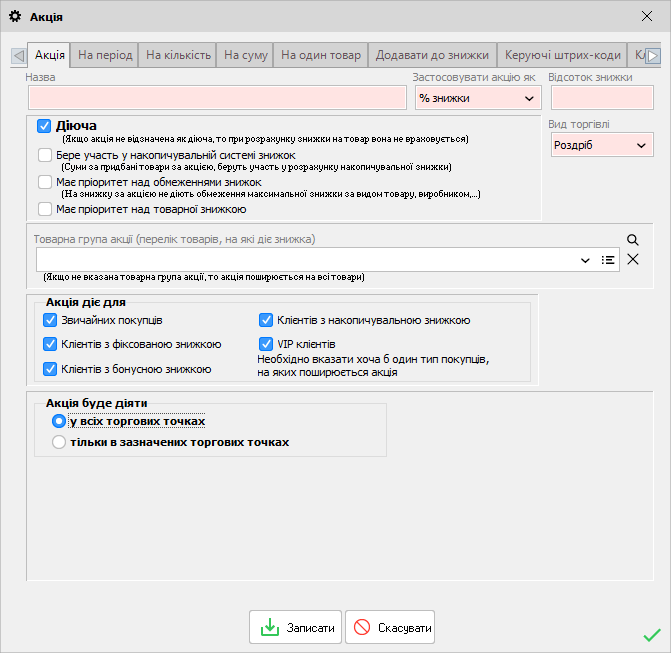
Action: Record the product list, discount amount, timing, required purchase amount or quantity, and rules for combining the offer with other promotions. Before announcing the promotion, check the calculation using examples of a purchase that meets the terms and one that does not. Frequency: Before launch, after changing the rules, and after the promotion ends. Exceptions: A disputed combination of discounts or a price below the level approved by the store requires a manager’s decision before a sale under the new terms.
4. Set a reminder for an employee about an agreement
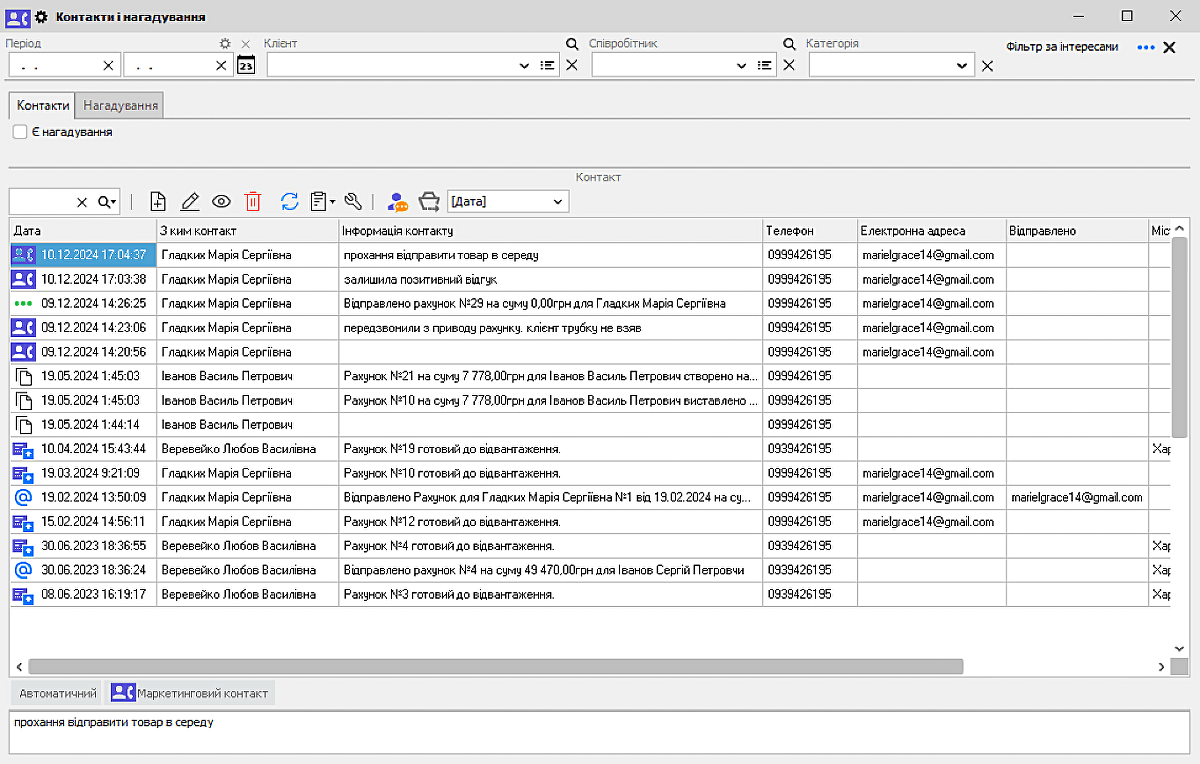
Trigger: A customer asks to be contacted later, or a manager agrees on a next step with them. Data: The request, contact details, date, and responsible employee. Usage condition: If the store plans to manage reminders in a customer relationship management system (CRM), first confirm that the relevant option has been purchased and activated.
Action: The manager records the agreement and sets a reminder date. When it comes up, the manager checks whether the matter is still current and takes the agreed action. The result of the contact is recorded separately. Frequency: Record the agreement immediately after the conversation and review tasks every day at the start of work. Exceptions: If the function is not activated, use a controlled work list. A reminder to a software user does not mean a message has already been sent to the customer; sending must be done and checked separately.
5. Check product availability during a campaign
Trigger: A campaign is being prepared, or the stock level of an advertised product changes. Data: Recorded quantity, reservations, storage location, and actual availability for sale. Responsible: The merchandise specialist checks availability, the online store manager checks how it appears on the site, and the marketer checks the offer text.
Action: Before sending, compare available quantity with expected demand and agree on a minimum stock level at which new advertising messages will stop. If the store uses website synchronization, check a specific product to confirm that availability displays correctly after data exchange. Frequency: Before launch and daily during the campaign; check more often for products with rapidly changing stock. Exceptions: A difference between actual and recorded stock, delayed data exchange, or reservations of the last units call for a pause and review of the offer.
6. Check purchases and costs after a campaign
Trigger: The defined evaluation period for the campaign has ended. Data: Recipients, delivery statuses, purchases, returns, cost of goods, and campaign expenses. Responsible: The marketer collects the metrics; the accountant or owner checks the calculation.
Action: Use the same period and product selection for all comparisons. Calculate delivery, the share of recipients who purchased, and the financial result after accounting for returns separately. Frequency: After each campaign; update the result after returns are recorded if needed. Exceptions: Other promotions running at the same time, seasonal demand, and product unavailability may affect sales. Purchases after a message do not by themselves prove that the campaign caused them.
Marketing in Torgsoft: customers, paid mass messaging, and CRM
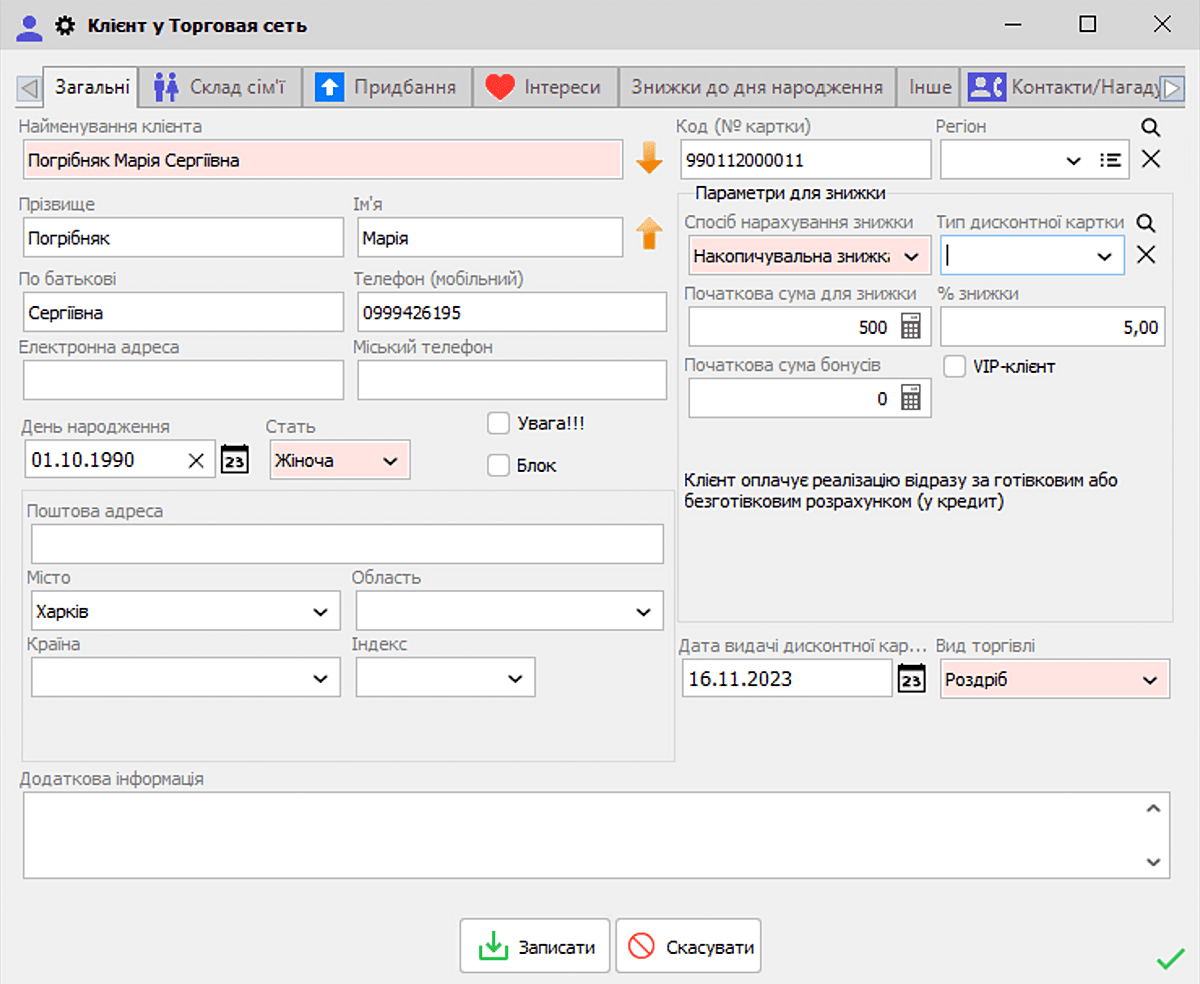
In “Маркетинг → Клієнти” (“Marketing → Customers”), Torgsoft documents filters by region, discount type, and other attributes, as well as sorting by the date of the last purchase. The message subscription filter is available when the mass messaging option is activated. To work with interests, the official page describes configuring their link to product groups and populating them from purchases when CRM is activated. Before filtering by purchases, check the display mode: in simplified mode, some amounts and the date of the last purchase are hidden. Sources: customer help and customer recordkeeping features.
“Масові розсилки клієнтам” (“Mass messaging to customers”) is a paid add-on. Short Message Service (SMS) text messages require an account and setup with a supported service; for email, the help page describes Outlook, Simple Mail Transfer Protocol (SMTP), or SendGrid with the corresponding settings. The employee selects recipients, chooses a template, and starts sending with a button. The date and time fields do not confirm that the software starts the campaign automatically: the documented “Час доставки” (“Delivery time”) refers to sending by the service after manual transfer from Torgsoft. Delivery results and purchase analysis for participants are available for review. Source: terms and features of mass messaging.
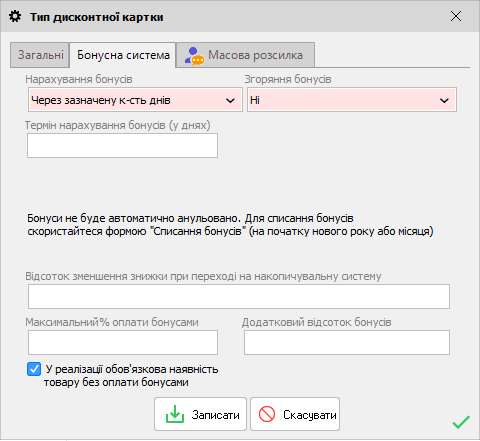
For CRM, the official page specifies an “Ультра” (“Ultra”) license or terminal version and the additional “CRM. Взаємодія з клієнтом” (“CRM. Customer interaction”) option; reminders are available after purchasing this option. The help page describes a reminder to the user when the program starts on the set day. Compatibility with a license does not mean paid options are included in it. For promotions, discount settings are documented by product, amount or quantity, and validity period; for a website, stock availability can be transferred through synchronization with an online store.
Confirm the specific integrations and data exchange settings for your site before launch: the description provided is not sufficient to configure them. Sources: official description of options and help for contacts and reminders.
Launch your first campaign in a controlled way
- Check data quality. Remove duplicates from the sending list, correct inaccurate contact details, and check that purchases are assigned to the right customers.
- Check the legal basis. Record the processing purpose, basis for using the contact details, and conditions for sending. Exclude recipients who have opted out of advertising.
- Approve the template. Check products, prices, taxes, delivery, timing, restrictions, seller information, and opt-out method. For SMS, check the service’s pricing: one text may be billed as several parts.
- Send a test message. Using test contacts, check variable insertion, links, text display, and opt-out method. Confirm that an opt-out is reflected in the next list.
- Run a small pilot. For example, choose 30–50 recipients who meet the criteria. This is a recommended testing size, which the store can adjust to suit its database.
- Keep a log. Save the approved text, selection criteria, recipient count, launch time, employee responsible, costs, errors, and opt-outs. Restrict access to personal data in the log.
- Check stop conditions. Pause further messages if the opt-out does not work, the price is wrong, the product is unavailable, an incorrect selection is found, or the budget is exceeded. Resume the campaign once the cause has been addressed.
Calculate results without overstating them
Before launch, define what counts as a purchase within the campaign: buying a specific product, using the offer, or a participant making a purchase during a set period. For the delivery metric, use the number of messages sent; for the share of people who purchased among those who received a message, use the number of unique recipients with confirmed delivery. If exact matching is not possible, state this limitation in the internal report.
Illustrative example. A store sent 200 messages, 180 of which were delivered. The delivery rate is 180 ÷ 200 × 100 = 90%. During the agreed period, 18 unique recipients with confirmed delivery bought a product in the offer. Their purchase rate is 18 ÷ 180 × 100 = 10%.
Suppose revenue from these purchases after returns is UAH 18,000, the cost of the goods sold is UAH 12,600, and messaging costs are UAH 600. The amount remaining after subtracting the cost of goods and messaging is 18,000 − 12,600 − 600 = UAH 4,800. This does not include the store’s other expenses and does not show additional profit caused by advertising: some customers may have bought the product without receiving a message.
For a more precise estimate, you can randomly divide eligible recipients into two groups in advance and temporarily withhold the offer from one group. Compare purchase rates over the same period and account for differences in product availability. Approve the next campaign based on the metrics together: purchases, costs, returns, opt-outs, and the store’s ability to meet the stated terms.


 Go back to the previous step