


Start multichannel sales with two channels your team can keep up with, such as a physical store and a social network. The owner needs to decide where customers will learn about products, where they will place orders, and who will respond to inquiries. Align product codes, availability, prices, and service terms. At the end of each shift, reconcile payments, shipments, and returns.
This workflow is intended for a retail store in Ukraine. First, try it with one product and one order. Once employees can coordinate to accept an order, hand over the product, and reconcile the money, extend the workflow to the rest of the assortment.

Separate the inquiry source from the place where the order is placed
Multichannel sales involve using several channels to interact with customers. For recordkeeping, distinguish between two concepts: the inquiry source shows where a person learned about an offer, while the order intake channel shows where an employee recorded the agreed purchase.
For example, a customer sees a post on a social network, asks about the size in a message, and completes the purchase in the store. In the sales record, note the social network as the inquiry source, if known, and the store as the place where the purchase was made. Count the revenue—the sales amount—once.
Omnichannel retail is the coordinated operation of channels that allows a customer to continue an inquiry they started in one place somewhere else. To organize this interaction, start with a shared order list and a process for handing orders from one employee to another. Plan further changes according to the store’s needs.
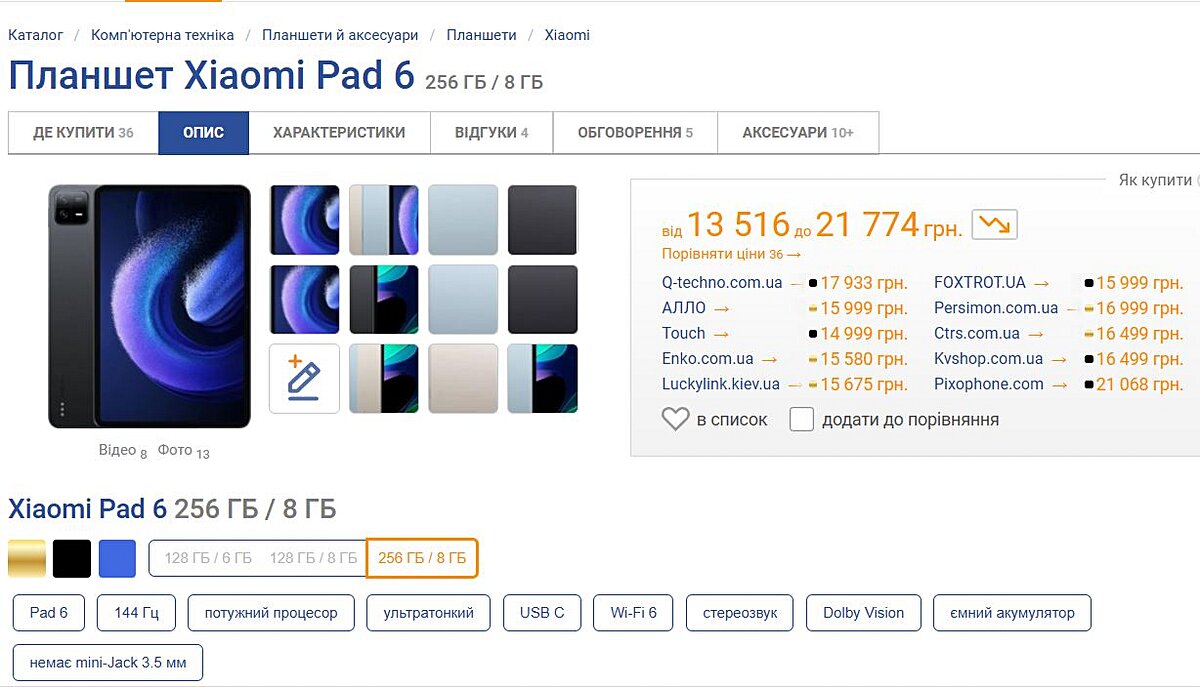
Illustration of a product feature comparison. The prices shown are not a current offer.
Choose two channels based on costs and your team’s capacity
For the first launch, the owner can choose a physical store and one social network, or a store and a website. Assess each pair by asking three questions: can you show the required assortment, can you respond to customers in time, and how much remains from a completed order after expenses?
Before launch, record service hours, the employee responsible, and their replacement. Allow time for consultations, photography, order picking, packing, and returns processing. If these tasks exceed the shift’s capacity, reduce the assortment offered through the new channel or set aside dedicated time for an employee to handle this work.
Use the table as a working template: keep the two channels you choose and enter employees’ names in place of job titles.
| Channel | Role in sales | Who is responsible each day | What to check at the end of the shift |
|---|---|---|---|
| Physical store | Consultations, completing purchases, handing over agreed orders | Shift salesperson | Does every purchase handed over have a sales record, and does its payment match the agreement? |
| Social network | Displaying products and consultations; taking orders if this is part of your process | Employee who handles messages | Has every inquiry received a response, and does each agreed purchase have an order number? |
| Own website | Catalog and order placement | Order manager | Have all new orders been processed, and have payment and availability been confirmed? |
| Marketplace—an online trading platform | Displaying offers and taking orders according to the platform’s rules | Marketplace manager | Have commissions, fulfillment deadlines, and changes to each order’s status been accounted for? |
Calculate what remains from one sale
To choose a channel, calculate the contribution margin: the amount left from the sale price after deducting the product’s cost and variable selling expenses. Cost is what the store spends to buy or make the product. Variable expenses depend on sales, such as a marketplace commission and packaging. The store still uses the contribution margin to cover fixed expenses, including rent.
Illustrative example. The store sells a product for UAH 1,000, and its cost is UAH 600. Suppose the marketplace commission is UAH 80, the payment processing fee is UAH 20, packaging costs UAH 15, and shipping paid by the seller costs UAH 60. For planning, the owner also budgets UAH 25 in expected return expenses per sale. The remainder is: 1,000 − 600 − 80 − 20 − 15 − 60 − 25 = UAH 200.
Use your own commissions and expenses. Include only the portion of shipping the store pays. The illustrative UAH 25 in this example is for comparing options. In the report for a completed period, replace planned return expenses with actual expenses so you do not deduct them twice. Assess customer acquisition expenses and additional labor separately.
Coordinate one product across all selected channels
Start with one product item. SKU, short for Stock Keeping Unit, is a distinct inventory item, such as a particular T-shirt model in a specific color and size. Assign a consistent internal code to each such variant and match it to the identifier used on the website and in other channels.
Illustrative example: code FT-01-BL-M identifies a blue T-shirt, model FT-01, in size M. The manager uses this code in the order, and the salesperson uses it to find the correct variant. A post may use a shorter name, but the code must refer to the same product item.
- The product specialist or owner checks the product details. Match the model, color, size, set contents, and photos so that, in every channel, customers see the exact variant they will receive.
- The person responsible for stock determines the available quantity. For planning, subtract current reservations—units set aside for agreed orders—and products temporarily withheld from sale from the quantity recorded in the system. Check whether the system has already deducted reservations: subtracting them again will understate the available quantity.
- The owner approves prices. Record the base price, discounts, and promotion period. If prices differ by channel, employees must be able to see which offer applies to a specific order.
- The manager coordinates customer information. On the website, in messages, and in the store, state the available fulfillment methods, delivery cost, process for contacting the store about an exchange or return, and the responsible person’s contact details.
Choose a primary record where an employee first changes the product’s price and description, then updates the other channels. After the change, check the product page and the order total.
For the last unit, require availability confirmation before promising shipment: a customer may buy it through another channel between information updates.
Keep the customer’s inquiry in one order
Set up a shared order list in your accounting software or a working spreadsheet. Assign one number, a responsible employee, and a next action with a deadline to each order. Add any follow-up message from the customer about that order to the existing record.
- The employee receives the inquiry. Confirm the product code, variant, quantity, and preferred fulfillment method. A question about a product does not yet mean the purchase is confirmed.
- The employee searches for an existing record. Ask whether the customer has already placed an order and whether they have its number. Compare the number, contact details, purchase contents, and time of the inquiry. The same contact details alone do not mean that this is a duplicate record of the same order: the person may be making a separate purchase.
- The manager confirms the terms. Check product availability, price, discount, payment, delivery, and the reservation deadline. Send the customer the agreed purchase contents and total amount.
- The manager creates or updates the order. Enter its number, order intake channel, known inquiry source, and responsible employee. Record any subsequent agreed changes in the same order.
- The manager reserves the product. Record the agreed quantity until the agreed deadline. Make sure those units are no longer offered to other customers as available. If reservations are tracked in a spreadsheet, the responsible employee must manually update the available quantity in the other channels.
- The manager sends the order for picking—the collection of products for the customer. The employee picking the products checks the code, variant, and quantity. The manager checks payment according to the agreed payment method.
- The employee records handover or shipment. Add the dispatch document and postal tracking number, if available. Tell the customer how to receive the product and whom to contact with questions.
For internal use, you can use the statuses “New inquiry,” “Clarification,” “Confirmed,” “Picking,” “Shipped or handed over,” and “Completed.” Mark cancellations and returns separately. Adapt these names to the capabilities of your system.
Track payment status separately from fulfillment status. An order may be paid for but not yet picked. Or the product may have been shipped with cash on delivery, meaning payment upon receipt, while the store is still waiting for the funds to be transferred. During shift handover, the employee tells their colleague the order number, the pending action, and its deadline.
Label visits with UTM parameters and compare them with sales
UTM, short for Urchin Tracking Module, refers to parameters added to a link to label the source of a visit. If website data collection is set up in Google Analytics, the manager can view these labels in the traffic acquisition report, which covers website visits from different sources. Open the report using the Google Analytics instructions and find the labeled visits.
Agree on the consistent spelling of three parameters: utm_source labels the source, utm_medium the acquisition method, and utm_campaign the campaign name—that is, a group of posts or advertisements with a shared objective. For example, for a post about new T-shirts, you can use utm_source=instagram, utm_medium=organic_social, and utm_campaign=new_tshirts. All these values are illustrative labels.
- The manager saves the agreed names in one list. Use lowercase letters: Google treats values with different capitalization as distinct.
- The employee publishing the link adds the parameters to the address of the relevant product. For multiple versions of a post, you can add utm_content and assign a separate label to each version.
- The employee opens the completed link. Make sure it leads to the correct product page.
UTM parameters help distinguish visits from labeled links. By themselves, they do not prove that a specific post caused a sale, and they do not cover every purchase made in a physical store. In the order, separately record the known inquiry source and how it was determined, such as the customer’s answer. If the source is unknown, mark it as unknown.
Compare visit data with completed order totals for the same period. In a report by order intake channel, count each order once. An analysis of inquiry sources shows a different distribution of the same sales, so adding the totals from both reports would count revenue twice.
Reconcile money, shipments, and returns daily
At the end of the shift, the manager reviews open orders, the salesperson or stockroom employee confirms product movements, and the owner or employee responsible for finances matches payments to orders. In a small store, one person may perform these roles.
- Paid but not shipped. The manager finds out whether the product is reserved, who is picking it, and when the customer will receive an update.
- Shipped but funds not yet received. For cash on delivery, the person responsible for finances checks whether the customer received the parcel and when the money transfer is expected. Record the date for the next check.
- The payment received differs from the purchase amount. The person responsible for finances checks fees, partial payments, and payment references to determine whether there is an outstanding balance.
- Order canceled. The manager checks whether the reservation was released and what happened to the prepayment. Mark a refund only after the transaction has actually been completed.
- Product returned. The employee receiving the product links the return to the original sale and records the quantity received and product condition. The person responsible for finances records the refund amount. Before making the product available again, the person responsible for stock determines whether it can be sold.
Finish the reconciliation with a list of discrepancies: order number, issue, responsible person, and resolution deadline.
To assess a channel, the person responsible for finances subtracts from revenue the amounts refunded to customers, the cost of products that remain sold, and actual variable expenses, including delivery, fees, packaging, and returns. Also include customer acquisition expenses and additional labor allocated to this channel, if they have not already been included in the calculation.
If a returned product is restored to stock as fit for sale, its cost must not remain among the expenses of the original sale. Account separately for any loss in value of a damaged product. Keep these transactions linked to the original order so you can see its full result.
How to coordinate stock and online orders in Torgsoft
In Torgsoft, an accounting center is a store or warehouse where products are tracked. The person responsible for stock can check quantities and prices in «Склад → Стан складу», meaning “Warehouse → Stock status.” For working with invoices, the «Торгівля з випискою рахунка» mode, meaning “Trade with invoice issuance,” allows payment and shipment to be tracked separately.
Before purchasing, the owner must consider license limitations: “Старт” (“Start”) does not support the «Торгівля з випискою рахунка» mode and is not suitable for an online store or multiple accounting centers—stores or warehouses in Torgsoft. If you plan to work with invoices, choose “Ультра” (“Ultra”) or a terminal license according to the number and location of workstations.
Agree on options and exchange settings
«Синхронізація з інтернет-магазином», meaning “Synchronization with an online store,” is a separate paid option for exchanging data between Torgsoft and a website. Torgsoft is the primary accounting system, and the website developer configures a compatible exchange.
- The owner agrees on exchange rules. Determine the source of prices, the stores or warehouses whose data will be used, and the procedures for reserving products and recording payments.
- The developer configures order transfers. For file-based exchange, orders must follow the documented structure of .sal, .xml, or .json files.
- The owner agrees on how to connect each platform. Integrations—connections for data exchange—with Prom.ua and Rozetka have separate paid options with an annual fee.
- The owner determines how many option licenses are needed. For the Prom.ua and Rozetka integrations and «Синхронізація з інтернет-магазином», purchase one option for each workstation when the program is installed separately, one for a local network, or one for the terminal license server.
- Before paying, the owner checks the order. Make sure the number of options matches the store’s operations, and check the purchase terms and cost on the additional options page.
Set the schedule and test the exchange
- The person responsible for configuration sets the schedule. The exchange interval must be at least 10 minutes, taking into account other synchronization objects—websites or platforms configured for data exchange.
- The person responsible ensures the program is running. Torgsoft must be running on the designated computer under the specified user.
- The manager confirms availability of the last unit before promising shipment. Account for the delay between a stock change and the data update in another channel.
- The manager places a test order after synchronization setup. Check the code, price, reservation, payment, and stock deduction.
- The manager processes a test return. The employees responsible for finances and stock reconcile the money and product quantity after the transaction.
- The person responsible for configuration investigates exchange errors. Find error records in the synchronization log, a list of data exchange events.
Launch two channels with a working plan
- The owner sets the launch conditions. Choose two channels, the products to offer, a budget, and the employees responsible. Calculate the expected result after variable expenses.
- The product specialist prepares the catalog. Match codes, variants, prices, and availability. Start with one product and resolve discrepancies before expanding the list.
- The manager tests the inquiry workflow. Go through a consultation, order creation, and handover to another employee. Make sure a follow-up inquiry about that order remains under the same number.
- Employees test order fulfillment. Run test payment, handover or shipment, cancellation, and return procedures. Reconcile the product and money after each action.
- The owner assesses performance. After the agreed trial period, compare completed orders, expenses, returns, and workload. Expand operations when the team can meet its promises to customers and explain every accounting discrepancy.
As a first practical step, write down the two selected channels, the person responsible for each, and one product for a test order. With your employees, go through every step from inquiry to handover and return, reconciling the order record, money, and product stock.
 Go back to the previous step