


When starting to sell on ROZETKA, choose products you can ship on time, describe in detail, and sell while retaining enough cash after all expenses. Before buying stock, check competing offers, confirm with the marketplace that the product can be listed, and calculate order economics including commissions, packaging, delivery, advertising, and returns.
Below are ten categories to consider for a small test. These are practical hypotheses: each needs to be checked against specific products, purchasing terms, and your store’s capabilities. Start with products you know, and limit your first purchase to an amount you can leave tied up in stock without affecting current payments.
The images illustrate product listing layouts. Check current prices, availability and seller terms directly on the marketplace before purchasing stock.
How to assess a product niche before buying stock
Check each of the ten categories using specific products: compare competitors’ offers, calculate your own costs, and assess the results of a small test. Search suggestions, the number of offers, and a product’s position in search results do not show a seller’s profit, so they are not enough to decide whether to buy stock.
In its recommendations for choosing products, ROZETKA advises assessing how many similar products are listed, the number of sellers, prices, and your own competitive advantages. For a practical assessment, follow these steps:
- Choose a specific customer need: for example, headphones for video calls or a painting kit with a specified canvas size. This lets you compare products intended for similar uses.
- Create a table of comparable products. Record the model, included items, price, seller, and available payment and delivery methods. Compare the same product versions.
- Determine how your offer could help customers: with a clearer compatibility description, the items they need included in the package, available delivery, or confirmed stock.
- Ask the supplier for a sample, purchasing terms, product documents, and the process for handling defects. Check whether you can reorder the same model.
- Calculate the minimum acceptable price and confirm that the product can be listed before buying a batch.
If the competitive price does not cover your costs, change your purchasing terms, package contents, or product. Buying a large batch in the hope of making up the loss through order volume is not a sound approach.
10 product categories you can test on ROZETKA
All testing methods suggested below are practical recommendations from the author. They do not establish confirmed demand or guarantee that a category will be profitable.
1. Smartphones and mobile phones
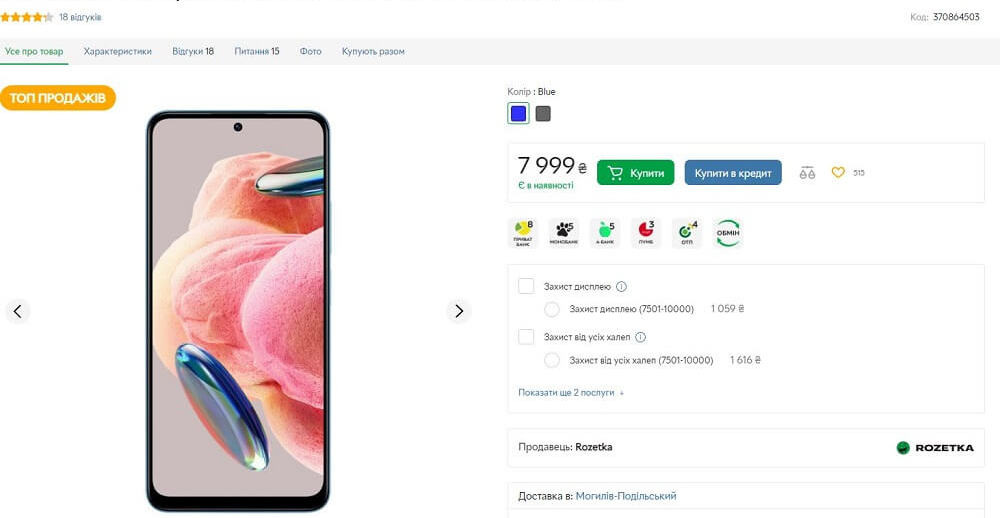
Consider this category if you already work with technology suppliers and can arrange checks for completeness and after-sales service. For your first test, choose a narrow group of models whose specifications you can explain to customers.
Compare the exact variant: storage capacity, color, included items, and other differences that affect the choice. Before buying stock, find out who will handle fault reports and which costs your store will have to cover. If reducing the price to match comparable products uses up the entire expected balance, drop that model.
2. Televisions
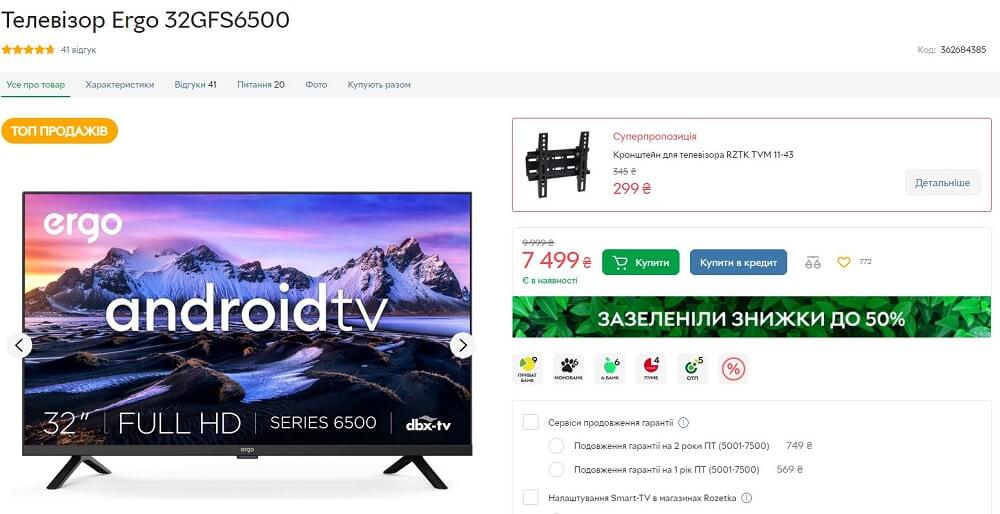
You can test televisions if you have arranged packaging, shipping, and returns in advance. Start with a limited range whose screen size, dimensions, ports, and included items are clearly described.
Calculate delivery costs for the actual packaged unit, and separately estimate possible return shipping. Check the contents before dispatch and document the condition of the packaging. If you cannot safely receive and inspect a returned television, resolve that issue first.
3. Laptops
For a laptop test, build a range for a specific use case, such as working with documents and video calls. In the product listing, provide the exact processor, memory, storage, display, operating system, and keyboard specifications, based on the documents for that model.
Compare your purchase price with offers for the same configuration. Agree with the supplier on what to do if the device you receive differs from what was specified. Do not substitute a different configuration in an order without the customer’s agreement.
4. Power banks
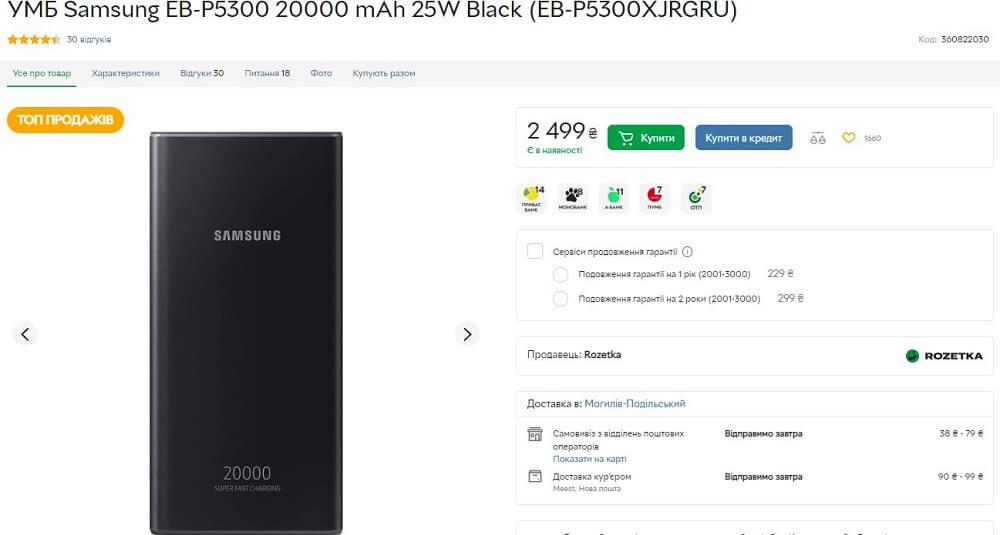
You can test power banks with a small batch of models whose specifications have been confirmed. Compare their ports, charging power, capacity, dimensions, and included items.
Before buying stock, obtain the supplier’s instructions and product documents, and test a sample in the scenarios you plan to describe to customers. Do not promise a specific number of phone charges unless you can substantiate it for the relevant device and conditions of use. Check whether your chosen delivery provider can transport the product and what packaging it requires.
5. Chargers and cables
Consider this category as a separate test with a small number of clearly specified models. Separate products by connector type, cable length, supported charging modes, and what is included.
Compatibility details must match the supplier’s specifications. Do not label a product “genuine” unless you can verify its origin. For low-cost products, calculate packaging, order handling, and delivery paid for by the store especially carefully: these costs can make up a substantial share of the price.
6. Headphones
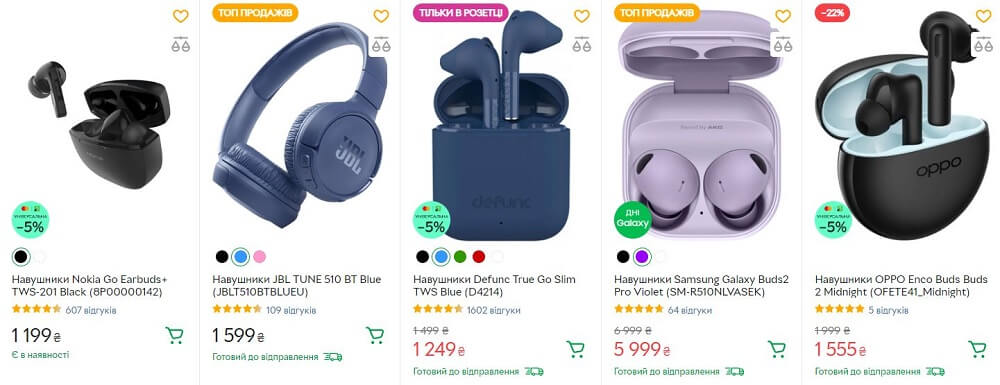
Test headphones for a clear use case: video calls, listening to music, or use with a specific type of device. Specify the connection method, whether a microphone is included, what comes in the box, and any confirmed specifications.
Test a sample before buying stock and prepare answers to questions about connecting the headphones. In your results table, record compatibility questions and fault reports separately. This can help you determine whether to improve the product description, strengthen product checks, or change suppliers.
7. Generators
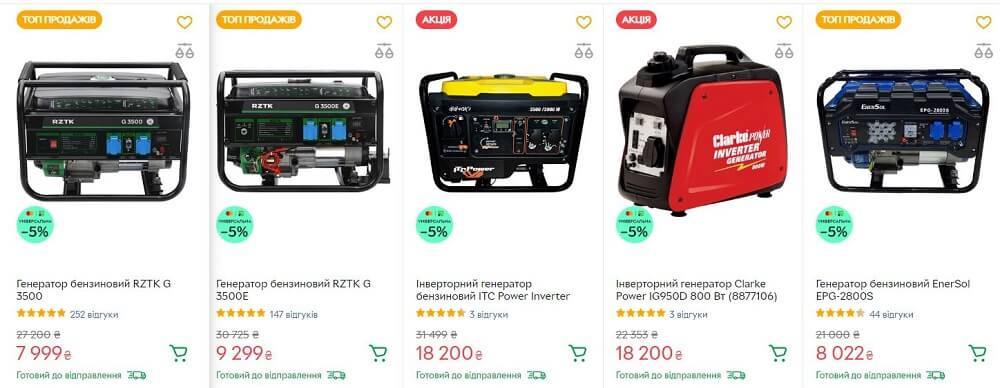
Consider testing generators after you have prepared customer guidance, shipping, and service support. Work with models for which the supplier has provided full instructions, specifications, and a clear service process.
Reproduce the manufacturer’s rated and maximum power, fuel type, and other specifications accurately in the listing. To recommend a generator for specific equipment, check that equipment’s power requirements and consult a qualified specialist. Before buying stock, calculate delivery, returns, and the cost of inspecting a faulty unit. Use the manufacturer’s documentation for safe-use instructions.
8. Marked-down products
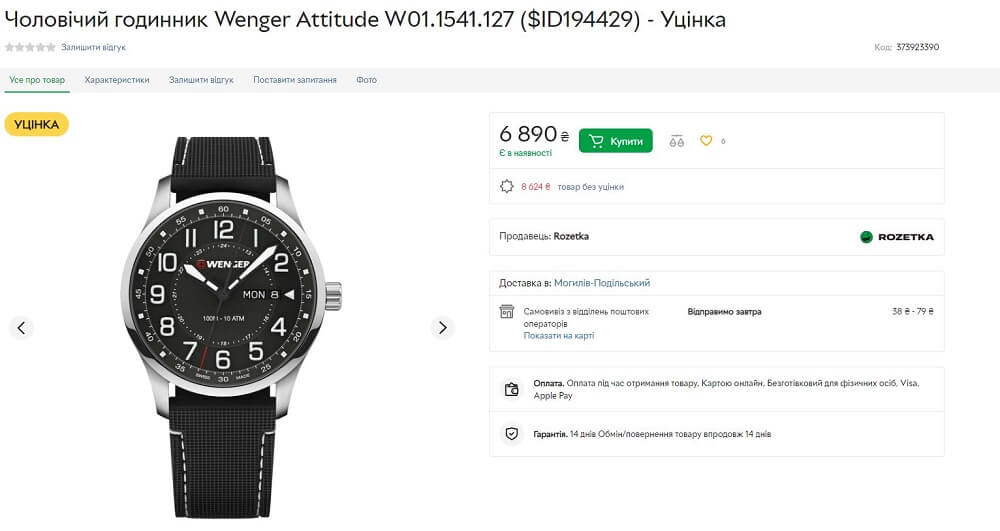
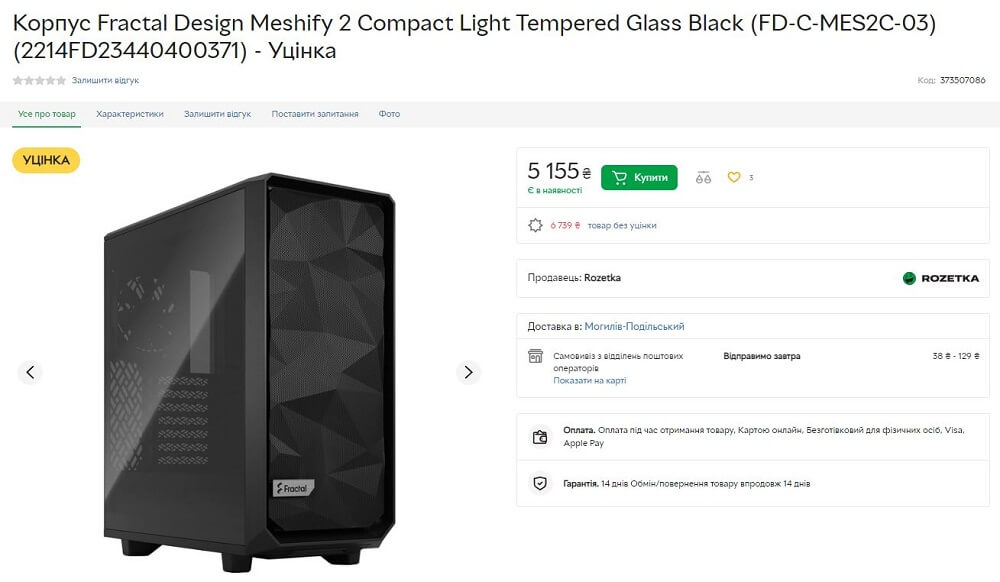
You can consider marked-down products as a separate hypothesis, but first agree with a ROZETKA manager on whether the specific product can be listed and how its condition should be described. In its selection rules, the platform emphasizes quality and prohibits copies, counterfeits, and replicas.
For each unit, record why its price was reduced, what is included, the inspection results, and all known defects. Calculate inspection, packaging, and possible reshipping costs. Do not combine units with different defects under a description that prevents customers from understanding the condition of the specific item they will receive.
9. Refrigerators
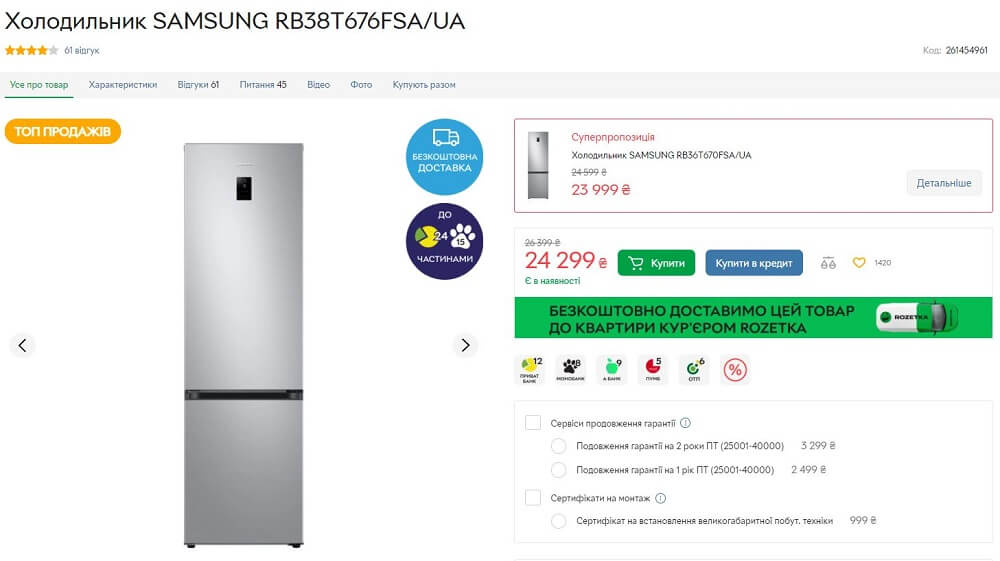
You can test refrigerators if your store can handle large items. Start with models for which you have precise product and packaging dimensions, specifications, and service terms.
Ask the carrier what is included in the cost of the selected delivery service, and explain these terms to customers without making additional promises. Plan separately for a place and process to inspect returned products. Before buying stock, check whether the economics remain acceptable after possible return shipping.
10. Paint-by-numbers kits
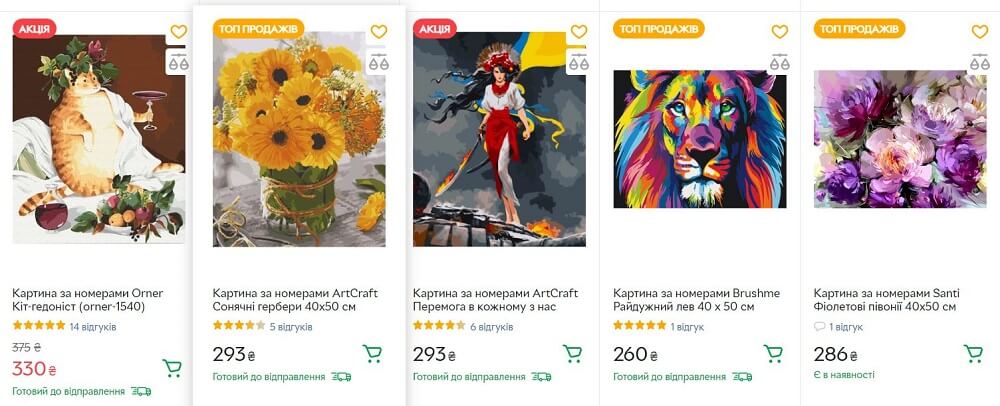
You can test paint-by-numbers kits as products for creative leisure. For the test, choose a small group of designs and sizes, and clearly describe the painting surface, included items, and whether a stretcher frame is included.
Check a sample kit: make sure the image matches, the numbers are legible, the paints are in good condition, and the kit is complete. After the first orders, record customer questions and reasons for returns. Do not claim that a kit has therapeutic or psychological effects without proper evidence.
How to calculate how much cash an order leaves you
The difference between the selling price and purchase price does not show the result of selling on a marketplace. For each item, calculate: revenue minus purchase cost, commissions and payment expenses, packaging, logistics paid for by the store, advertising, and expected losses from returns.
Use the commission rates, calculation rules, and adjustments after cancellations or returns that apply specifically to your store and category. Also confirm payment expenses and the cost of any services you use. Before buying stock, obtain the platform’s rates and rules for calculating charges for your store and include them in your calculation.
Illustrative example. Suppose a product sells for UAH 1,000, and the seller uses the amounts below for an educational calculation only. These are fictional figures for the example; they are not ROZETKA or carrier rates.
| Item | Illustrative amount |
|---|---|
| Sales revenue | UAH 1,000 |
| Purchase cost | UAH 600 |
| Commissions and payment expenses | UAH 120 |
| Packaging | UAH 20 |
| Logistics paid for by the store | UAH 40 |
| Advertising allocated per order | UAH 30 |
| Expected return losses allocated per order | UAH 50 |
| Balance before fixed costs and taxes | UAH 140 |
Calculation: 1,000 − 600 − 120 − 20 − 40 − 30 − 50 = UAH 140, or 14% of revenue. The seller still has to use this amount to cover fixed costs and taxes under their accounting and taxation system. Therefore, UAH 140 cannot be called net profit.
To assess returns, calculate actual unrecovered losses: return shipping, inspection, damaged packaging, markdowns, and other costs. For example, suppose customers kept 20 of 22 orders shipped, and two were returned with an unrecovered loss of UAH 500 each. To allocate these losses across the sales for which the store retained the revenue, calculate: 2 × 500 ÷ 20 = UAH 50 per sale for which the store retained the revenue. After the test, replace this assumption with your own data.
Also check an adverse scenario: higher advertising costs, more expensive delivery, or more returns. Consider buying stock only after you have determined what loss you can afford in that scenario.
What to confirm and which documents to prepare before launch
According to ROZETKA’s official product selection rules, the platform prohibits copies, counterfeits, replicas, dropshipping products, and products whose sale is prohibited under Ukrainian law. Restrictions also apply to some categories and brands. If you are unsure whether a product can be listed, the platform advises contacting a manager before preparing it.
Do not plan to launch on ROZETKA using dropshipping: the platform’s published rules prohibit it. If you are unsure whether your supplier arrangement counts as dropshipping, check with a manager before launch. Separately obtain approval for your marked-down range and products from brands that may be subject to restrictions.
To prepare your store, assemble a working folder with:
- Your entrepreneur or company details and the information the platform requests to set up the business relationship. Ask a manager for the full list.
- Supplier contracts, invoices, and any other available documents that establish the product’s origin and exact model.
- Instructions, documents on specifications and safety, and warranty service terms for the relevant products.
- Confirmation that you may use product photos and descriptions, if provided by the supplier or rights holder.
- Agreed terms for the category, payment, delivery, returns, and the platform’s additional services.
Before launch, check with a lawyer and accountant which documents your products require, how to record payments, and what obligations the seller has regarding warranties and returns. Ask them to take your sales model and method of receiving funds into account, and to identify the current regulations that set out the relevant requirements and exceptions. Check platform terms separately from legal requirements.
ROZETKA also warns that it may refuse to list repetitive offers without a clear benefit to customers, and frequent returns due to poor quality and complaints may lead to the store being blocked. Before expanding your range, check sample quality and the reasons for customer inquiries.
How to run a test and use ROZETKA recommendations
Before starting, set a written budget for stock purchases and advertising, a test period, and a maximum acceptable loss. Choose the test duration based on the product and season. If there are few orders, demand will remain uncertain.
- Prepare a limited range with verified specifications, contents, and stock availability.
- Assign an employee to confirm orders, check products, and dispatch them.
- Keep a table for each item covering orders, dispatches, customer receipt of goods, cancellations, returns, expenses, and cash balance.
- After a return, record the reason and actual losses. Correct the product description or process if either caused the problem.
- Review the recommendations available in your seller account and change settings based on your own economics.
The official “Рекомендації для товарів” (“Product Recommendations”) tool analyzes your store’s products grouped together on the site and compares their attributes with the product that has the most sales in the relevant group. It may recommend a price and payment and delivery methods, and shows the Smart connection status. The “Потенціал” (“Potential”) metric indicates the estimated sales increase over 60 days after all recommended settings have been applied.
Use this metric to prioritize what to check. Before changing a price, recalculate the balance after expenses; before enabling delivery or a program, check its terms. The tool’s forecast does not guarantee sales and does not, by itself, show your store’s profit.
How to set up inventory tracking and synchronization with ROZETKA in Torgsoft
Accurate stock availability for online sales depends on whether staff record stock movements on time. Torgsoft supports tracking receipts, sales, returns, and transfers, as described in the official overview of its features. If you are testing the same product range in a physical store and on ROZETKA, we recommend assigning responsibility for these documents and agreeing when staff will record each transaction. For example, in this test, the sales assistant records a sale at checkout, while the stockroom manager records a receipt after accepting the goods, so the next stock update reflects those changes.
Data exchange requires the paid add-on feature “Synchronization with an Online Store”, and inventory records must be maintained in Torgsoft. The feature sends product and availability information and lets you receive orders. Before launching on ROZETKA, confirm the exchange format and settings with the specialist responsible for the integration: which warehouses will send stock balances, where prices will come from, and whether stock reservation is needed. If you are connecting your own online store, you will need help from its developer. For a trial launch, we recommend sending a limited product range, checking prices and availability, and testing the receipt and processing of a test order.
Automatic data exchange runs only when Torgsoft is open on the computer specified in the settings under the designated user, and the task is marked “Active.” In the task, select product transfer, order import, or both. Set the interval to no more frequently than once every 10 minutes, taking other synchronization objects into account. For this setup, we recommend asking the responsible employee to check the synchronization log: it shows completed events and errors, which a specialist can use to identify the cause of an unsuccessful exchange.
When to increase your order and when to stop the test
Increase purchases gradually when completed orders leave enough cash after variable costs, the supplier maintains the required quality, and the store can handle dispatches and customer inquiries. Before reordering, account for unsold stock and money that has not yet returned to circulation.
If results are unsatisfactory, use your own data to identify the cause. Questions about specifications may call for a more precise description; delivery losses may require different logistics; recurring defects call for action with the supplier. If you do not have enough orders, review the offer and test conditions. Stop buying stock if costs have reached your set limit or you cannot ensure product quality and order fulfillment.


 Go back to the previous step