



Video surveillance can help a store owner spot obstacles to a purchase: a blocked aisle, a queue at the checkout, or a shelf shoppers rarely approach. To check whether changes help, compare observations with overall sales figures for the same periods. A recording alone does not explain why someone decided not to buy, and it does not guarantee higher revenue.
Start with one question, such as: will the queue get shorter if a sales associate restocks shelves before the busiest hour? Before using footage for this kind of analysis, establish a lawful basis, a purpose, and rules for handling recordings. A camera installed for security does not automatically authorize using shoppers’ and employees’ images for marketing.

First, decide whether you need video
To count store entries or measure a queue, an employee with an observation sheet is often enough. If that can answer your question, do not create an additional archive of people’s images. Choose a method that collects only the data you need and has less impact on privacy.
If the store already has cameras, a manager can study visitor movement using time-lapse video created from frames captured at set intervals. This method is described by Shopify in its guide to retail store layout. However, being able to view a recording and having the right to use it for a different purpose are separate matters. Even manual counting from video involves handling people’s images.
Assign someone to conduct the observations and put the task in writing. For example: “The store manager compares queue length during specified hours before and after a change to the shelf-restocking schedule.” Enter summary figures in the working sheet without names, descriptions of people’s appearance, or references to specific shoppers.
What to check on the sales floor
Aisles and access to products
Mark the entrance, checkout, main product groups, and places where people have to stop or turn around on a store plan. Check whether boxes, promotional stands, or displays obstruct movement. Observe several comparable periods: one unusual day can give a misleading picture of the usual flow.
If shoppers rarely approach a particular shelf, inspect it from the route they take. Can they see the product? Is its category clear? Can they read the price tag? Choose one change to test: remove an obstruction, change a sign, or move the display. If you change everything at once, it will be harder to tell what affected the result.
Queues and staff workflow
Record the number of people in the queue at consistent intervals, for example every five minutes during a selected hour. Separately note visible delays: an employee is searching for a product, checking a price, or leaving the checkout to handle another task. Ask the employee about any cause that is not visible.
Then review how work is scheduled: move shelf restocking to a quieter time or schedule more employees during busy hours. Shopify also recommends using footfall data to plan staffing for peak demand. Check the result through repeat observations, sales, and additional labor costs.
Displays and product availability
If shoppers stop by a display but few sales follow, check the price, available sizes, package contents, and actual stock. A long stop by a shelf does not, by itself, prove purchase interest. Someone may be looking for a price tag or waiting for a companion.
Ask sales associates to note recurring shopper questions during the test, without personal data. This can help explain what you observe: for example, shoppers notice the product, but their size is unavailable. In that case, check stock before changing the display again.
How to run a test and compare the result
Before the test, define the metric, comparison periods, and counting rule. Compare the same days of the week and business hours. Record circumstances that could affect sales: a promotion, a price change, an out-of-stock item, an air-raid alert, a power outage, or a change to the store schedule.
- Choose one problem: a queue, an awkward aisle, or a hard-to-notice display.
- Collect summary baseline data for several comparable periods.
- Change one element of the store’s operations.
- Repeat the count using the same rule.
- Compare the figures and account for the cost of the change.
For a small store, you can compare the number of receipts with the number of visits. Decide in advance how to count repeat entries, people accompanying shoppers, and employees. One person may receive several receipts, while a family may have one shared receipt, so this ratio is not the exact share of people who made a purchase.
Illustrative calculation
Suppose that before changing the display, the store recorded 200 visits and 50 receipts, and afterward it recorded 220 visits and 66 receipts. All figures in this example are illustrative; an employee counted visits manually using the same rule each time.
| Metric | Before the change | After the change |
|---|---|---|
| Number of visits | 200 | 220 |
| Number of receipts | 50 | 66 |
| Receipts per 100 visits | 50 ÷ 200 × 100 = 25 | 66 ÷ 220 × 100 = 30 |
| Revenue | 20,000 UAH | 25,080 UAH |
| Average receipt | 20,000 ÷ 50 = 400 UAH | 25,080 ÷ 66 = 380 UAH |
The store had more receipts per 100 visits, but the average receipt fell by 20 UAH. Revenue increased by 5,080 UAH. These figures do not yet prove that the display caused the change: the product mix, prices, or visitor mix may have differed. Repeat the test and check the cost of goods sold and additional expenses before applying the decision to other locations.
How Torgsoft helps check stock requirements
If shoppers ask for a product that is not on the shelf, the manager should check stock and decide whether to reorder. In Torgsoft, the “Warehouse → Warehouse Stock Calculation” mode calculates the minimum quantity of a product to keep in stock. The employee sets a sales period and a delivery frequency. The calculated minimum stock is not the ready-to-order quantity: before purchasing, the manager checks actual stock and planned receipts.
The mode is available after activating the additional paid feature “Automatic Warehouse Stock Calculation.” The employee first checks sales and receipt records, then sets the sales period and the number of days between deliveries. If the “Minimum and Maximum Stock by Warehouses” feature is enabled, the employee must select an accounting center.
The help guide cautions that, for accurate analysis, a product should not be received into stock in the middle of the day. If that happens, the employee excludes that day when setting the delivery frequency.
Next, the employee checks the formula and chooses a rounding method. By default, the program divides “Number of Sales” by “Number of Supply Cycles.” If needed, the employee sets a lower stock limit in the “Min. qty” field. The employee also decides whether to include discounted and promotional sales. When the “Do not include sales with a product discount or promotion” switch is on, it excludes those sales and the supply cycles in which they occurred.
After setting the options, the employee clicks “Refresh” and checks the result. To apply the calculated minimum stock, the employee selects the products and clicks “Save.” The procedure is described in the Torgsoft help guide. The manager compares the calculation with the summary results of store observations.
How to organize video surveillance with respect for privacy
Define the purpose and legal basis
If a person can be identified directly or indirectly from an image, the recording contains personal data. Collecting, viewing, storing, and sharing it are subject to Ukraine’s Law “On Personal Data Protection.” Before starting, the owner must define a specific lawful purpose and a legal basis for processing under Article 11 of that Law.
The owner must also check whether the Ombudsman needs to be notified about processing that poses a particular risk to people’s rights and freedoms. Such data include information about a specific person’s location and routes of movement. If the store collects such information and is not covered by an exception in the Notification Procedure, the owner must notify the Ombudsman within thirty working days of starting the processing. An exception applies to processing employees’ data in the employment context; it does not automatically apply to shoppers’ data. If processing is subject to notification, the owner must also appoint a person or unit responsible for personal data protection and notify the Ombudsman about them. Forms and guidance are available on the Ombudsman’s official page.
The Law provides several legal bases, including consent and the necessity of protecting legitimate interests. The latter has limits: a person’s rights and freedoms may outweigh the store’s interests. A desire to increase sales does not, by itself, demonstrate the need to record identifiable shoppers. Article 307 of the Civil Code must also be considered: the general rule for filming a person is to obtain their consent; filming without consent is allowed only in cases established by law. An ordinary visit to a store should not automatically be treated as a public event, for which that article presumes consent.
If security recordings are to be used for sales analysis, first assess whether the new purpose is compatible with the original one. Under Article 6 of the Law, consent is required for a new, incompatible purpose unless otherwise provided by law. Summarizing results in a table without names afterward does not remove the requirements for the lawfulness of making the original recording and viewing it.
Notify visitors and employees
The Ombudsman recommends notifying people about cameras before they enter a monitored area. Put up a clear notice and provide access to full information: who is responsible for the data, what is collected, for what purpose, to whom it is disclosed, and how a person can exercise their rights. Include a contact for inquiries.
A camera notice does not replace freely given, informed consent when consent is required for the chosen filming or processing method. Likewise, an employee’s signature confirming they have read the rules is not automatically consent to any use of their image.
Before installing cameras, the employer must explain in writing why surveillance is needed and why the task cannot be performed by methods that interfere less with employees’ privacy. The employer assesses the impact of cameras on employees’ rights and identifies measures to protect those rights.
According to the Ombudsman’s guidance, the employer adds a video surveillance clause to the Internal Work Rules. In a separate document, the employer describes camera locations, functions, and operating hours. The employer records employees’ acknowledgment of these documents, appoints by order those responsible for data processing and access to recordings, and arranges regular training for them.
The Ombudsman cautions against relying on employee consent as the basis for workplace video monitoring because of the employee’s dependence on the employer. A signature does not resolve this problem. The employer must justify the applicable legal basis, the need for surveillance, and the protection of employees’ rights.
Limit recording, storage, and access
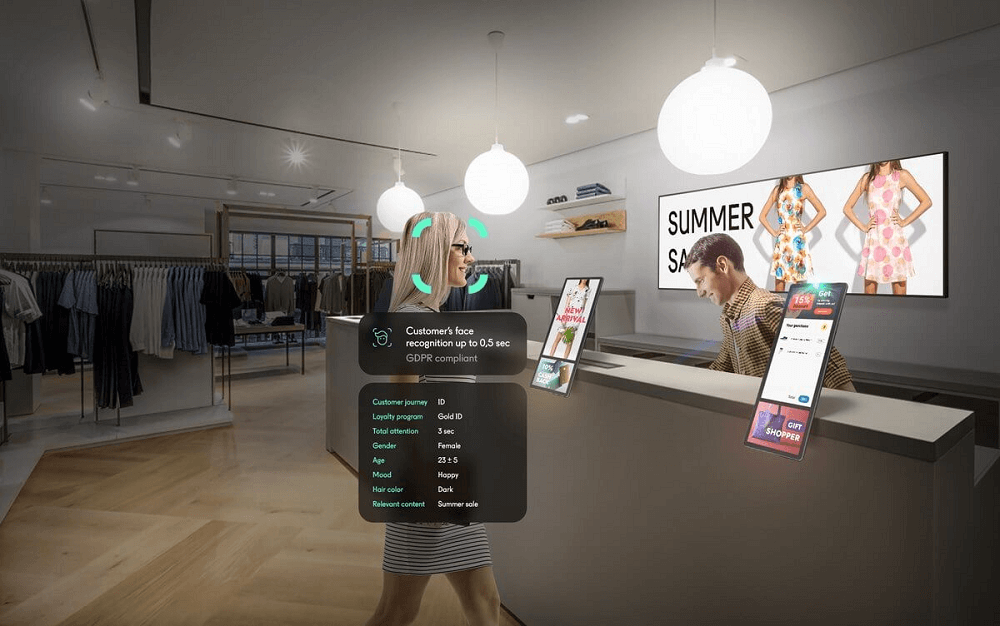
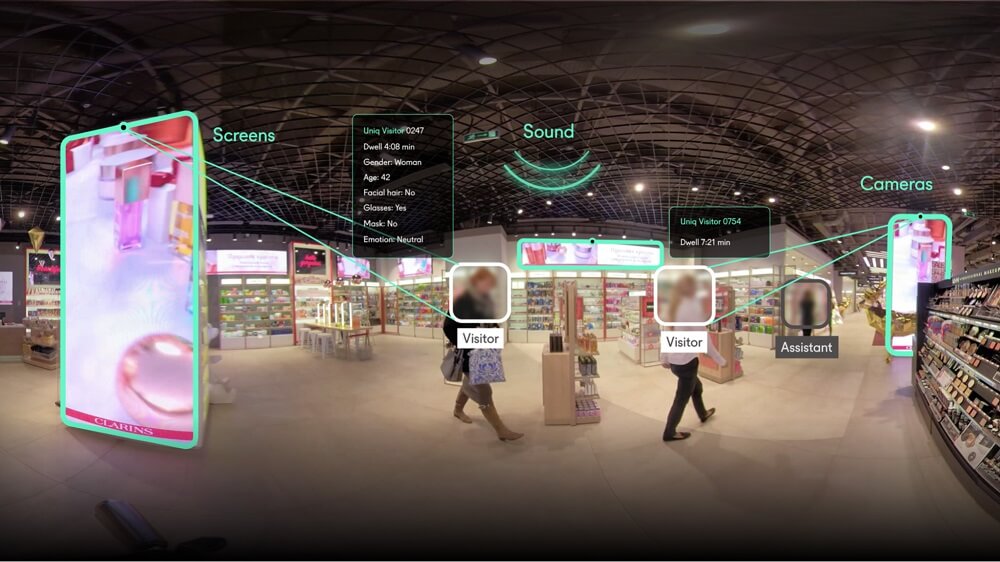
Collect only the data needed for the defined purpose. To analyze aisles, do not point a camera at faces without a justified need, and do not cover fitting rooms, restrooms, or changing areas. Do not record audio or use additional features unless they are needed for the task. Do not draw conclusions about a person’s emotions, health, or intentions from their appearance.
The owner must set a justified retention period: the Law requires that data not be stored in identifiable form longer than needed for a lawful purpose. The owner sets out in writing who may view and copy video, when the store deletes recordings, and who checks that deletion. The owner ensures recordings and their copies are deleted once the lawful need for them ends, subject to legal requirements. The deletion method must make further data recovery impossible. If a particular clip is needed to investigate an incident, define its basis and further retention period separately.
The owner determines which employees may view recordings and which recordings each needs for work. Before receiving access, employees sign a written undertaking not to disclose personal data. When an employee leaves or moves to a role that does not require recordings, the owner revokes their access. Do not send recordings in shared work chats.
The owner keeps a record of viewing, copying, and other actions involving recordings. If the store processes data in an automated system, that system must log these actions automatically. Unless legislation provides otherwise, the owner retains information about these actions for one year after the end of the year in which they took place. This is the retention period for the log of data actions; the owner sets a separate retention period for video recordings according to their lawful purpose.
If a contractor processes recordings on the store’s behalf, the owner enters into a written agreement with the contractor and defines the purpose and scope of processing in accordance with Article 4 of the Law. Before transferring recordings to a foreign service, the owner must also check the conditions in Article 29: whether the relevant country provides adequate data protection and whether there is a lawful basis for the transfer. If the owner plans to rely on a separate ground under part four of that article, they must check whether its conditions are met.
Set up a process for requests
Shoppers and employees have the right to know how the store processes their data and to access their own data free of charge. They may submit a reasoned objection to processing or request that data be changed or destroyed if the store processes it unlawfully or it is inaccurate. A person may also withdraw consent. If consent was the only legal basis, the store must stop processing after it is withdrawn.
The owner appoints an employee to receive requests, verify the requester’s identity before providing their data, and record the date the request was received. Under paragraph 2.12 of the Standard Procedure, the store considers a reasoned request to stop processing or change data within ten days of receipt. If data are processed unlawfully, the store stops that processing; if data are inaccurate, it stops processing them and/or corrects them and informs the requester. If there are no grounds to grant the request, the store explains why.
Separate deadlines apply to access requests. Under Article 16 of the Law, within ten working days of receiving an access request, the store informs the requester whether it will provide the data. If access is prohibited by law, the store states the legal basis for refusal. The request is fulfilled within thirty calendar days of receipt unless the Law provides otherwise. Before providing video, the responsible employee protects the data of other people shown in the footage.
Do not publish security footage for advertising or to showcase staff performance without a separate, appropriate legal basis. Consent to security surveillance does not automatically cover advertising use. The Law provides for liability for violations of personal data requirements, and the Ombudsman may require processing to stop, data to be deleted, or other violations to be remedied.
Where to start
Choose one obstacle to a purchase and check whether you can study it without recording identifiable people. Assign someone responsible, define a metric and comparable periods. After making a change, repeat the count and check sales and costs. Keep changes whose benefits are supported by repeat observations and your store’s data.
Official privacy sources
- Law of Ukraine “On Personal Data Protection” No. 2297-VI: Articles 2, 4, 6, 8, 10–12, 15–19, 23–24, 28–29.
- Civil Code of Ukraine No. 435-IV: Article 307 on consent to filming and Article 308 on the use of images.
- Standard Procedure for Personal Data Processing on the Ombudsman’s website: clauses 2.1–2.10, 2.12–2.18, and 3.4–3.11 on purpose, consent, retention periods, requests, and access.
- Ombudsman’s recommendations on privacy during video surveillance: page 16 on advance notice.
- Ombudsman’s guidance on video surveillance in public places: page 14 on organizing workplace surveillance.


 Go back to the previous step