


Prepare products for exchange with marketplaces
If a store sells on Prom.ua or Rozetka, the same products have to be monitored in several places. Sell a product in the store and its online availability needs updating. Change a price and it needs checking on the platform. Receive an order and it needs to be entered into the records.
Torgsoft lets you transfer product data to these marketplaces through the relevant integrations. Start by preparing your accounting database: synchronization should rely on accurate prices, quantities, and product information.
What is transferred to Prom.ua
Through the Prom.ua integration, you can update prices, photos, descriptions, availability, and product quantities. To get started, you need a registered Prom.ua store and an API key—the access credential used to configure data exchange.
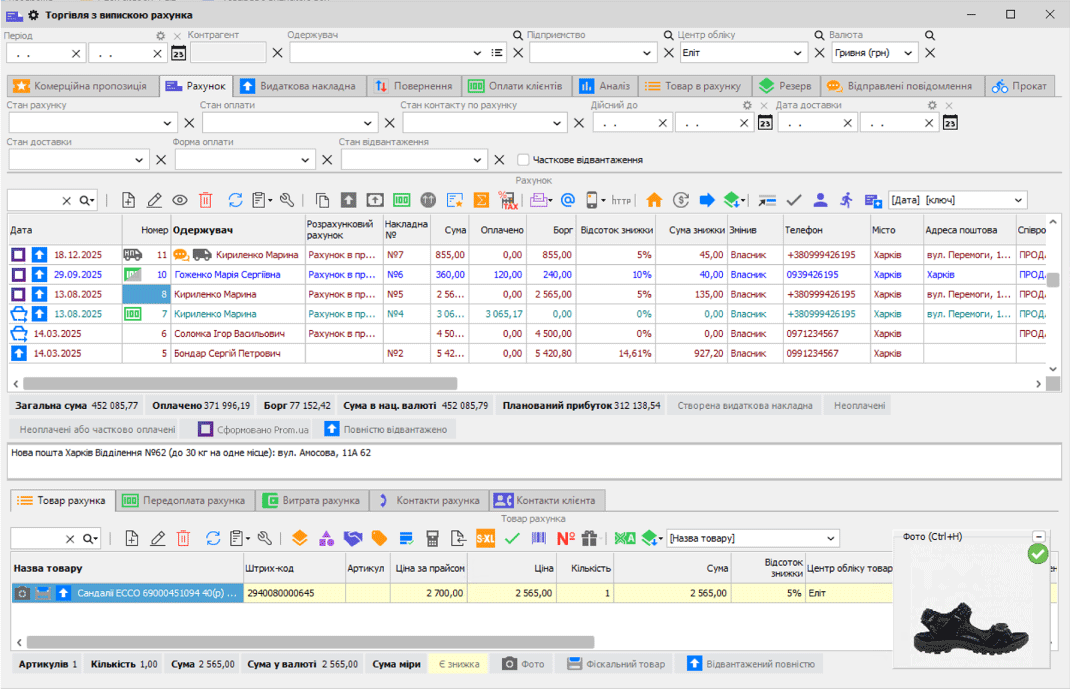
Orders from Prom.ua can be downloaded into Torgsoft. This lets you receive them in the program without re-entering them manually. Before getting started, agree with your manager on who will check new orders and handle their subsequent processing.
Check the catalog before a full exchange
During full synchronization, items that are not in the Torgsoft product directory may be deleted from your marketplace store. If your catalog is already live, first check its contents and exchange settings.
How the catalog is prepared for Rozetka
For Rozetka, Torgsoft generates an XML/YML price list. It includes prices and quantities from the program, while product characteristics must be prepared according to the marketplace requirements. Rozetka reads the price list and uses its data to update prices and availability.
So check the entire chain: the records, the generated price list, and the result on the platform. Do not treat a change in the database as confirmation that buyers can already see the new quantity.
How to start with a few products
Choose representative items
Select a few products from your assortment. Prepare their names, prices, actual stock levels, and required characteristics. For both marketplaces, add photos and descriptions: only products with photos participate in synchronization with Rozetka. Synchronizing photos with Prom.ua requires a publicly accessible online photo directory, while Rozetka requires static public URLs for the price list and photos.
Check the exchange result
Compare the data in Torgsoft with the listings on the marketplace. Check the price, quantity, and how each product is displayed. For Prom.ua, account for the risk of items being deleted during full synchronization.
Check the workflow
After changing a price or stock level, wait for the exchange and check the result on the platform. For Prom.ua, also check that a new order is downloaded into the program.
Connect the rest of the assortment
Expand the catalog after checking the trial items. Before launch, agree on how to handle products that are already published and who is responsible for checking the exchange.
The practical benefit of this approach is less duplicate data entry. At the same time, up-to-date online availability depends on accurate records and a successful exchange. Check them regularly to reduce the risk of an order for a product that has already been sold in the store.
Prepare the connection for your store
Review the description of the integration you need. If you already have a marketplace catalog, discuss its contents and the process for switching to exchange with Torgsoft with the sales department.
Contact us on Telegram @torgsoft_sale or call: +38 (067) 558 37 84.
 Go back to the previous step