


Direct marketing helps a store contact shoppers directly with a relevant offer by email, SMS, social media message, or postal mail. For your first campaign, choose one customer group, one offer, and one action—for example, ordering a complementary product. Decide in advance how you will record purchases and costs.
Start with customers who have agreed to receive advertising. Check product availability, offer terms, and how recipients can opt out of messages. After sending the campaign, count purchases and the amount left after related costs. A purchase made after a message does not by itself prove that the message prompted the customer to buy.

What direct marketing means in retail
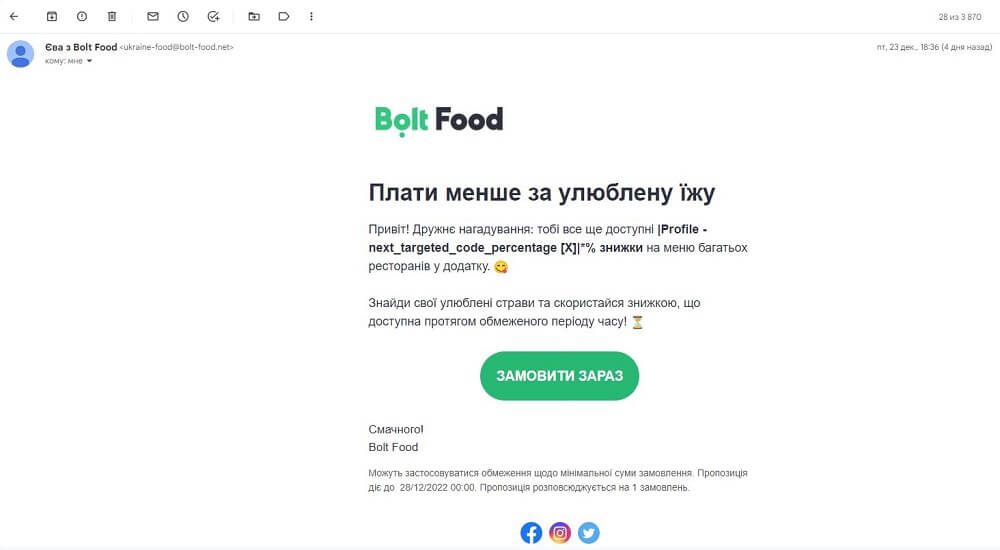
A store uses direct marketing when it sends an offer to specific people or a selected group of shoppers. For example, it can tell customers who were interested in a particular shoe model that their size is back in stock. This kind of message has a clear reason, specific content, and a way for the recipient to respond.
For addressed postal mail, a store can prepare a catalog or leaflet. The employee checks recipients’ addresses and the lawful basis for using their data, includes a way to place an order, and accounts for printing and postage in the campaign budget.
On social media, an employee may send a shopper a private message with an offer. Before sending an advertising message, the employee checks that the recipient has consented, explains the purchase terms, and provides a simple, free way to opt out of future advertising messages.
A personal message starts with a relevant offer. Using a customer’s name in an email may help, but first establish why the person might need the product. Use information the customer gave the store and purchase history only for a lawful data-processing purpose.
Define the goal, offer, and person responsible
Before drafting the text, write down what you want the shopper to do and why it matters to the store. For example: “Offer compatible care products to coffee machine buyers and record orders placed through this offer over ten days.” The timeframe is illustrative: choose one that suits the product and campaign terms.
The store owner or manager approves the offer and budget. The employee preparing the campaign checks the recipient list, text, and links. Sales staff need to know how to apply the terms in the store and mark a purchase. In a small business, one person may handle all of these tasks.
Prepare the following before launch:
- a list of products, their availability, and compatibility with previous purchases;
- a list of customers who have consented to advertising through the relevant channel;
- the price, offer period, discount terms, and delivery terms;
- an order link or a clear way to respond;
- a budget and a process for recording purchases, returns, and costs.

Group customers by the reason they might buy
Segmentation means dividing customers into groups so the store can prepare a relevant message for each one. Start with one attribute you can verify: a product purchased, a customer request, or the date of the last purchase. The examples below are illustrative campaign scenarios.
| Customer group | What to offer | What to check |
|---|---|---|
| Buyers of a specific product | A compatible accessory or consumable | Model, compatibility, and previous accessory purchases |
| Customers who asked to be notified when an item arrived | The product, size, or color they were looking for | The request and actual availability |
| Customers who have not purchased for a long time | A selection from a category they previously purchased from | Date of last purchase and whether consent to advertising is still valid |
Before sending, remove duplicate contacts and customers who have opted out of advertising. If you do not have enough data to select recipients, start with a smaller group that has a clear reason for contact. Do not collect extra information just to make a message feel more personal.
Choose a channel and write the message
Prepare an email for a selection that needs explanation. For a short offer with one link, consider SMS or a message in a messaging app to which the customer has consented. Before choosing, compare sending costs, how well you can present the terms, and how recipients can unsubscribe. Also consider whether an employee can answer questions promptly.
Name the store, explain the offer, state the key terms, and suggest one main action. For example, a button labeled “View compatible filters” tells shoppers exactly where it will take them. If the offer has a time limit, give the actual end date.
Illustrative email for an electronics store:
“Example Store. Replacement filter Y is available for air purifier model X. Price: UAH 720, including taxes. Delivery costs UAH 80 and is charged separately. View the filter and delivery options: [link]. Full seller information: [link]. Unsubscribe from advertising emails: [link]”.
Send yourself a test message before launching. Check it on a phone: product name, price, inserted name, links, and unsubscribe option. The order page must show the same product and terms you promised. For SMS, check how many billable segments the messaging service will charge for.
How to obtain consent for advertising and handle data
Obtain consent for advertising separately and clearly. A phone number provided for delivery does not mean the customer has agreed to receive advertising offers. Let the customer actively check a consent box in an online form or provide written consent. Identify the store, the messaging channels, and how to opt out. Keep the consent text and a record of when and how the customer gave consent.
Before an advertising campaign, the store employee must obtain the recipient’s prior written consent, including in electronic form. Article 14-3 of the Law “On Advertising” requires this for advertising sent using telephone numbers or other network identifiers. Article 120 of the Law “On Electronic Communications” also prohibits the intentional mass sending of messages without users’ consent.
Article 10 of the Law “On Electronic Commerce” allows a commercial message to be sent without consent if the recipient can opt out of subsequent messages. However, for an advertising campaign, the store must also comply with the requirements of the Laws “On Advertising” and “On Electronic Communications” cited above. Therefore, the employee checks consent before launching the campaign and includes an unsubscribe option.
Customers must be able to opt out of using their data for these messages free of charge, at any time, and through a clear method. Include a working unsubscribe link in emails. For another channel, check which free opt-out method the service supports. After an opt-out, exclude the contact from future advertising sends.
Before collecting contact details, the store owner determines how the data will be used and which lawful basis permits that use. If the store relies on the customer’s consent, the employee explains the purpose and obtains voluntary consent to data processing. Obtain consent for advertising messages separately: permission to use a phone number for delivery does not cover advertising. The store may rely on another basis under Article 11 of the Law “On Personal Data Protection” if it permits the specific planned data processing. This does not remove the requirements for consent to advertising.
When an employee collects data directly from a shopper, they explain who is responsible for the data as its controller, what information is collected and why, who it is shared with, and what rights the shopper has. The store collects only the data needed for the stated purpose, corrects inaccuracies, and keeps information that can identify a person only for as long as needed for a lawful purpose.
A customer may withdraw consent to data processing. The store owner then checks whether another lawful basis allows specific information to be retained. If there is no such basis, the store stops retaining the information and deletes or destroys the data in accordance with the procedure established by law.
Give access to contact details only to employees who need them for work, and protect them against loss and unauthorized access. If a mailing service processes data on the store’s behalf, enter into a written agreement that defines the purpose and scope of processing. For transfers to a foreign service, separately check the requirements of Article 29 of the Law “On Personal Data Protection”.
An advertising message must clearly show its commercial nature. Provide simple access to the seller information required by Article 7 of the Law “On Electronic Commerce”: the business name or sole proprietor’s details, address, contact information, identification details, and, where required, license information. State discount and gift terms unambiguously. If you give a price, explain whether taxes are included and how much delivery costs.
Prepare order-shipment notifications separately from advertising. If you add an offer to buy another product to a tracking-number notification, treat the message as advertising and comply with the relevant consent requirements.
How Torgsoft helps prepare and review a campaign
Sending SMS, Viber messages, and emails from the software requires an activated paid “Mass customer messaging” option. It works with Torgsoft-Ultra and Torgsoft-Terminal licenses starting from version 7.6.4, database 354. The option license is valid for one year: for Ultra, it is purchased for each workstation; for Terminal, one license is purchased for the server. For SMS and Viber, register with a service supported by Torgsoft and configure its connection in the software using the help guide. Pay that service separately for messages. For emails, choose and configure a sending method: Outlook, SMTP, or SendGrid.
The employee preparing the campaign first opens “Маркетинг → Клієнти” (“Marketing → Customers”). The customer card has separate consent checkboxes for SMS and emails. Check a box only after obtaining consent, and keep evidence of it. The “Підписка на розсилку” (“Mailing list subscription”) filter helps identify subscribed customers; also check whether their consent covers the selected advertising channel.
Next, open “Маркетинг → Масова розсилка” (“Marketing → Mass mailing”) and create a template in the “Налаштування шаблонів масової розсилки” (“Mass mailing template settings”) tab. You can insert the customer’s name or discount percentage from the customer card into the text. In the “Масові розсилки” (“Mass mailings”) tab, click “Додати” (“Add”), choose a template, and configure the sending method. Save the mailing. Return to the selected customers under “Маркетинг → Клієнти” (“Marketing → Customers”), select recipients, and click “Додати в масову розсилку” (“Add to mass mailing”), then choose the campaign you created.
Before launch, check the recipient list and the prepared messages. To send, open the “Масові розсилки” (“Mass mailings”) tab, select the campaign, and click “Відправити повідомлення” (“Send messages”). Then check delivery results in the “Повідомлення масової розсилки” (“Mass mailing messages”) field; if needed, click “Оновити статус відправки” (“Update sending status”).
In “Аналіз масової розсилки” (“Mass mailing analysis”), you can review campaign participants and customers who used the offer. Choose a period and the required filters using the Torgsoft guide. Use these data alongside your cost records: viewing purchases by campaign participants alone does not prove additional sales or a return on investment.
How to calculate campaign results
Before launch, decide how you will track results: a dedicated offer code, a mark on the order, or a list of participants’ purchases over a selected period. Agree on how to account for repeat orders, cancellations, and returns. A code helps link a purchase to an offer, but a customer may share it with someone else.
Illustrative calculation: the message was delivered to 400 customers, and 20 of them placed one order each through the offer. The share of recipients who bought was 20 ÷ 400 × 100% = 5%. After discounts and returns, revenue from these orders was UAH 16,000, the cost of goods was UAH 10,000, and other variable order costs were UAH 1,000. This left UAH 5,000 before campaign costs.
If sending, preparation, and the portion of the option cost allocated to the campaign totaled UAH 1,500, the remainder is 5,000 − 1,500 = UAH 3,500. This is the result for the selected orders after the listed costs. It is not the store’s net profit: the calculation does not include all fixed costs and does not prove that advertising caused every purchase. Do not deduct a discount a second time if it has already been reflected in revenue.
To estimate additional purchases, randomly divide customers who meet the campaign criteria and have consented to advertising into two groups. Send a message to one group and none to the other. Keep the other purchase conditions the same. Over the same period, count purchases and returns in both groups using the same rules, including orders without an offer code. For each group, divide the number of buyers by the number of all customers assigned to it before sending. Compare these shares. This approach applies the control-group principle described by Google Ads. A few orders are not enough for a reliable conclusion; other promotions or customers in the control group receiving the message may distort the estimate.
What to change in the next campaign
For an A/B test, randomly divide customers in the same segment who have consented to advertising into two groups. Send each customer only one message variant. Change one element, such as the email subject line. Keep the offer, the rest of the text, and sending time the same. Choose the metric and comparison period before launch. If you are measuring the share of buyers, divide the number of buyers in each group by the number of customers assigned to it before sending. More clicks alone do not mean better sales results. If there are few orders, do not rush to choose a winner.
After the campaign, record who received the message, what you offered, how much you spent, and what result you got. Also review opt-outs and customer questions. If customers found the terms confusing, rewrite them before the next launch. If the product was in short supply, coordinate inventory and recipient numbers first.
Sources
- Law of Ukraine “On Personal Data Protection” No. 2297-VI — Articles 2, 4, 6, 8, 10–12, 15, 24, 29.
- Law of Ukraine “On Electronic Commerce” No. 675-VIII — Articles 7 and 10.
- Law of Ukraine “On Electronic Communications” No. 1089-IX — Article 120.
- Law of Ukraine “On Advertising” No. 270/96-VR — Article 14-3.
- Shopify: definition and channels of direct marketing; segmenting an audience for email campaigns; clear calls to action.
- Salesforce: testing one variable in an A/B test.
- Google Ads: control group principle for estimating additional purchases.
- Torgsoft: selecting customers; customer card and consent checkboxes.


 Go back to the previous step