


To improve your online store, start with a specific obstacle for shoppers: they cannot find a product, understand the difference between models, or work out how to receive an order. Choose one such problem, change the relevant part of the site, and check the results by looking at completed purchases and enquiries to your sales staff.
Using ROZETKA, EVA, Epicentr, ALLO, COMFY, Citrus and Foxtrot as examples, we’ll look at seven ideas for catalogues, advice, promotions and order collection. This is a selection of practices that owners of small stores can adapt to their product range, team and budget.
ROZETKA: help shoppers find and compare products

The ROZETKA website has search, a category-based catalogue and comparison lists. The company also describes video reviews and articles that help shoppers choose products.
For your own store, start with ten queries that sales staff hear most often. For example, a shopper searches for a “rechargeable lamp”, while the catalogue calls the product a “stand-alone light”. Try both queries. If the site cannot find the right model, add a more familiar name or configure search to include relevant terms.
Next, choose a category where shoppers often ask for differences to be explained. Present the same product attributes in the same order on product pages. For bags, these might include dimensions, material, number of compartments and strap length. This lets shoppers compare models without making several calls.
Give an employee who did not edit the catalogue three tasks: find a product by its everyday name, compare two models and identify the required size. Note where they get stuck. Those are the places to fix first.
EVA: group products by shopper need

In the EVA catalogue, products are grouped by more than just type. It also has sections based on needs, including cleansing, moisturising, hand care and hair care.
You can use this approach in other niches too. A kitchenware store could create collections such as “For baking” and “For storing lunch”; a clothing store could create “For rainy weather” or “For work”. Each collection should address a specific need and include products that genuinely suit it.
Ask sales staff to write down shoppers’ questions for a week. Use those notes to create one collection and briefly explain the selection criteria. For example: “Containers that fit in a bag; dimensions are listed on each product page.” Do not claim features that are not in the manufacturer’s documentation.
After launch, review which products in the collection are being ordered and which ones shoppers still ask about. If the same questions keep coming up, add to the descriptions. Do not add more sections while shoppers are still finding it difficult to navigate the ones you have created.
Epicentr: explain how shoppers will receive their orders
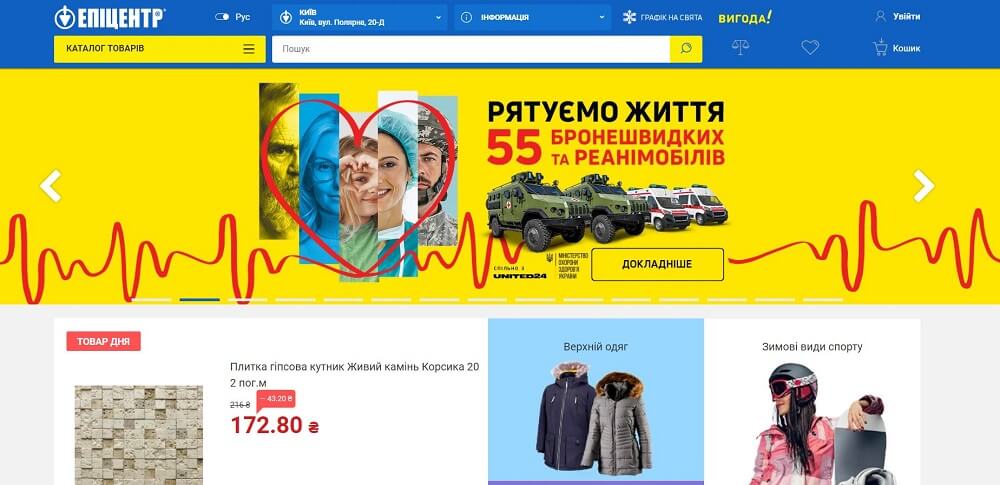
The Epicentr website combines an online catalogue with collection centres. Separate sections cover delivery, self-collection and services such as cutting materials and tinting paint.
If you have both a website and a physical store, describe how an order gets prepared for collection. Who checks availability? Who sets the item aside? What message does the shopper receive? When can they come in? Assign someone to each task, even if one person handles them all.
Distinguish between “We’ve received your order” and “Your item is ready for collection”. Send the second message after an employee has found the right item, checked it and prepared it for handover. Include the address, opening hours and a contact number.
Any additional service also needs clear boundaries: what the price includes, what information the shopper must provide, and when an employee will confirm the timeframe. Check the process against cases where a customer arrives early or a sales assistant cannot find the prepared item.
ALLO: explain product features in terms of what they help shoppers do
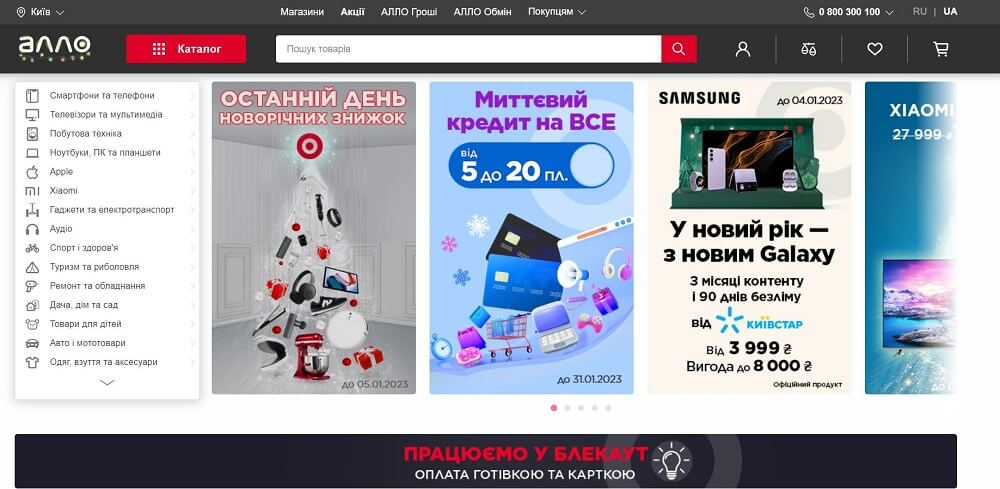
The ALLO catalogue has collections of power stations for different uses: routers, televisions, boilers and refrigerators. Shoppers can also choose products by technical specifications.
In your own catalogue, pair a clear intended use with verified specifications. For a backpack, for example, state the dimensions of its laptop compartment. For a shelf, give its dimensions and, if confirmed by the manufacturer, its load capacity. The collection name should help shoppers start choosing, and the description should help them check whether a specific product is suitable.
Do not promise compatibility based only on a device’s general name. Before making a recommendation, the sales assistant should confirm the model or required specifications. For electronics, these might include the connector and power requirements; for furniture, the dimensions of the installation space.
Prepare a short list of questions for advisers and add the answers to the product pages for your most popular items. Check whether the number of orders that need to be changed after speaking with the shopper has gone down.
COMFY: show the price, reviews and terms together
On the COMFY homepage, product prices, ratings and review counts are shown next to the items. Some offers also show bonuses or special delivery terms.
Review what shoppers can see in your catalogue before opening a product page. Is the final price clear? Can shoppers tell the models apart? Are the terms of a special offer visible? Put important explanations close to the price so people do not discover restrictions only at checkout.
Before launching a discount, calculate what remains from the sale. Hypothetical example: the product price is UAH 1,000 and its purchase cost is UAH 650. After a 10% discount, the shopper pays UAH 900. The difference between the selling price and purchase cost is UAH 250: 900 − 650. If the store also spends UAH 40 on packaging and UAH 80 on advertising for this order, UAH 130 remains before other expenses.
This calculation does not show net profit. It helps you check whether the money left covers the known costs of the order. Assess a promotion by the amount remaining after expenses and the number of completed sales.
Citrus: clearly describe product condition and compatible accessories
The Citrus catalogue has separate sections for used and discounted items. Accessories are grouped by device and model, including cases for different smartphones and tablets.
If you sell used or discounted items, explain the condition of each individual item. State the reason for the discount, visible defects and what is included, and add your own photos. Labels such as “good condition” without a description do not help shoppers understand what they will receive.
Check compatibility before recommending related products. Sales staff should know exactly which model a case, replacement attachment or spare part fits. List confirmed models and any significant limitations on the accessory’s product page.
Start with a few key products and select the right accessories for each. Explain their benefit in terms of a specific action: protect the screen, replace a worn part or store the device. Track accessory sales and enquiries caused by compatibility errors.
Foxtrot: make advice and help easy to access
The Foxtrot website offers video consultations, chat with an operator, an information centre and a link to its service network. It also describes the option to call a sign language interpreter online.
For a small store, start with one channel that your team can keep up with. State your opening hours and explain what shoppers can get help with: checking a size, viewing a product detail, confirming what is included or finding out how to receive an order.
Prepare answers to common questions and place them next to the relevant action. Information about receiving an order belongs during checkout; post-purchase support contacts belong in the order completion message. Write so shoppers can take the next step without making an extra call.
When trying video consultations, choose one category and agree on call times with the sales assistant. Record the reason for each enquiry and the outcome: the shopper chose a product, asked for another model or was left without an answer. This will show you which descriptions and photos need to be improved.
Tracking online store stock and expenses in Torgsoft
Check stock before launching a collection or promotion. In Torgsoft, the “Stock status” (“Стан складу”) mode shows product quantities, prices and cost prices, while “Product availability in the retail chain’s warehouses” (“Наявність товару на складах торговельної мережі”) helps you find an item across different stores and warehouses. Before confirming an order, the employee responsible can check these figures against the actual stock. These features are described in the Torgsoft inventory management section.
To assess sales expenses, record advertising, packaging and other payments under the relevant financial analysis items — that is, expense categories. In Torgsoft financial accounting, the owner can create these items and record expenses using financial documents. Financial accounting features, including items, documents, cost of goods and reports, are available in the base programme.
After a promotion, review sales and expenses for the period you selected. How accurate your conclusions are depends on the data: staff need to record deliveries, sales, returns and expenses on time. If advertising covered several products, decide in advance how you will allocate its cost among them. That lets you compare the results of different offers consistently.
How to choose the first change for your store
Take the last twenty shopper enquiries and look for a recurring problem. If people cannot find a product, work on search and the catalogue. If they take a long time to choose, add specifications and photos. If they are confused about collection, fix the messages and collection process.
Assign someone to take responsibility and write down exactly what they will change. Before you start, record a metric for comparison: the share of cancelled orders, the number of repeat questions or the amount remaining after direct expenses. For example, if 6 out of 100 orders were cancelled because an item was unavailable, the rate is 6%.
Compare periods with similar conditions and account for changes in advertising, product range and demand. Once you can explain and confirm the result, apply the solution to other categories. If the problem remains, go back to shoppers’ enquiries and find out which step is still causing difficulty.


 Go back to the previous step