


Page 15 - Volodymyr Vytyshchenko

Trade Automation Expert at Torgsoft
Volodymyr Vytyshchenko — a trade automation expert at Torgsoft. Implements automated systems in retail outlets. Helps entrepreneurs optimize business processes, automate sales, and accounting.
Specializes in adapting Torgsoft software to the needs of the Ukrainian market. Analyzes business requirements to select the most suitable software and equipment package. Also provides support for the software for online stores and creates online stores in 1 day.
-
22.07.2026
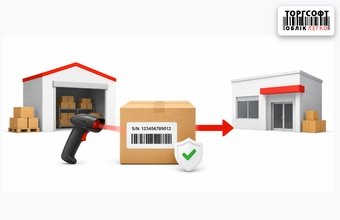
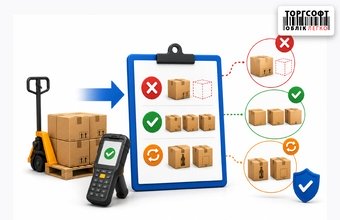
Moving goods with serial numbers: how to avoid errors and loss of warranty records

How to move goods with serial numbers in Torgsoft: internal transfer, goods in transit, invoice check and warranty tracking
-
21.07.2026
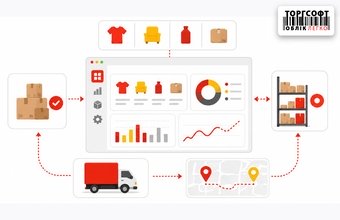
Assortment management center for inventory and logistics management
How to use Torgsoft Assortment Management Center: analyze stock, sales and demand, then move goods between stores
-
21.07.2026
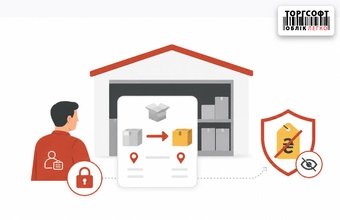
Storekeeper rights for internal transfers: warehouse setup, price hiding, and logistics scenario control
How to set warehouse staff rights in Torgsoft: warehouse access, hidden prices, visible invoices and control of goods acceptance
-
21.07.2026
How to Improve Store Operations: Goals, Staff Training, and Results Review
Set measurable store goals, train sales staff to explain products, and review performance. Consider metrics alongside customer feedback and working conditions: one number does not tell the whole story.
-
20.07.2026
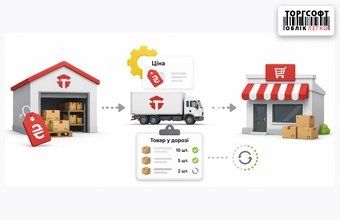
Pricing for internal transfers: how to set prices and avoid hangs when receiving "Goods in Transit"
How to set prices for internal transfers in Torgsoft and avoid program freezes when accepting goods in transit
-
20.07.2026
Control of internal transfer acceptance: how to record shortages, surpluses and re-sorting without staff fraud
How to control internal transfer acceptance in Torgsoft: goods in transit, invoice check, shortages, surplus and mismatched items
-
20.07.2026
Store KPIs: How to Choose Metrics and Review Results
A KPI is a quantitative measure of progress toward a specific business goal. Choose metrics for your store’s current task, define the data sources and measurement period. Set a target based on historical results, then review the outcome of decisions after each check-in.
-
20.07.2026
How to Compare Sales Velocity, Gross Profit, and Margin
Compare products using three metrics: sales velocity in units per day, gross profit in monetary terms, and gross margin as a percentage. They show units sold per day, the amount left after subtracting cost of goods sold, and that amount as a share of net sales.
-
20.07.2026
How to Prepare a Trade Show Booth Design for Your Store
Start with the purpose of participating and the products to display. Use this as the basis for preparing a booth plan, a brief and a budget estimate. Before ordering fabrication, check the design against the specific organizer’s rules and clarify what services are included in suppliers’ proposals.
-
20.07.2026
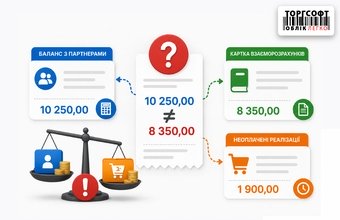
Why the client's debt does not converge: balance with partners, settlement card and unpaid sales
Why customer debts differ in Torgsoft reports: partner balance, mutual settlements, VIP payments, returns, and deleted statistics
-
20.07.2026
How to Formulate a Store’s Value Proposition
A value proposition explains why a customer should choose your product or service and what value they will get. Start with a specific customer need. Then identify the benefit, check the conditions for receiving it, and formulate the proposition in a few short sentences.
-
17.07.2026
Supply Agreement: How to Verify the Signatory for an Individual Entrepreneur or an LLC with a Director or Collegial Executive Body Consisting of Natural Persons
Before signing a supply agreement, check the supplier’s registration details, the signatory’s identity and their authority to sign that specific agreement. For an individual entrepreneur, this means signing personally or through a representative under a power of attorney. For an LLC with a director or a collegial executive body consisting of natural persons, check the charter, appointment, signing rules and any required approvals.

Torgsoft is a ready-made solution for warehouse, financial, and inventory management for small and medium-sized businesses
 Go back to the previous step