


Page 2 - Oleksiy Remarik

Retail equipment specialist and author of training videos
Oleksii Remaryk — an expert in connecting and configuring retail equipment in Torgsoft. He clearly demonstrates how devices synchronize with Torgsoft, tests equipment, and selects optimal solutions for various businesses — from stores to warehouses and retail chains.
He helps Torgsoft clients connect and configure scales, barcode scanners, label printers, cash registers, and other devices, ensuring stable system performance and accurate accounting. He advises entrepreneurs on choosing equipment for daily work with Torgsoft.
-
30.06.2026
Antivirus Blocked Torgsoft: Restore Access

What to do if the antivirus blocked Torgsoft: how to restore files from quarantine and add the program to exceptions
-
22.06.2026
Torgsoft-Hybrid: Installation and Setup
How to install Torgsoft-Hybrid, configure port 6001, access, equipment and synchronization of sales with the server
-
15.06.2026
Connecting the Verifone X990 banking terminal via the SSI JSON protocol
Connecting Verifone X990 to Torgsoft via SSI JSON: Wi-Fi, Ethernet, USB-COM, IP, drivers, payment test and self-service checkout
-
10.06.2026
How to connect the Xprinter XP-Q801K receipt printer to a computer, USB and Wi-Fi
Video instructions for connecting Xprinter XP-Q801K via USB and Wi-Fi: driver, IP, self-test, TCP/IP port and printing in Torgsoft
-
03.06.2026
Visitor counter: TK-04 Wi-Fi
How to connect and use the TK-04 Wi-Fi visitor counter in Torgsoft for customer registration, conversion analysis, and improving store efficiency
-
15.05.2026
Self-Service Checkout Overview | Part 1
How Torgsoft Self-Service Checkout Works: Product Scanning, Discounts, Excise, Age Verification, Payment and Receipt
-
15.05.2026
Launch Self-Service Checkout: Setup | Part 2
How to launch Torgsoft Self-Service Cash Register: License, Hardware, Port 6001, Installer, IP Address and Fiscal Check
-
29.04.2026
To install and install the driver for the receipt and label printer, select a USB port
How to install the receipt and label printer driver, select a USB port, clean your device and update your device with Torgsoft
-
24.04.2026
Selecting and configuring a receipt template for different users in Torgsoft
Setting up fiscal and non-fiscal receipt templates for different users in Torgsoft: access rights, printing receipts
-
22.04.2026
The scanner does not transmit a barcode. Scanner diagnostics and settings for Torgsoft
What to do if the scanner beeps, but does not add the product to Torgsoft: diagnostics of the connection, Enter, HID, prefixes, suffixes and zero
-
21.04.2026
How to resume printing receipts and labels if the printer has stopped printing: the USB or IP port has changed
If your receipt or label printer does not print after changing the USB or IP port: check, driver, port
-
20.04.2026
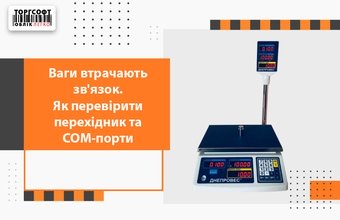
Scales lose connection. How to check the adapter and COM ports
Scales do not transmit data to Torgsoft: check the COM port, USB↔COM adapter, drivers and settings to restore communication



Torgsoft is a ready-made solution for warehouse, financial, and inventory management for small and medium-sized businesses
 Go back to the previous step