


Page 31 - Volodymyr Vytyshchenko

Trade Automation Expert at Torgsoft
Volodymyr Vytyshchenko — a trade automation expert at Torgsoft. Implements automated systems in retail outlets. Helps entrepreneurs optimize business processes, automate sales, and accounting.
Specializes in adapting Torgsoft software to the needs of the Ukrainian market. Analyzes business requirements to select the most suitable software and equipment package. Also provides support for the software for online stores and creates online stores in 1 day.
-
07.04.2026
How to Evaluate a Purchase: Sales, Stock and Results from Sold Goods

Before reordering, evaluate the specific purchase: how much was sold, how much remains at purchase cost, and how discounts affected the result. Separately compare sales receipts with the amount spent on the purchase.
-
07.04.2026
Inventory management: how to avoid duplicates, limit staff rights, and track changes
How to bring order to the product database in Torgsoft: fixing names, searching for duplicates, access rights, auditing changes and controlling sellers
-
06.04.2026
Deactivate and Restore a Product in Torgsoft
How to remove a discontinued product from active lists, find it after deactivation, and restore it.
-
06.04.2026
Merging product cards: instructions for merging duplicates
How to merge duplicate products in Torgsoft: 3 ways to merge cards, save barcodes, movement history, risks and error correction
-
04.04.2026
HTTPS for E-commerce: TLS Certificate Setup and Security
How to properly configure HTTPS and choose a TLS certificate for an online store. Data protection, automated renewal, HSTS, and payment security rules.
-
03.04.2026
Bulk editing of products after import: how to quickly define directories
How to find unclassified products in Torgsoft after importing from Excel and mass fill in category, brand, season and other directories
-
02.04.2026
Import of supplier price lists: currency, balances and auto-creation of goods
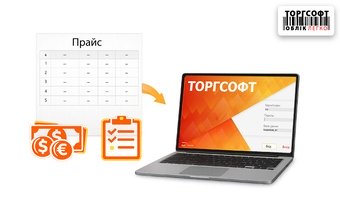
How to correctly configure the import of price lists and product data from Excel into Torgsoft? A step-by-step guide: file preparation, working with multi-currency, updating inventory levels, and troubleshooting common errors
-
01.04.2026
How to import an incoming invoice from Excel: step-by-step instructions
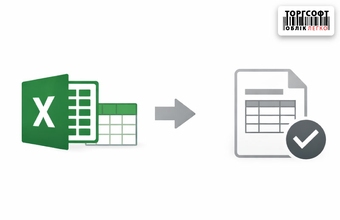
Importing an incoming invoice from Excel to Torgsoft: preparing the file, configuring columns, barcodes, prices and uploading products
-
01.04.2026
Automating the Online Store Workflow
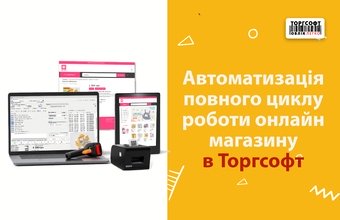
Online store automation in Torgsoft: orders, payments, delivery, customers and synchronization with marketplaces
-
01.04.2026
How to organize order picking and handover in a store
For every order, record the exact contents, quantity, agreed ready and handover times, and the employee responsible. Check available stock before accepting an order, then compare the parcel’s actual contents with the order before handing it over.
-
01.04.2026
Branding checks and expense invoices: how to add a logo and corporate identity to a document
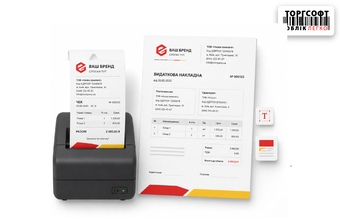
How to edit Torgsoft print templates: add a logo, set fonts, discounts, QR code size and text in a sales receipt or invoice
-
31.03.2026
How to prevent price fraud: markup control and restrictions on seller rights
Control of prices, discounts, access rights and sales at a loss in Torgsoft: how to prevent staff fraud and protect profits



Torgsoft is a ready-made solution for warehouse, financial, and inventory management for small and medium-sized businesses
 Go back to the previous step