


Page 8 - Warehouse
Go to the Blog section
-
18.04.2017
Inventory with a Smartphone

How to create an inventory sheet, scan products in the mobile app, and send inventory results to Torgsoft.
-
27.12.2016
Getting Started with Torgsoft
Receiving, sales, returns, gift certificates, reports, stock transfers and write-offs in one webinar.
-
19.10.2015
Tracking Size-Variant Products in Torgsoft
Set up size ranges, receive and sell goods, exchange sizes, and analyze stock across a retail chain.
-
12.06.2015
Stocktaking: Statement and Discrepancies
How to create an inventory statement, enter actual quantities, and handle shortages and surpluses.
-
24.04.2015
Changing a product’s purchase price
How to review a product’s purchase price and process a return and new receipt after a supplier price change.
-
20.04.2015
Product Photo Thumbnails
Where product photos appear in Torgsoft and how to check images while working with documents.
-
13.06.2014
First Steps in Inventory Management
A webinar on receiving goods, sales, returns, transfers between stores, and daily trading summaries.
-
23.05.2014
Product Accounting in the Mobile App
How to work with products, sales, receipts, and reports on a smartphone using the Torgsoft mobile app.
-
13.05.2014
Set Up a Product Size Range
Create a size grid, link it to a product type and manufacturer, and enter quantities by size.
-
12.03.2014
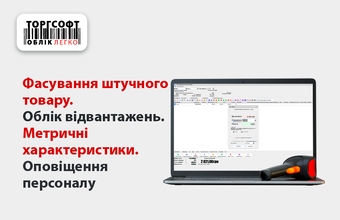
Packaging and Other Warehouse Modes
An overview of four Torgsoft modes: packaging piece goods, deferred dispatch, metric accounting, and staff notifications.
-
22.11.2013
Getting Started: Warehouse and Stores
How to record a delivery, distribute goods among stores, and track sales and returns.
-
25.10.2013
Stocktaking: Counting and Reconciliation
How to prepare for stocktaking, count goods in different ways, and check discrepancies before completing the process.


Torgsoft is a ready-made solution for warehouse, financial, and inventory management for small and medium-sized businesses
 Go back to the previous step